


Participant
January 16, 2026
Question

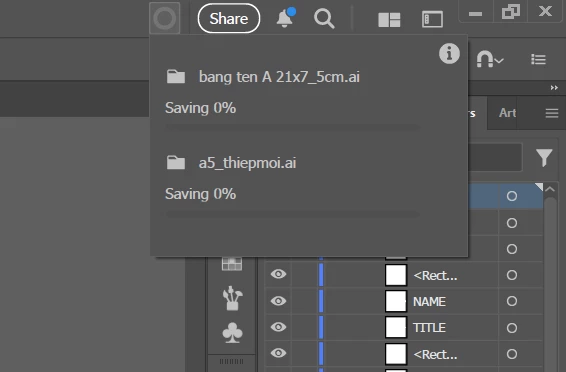
Adobe Illustrator 30.1 Extremely Slow When Saving Files

  • January 16, 2026
  • 1 reply
  • 136 views

Everything works fine until I try to save the file. At that point, Illustrator becomes very slow, and it often takes almost an hour to complete the save process in Adobe Illustrator 30.1. Has anyone experienced this issue or knows how to fix it?Screenshot 2026-01-17 064246.png
1 reply

Participant
January 17, 2026

All previous versions worked perfectly fine — saving files was fast. My PC is also quite powerful and can run all AAA games smoothly.

Anubhav M
Community Manager
Community Manager
January 19, 2026

Hello @Sweat31055282ani9,

Thanks for reaching out. Would you mind sharing more details, such as the version of the OS installed and whether this happens when saving to a particular folder on an internal/external/network drive or to a cloud-synced folder like Google Drive/Dropbox/etc., so we can better assist you?

Looking forward to hearing from you.

Anubhav

Participant
January 20, 2026

I installed Adobe Illustrator 2026 (version 30.1) on Windows 11. I saved one file on an external drive and another file on the internal drive, and neither of them is synced with the cloud.  

Previously, saving files was not slow at all, but now it is slower than I ever expected. Can you help me?