
Participating Frequently
March 4, 2020
Answered

Adobe Illustrator (AI) version conflict across two machines

  • March 4, 2020
  • 2 replies
  • 1469 views

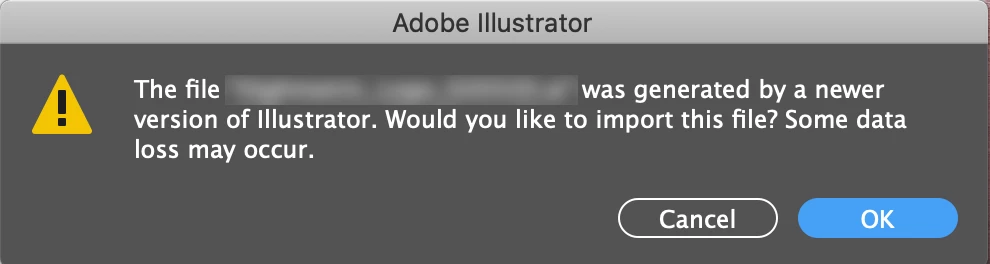
I have an Adobe Illustrator (AI) version conflict across two machines. My Desk top Mac and my iBook both have up to date operating systems and versions of AI. Files are kept in the cloud on DropBox. However, when I try to open a Desktop created AI doc on my iBook, I am told that it was created in a newer version (see image attached). Any help would be hugely appreciated.
This topic has been closed for replies.
Correct answer Ashutosh_Mishra

Hi there,


Thanks for providing all the details. You should have similar versions (v24.1) installed on both the machines irrespective of the OS (Windows or macOS). If you do not see any update for Illustrator on the macOS, I'd suggest following steps provided on https://helpx.adobe.com/creative-cloud/kb/creative-cloud-application-recognizing-available.html


If it does not help, please contact live support on  https://helpx.adobe.com/support.html , click on chat icon at bottom right to begin the conversation. They'll be able to perform remote troubleshooting on the machine and will be able to help you out accordingly. Hope it helps.

2 replies

Ashutosh_Mishra
Ashutosh_MishraCorrect answer
Inspiring
March 5, 2020

Hi there,


Thanks for providing all the details. You should have similar versions (v24.1) installed on both the machines irrespective of the OS (Windows or macOS). If you do not see any update for Illustrator on the macOS, I'd suggest following steps provided on https://helpx.adobe.com/creative-cloud/kb/creative-cloud-application-recognizing-available.html


If it does not help, please contact live support on  https://helpx.adobe.com/support.html , click on chat icon at bottom right to begin the conversation. They'll be able to perform remote troubleshooting on the machine and will be able to help you out accordingly. Hope it helps.

seftonAuthor
Participating Frequently
March 10, 2020

Hi Ashutosh. I the steps in the link provided and it worked a dream! Thanks you so much for you help. Best, S

Ashutosh_Mishra
Inspiring
March 4, 2020

Hi there,


Sorry to hear about your experience. Would you mind sharing the versions of Illustrator on each machine?
For Windows, click on Help > About Illustrator & For macOS, click on Illustrator > About Illustrator to get the exact version details.

Looking forward to your response.


Regards,

Ashutosh

seftonAuthor
Participating Frequently
March 5, 2020
Thanks Ashutosh

My desktop runs:
High Sierra: 10.13.6
AI: 24.1

My MacBook runs:
Catalina: 10.15.13
AI: 23.0.1

So they are not identical, but both have been updated as of this morning?

Let me know if you can help.

S
Ton Frederiks
Community Expert
Community Expert
March 5, 2020

Try to update the 23.01 and don't open the files saved as 2020 in a CC version.

If you need to open them  in CC 23.0.1 you must save them as a legacy version from 2020.