Participating Frequently
October 30, 2024
Question

Adobe Illustrator consuming a lot of memory

  • October 30, 2024
  • 1 reply
  • 1569 views

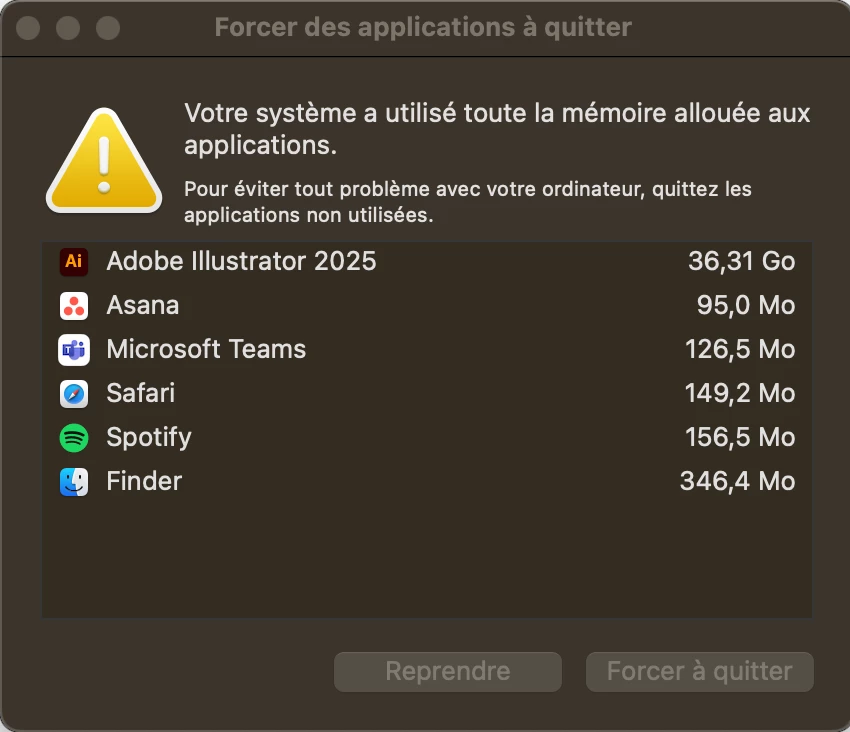
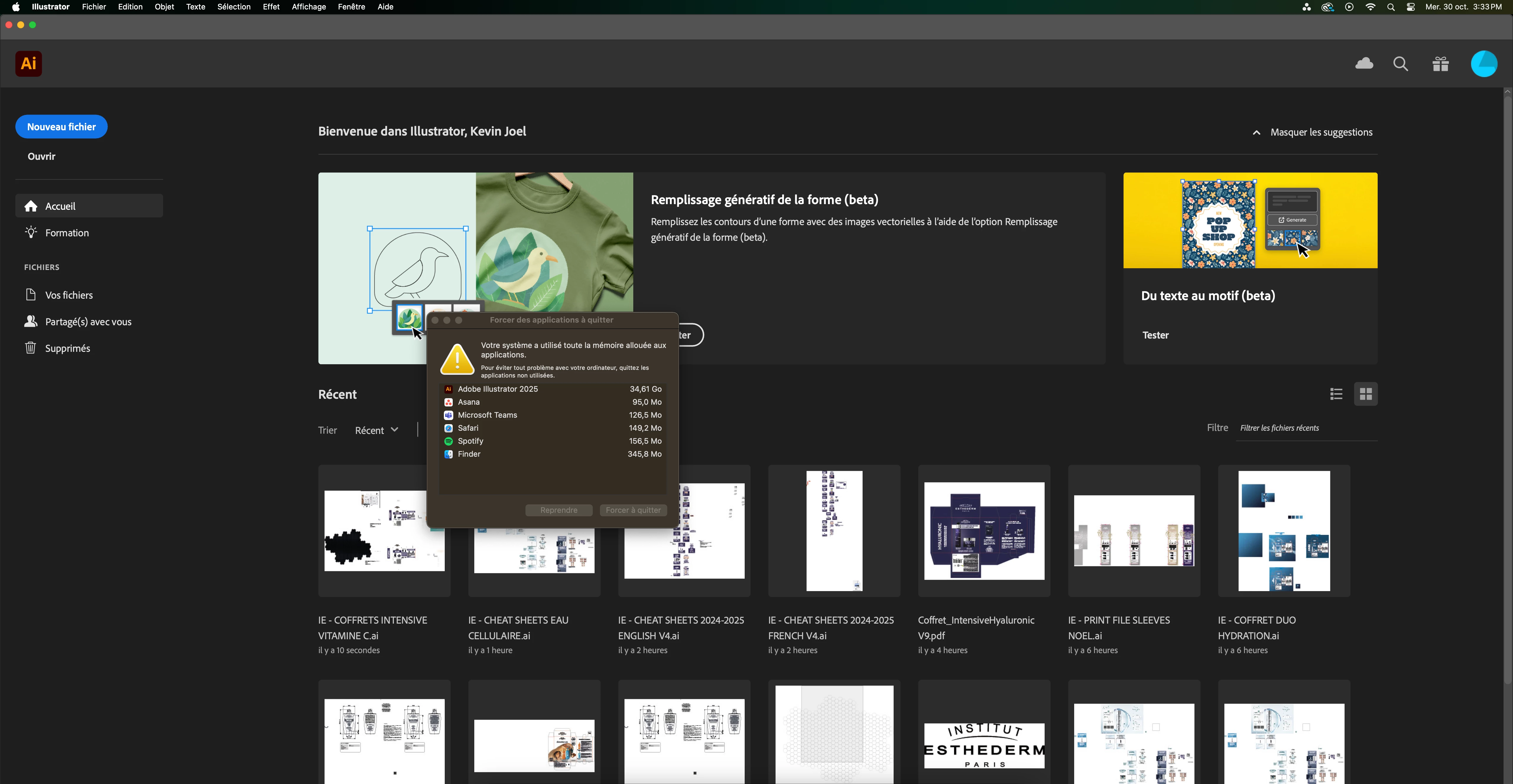
I've been working on some simple files but after 2025 update my illustrator shows this error message. 

It forces me to restart Adobe Illustrator even without any open file... it is very annoying and time consuming because the only way to resolve it temporally is to restart the mac which takes me around 2-3 minutes each time it happens (approximately each 20 minutes) this did not happen before the 2025 update any tips on how to resolve it? thanks. 
This topic has been closed for replies.

1 reply

Community Manager
October 31, 2024

Hi, Sorry for the trouble. Please try the steps mentioned in this link and share the outcome.


^VS

Participating Frequently
November 26, 2024

Hello, thanks for answering unfortunately it did not work, is getting even worse to the point we get the same error message stating Illustrator is consuming 44 GB of memory while working on a simple file 1 imagen 3 textes. we are a company based in France but working in Canadá and South America (Colombia and Chile) we are considering in moving to another software as this one only causes trouble and there is 0 support, every week there is a new version which is only worse than the previous ones. It goes to the point were the software is completely locked but ironically you can open the browser, watch Youtube videos, listen to podcasts on Spotify but you cannot work. 

Community Expert
November 27, 2024

I think something else must be corrupted in the Adobe Illustrator installation that isn't getting fixed by resetting the Preferences file. Is there more than one version of Illustrator installed on the computer?


In really stubborn cases it may help to use the Creative Cloud Cleaner Tool to completely remove a faulty installation of Illustrator. That way the app can be re-installed completely fresh.
https://helpx.adobe.com/creative-cloud/kb/cc-cleaner-tool-installation-problems.html


Also, other things can affect the operation of Adobe Illustrator. Any attached periphreals (such as a Wacom tablet for instance) should have their drivers checked for updates. Sometimes even the newest driver will cause problems and need to be rolled back to a prior version.


Bugs in third party plugins for Illustrator can also cause problems. Check for updates there as well.