Participant
March 25, 2023
Answered

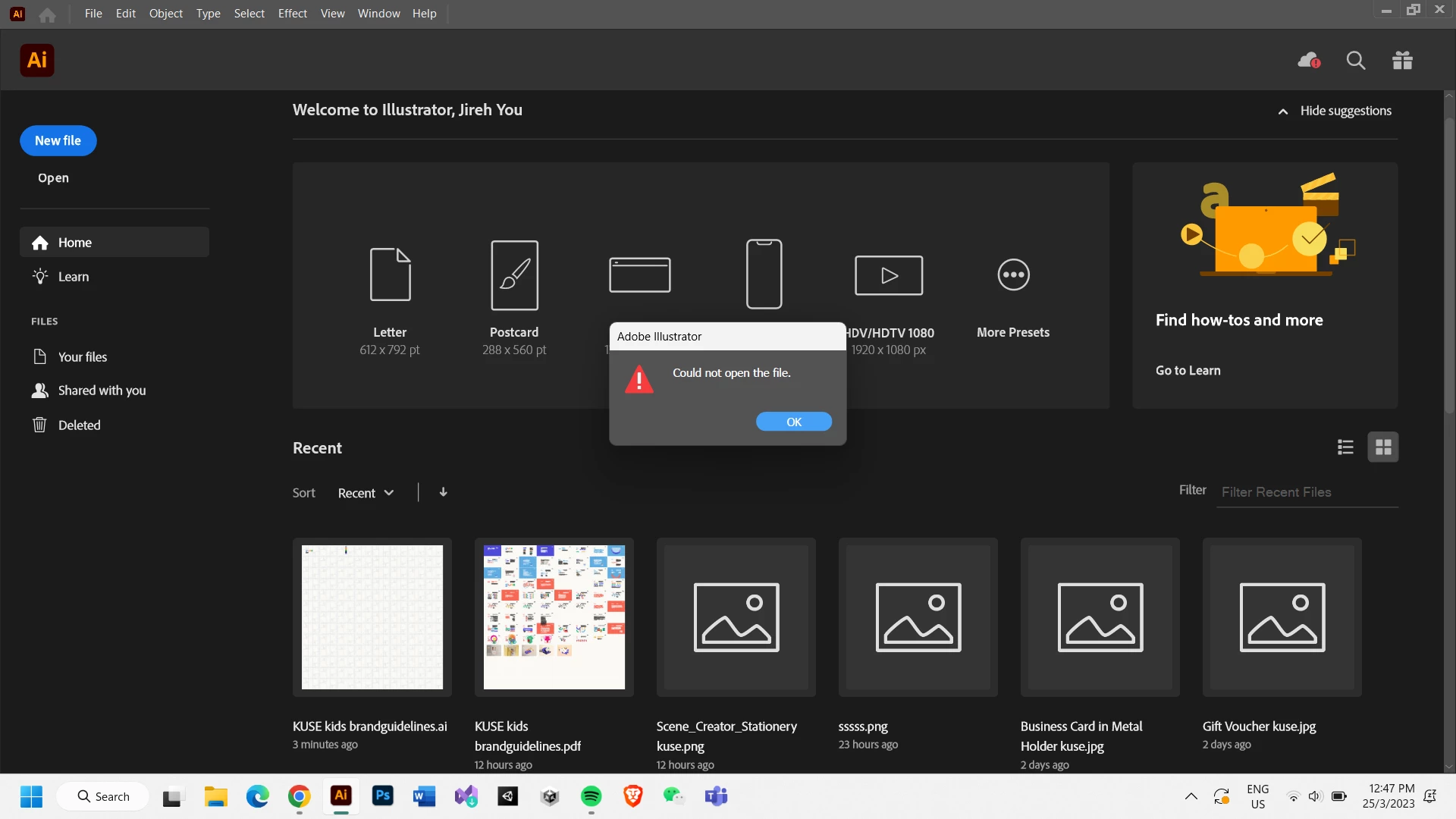
Adobe Illustrator could not open the PDF file

  • March 25, 2023
  • 3 replies
  • 844 views

Hi there, I have been working on my Illustrator for a project for over two weeks, which I have saved as PDF, compatible with Illustrator. It was all right as always for the past two weeks opening, working, closing, and saving without a problem, but it suddenly said that it could not be opened in my Adobe Illustrator today. I have no AI file for this project and only a PDF file saved in my Google Drive and computer, but both can't be opened. My Illustrator version is Adobe Illustrator 2022 v26.0.3.778 (x64) Multilingual. It would be a great pleasure if anyone knows of any way that can help. Thank you.
 

This topic has been closed for replies.
Correct answer Anubhav M

Hello @Jireh290653063gx1,


We understand encountering technical issues can be frustrating. Would you mind trying to open the Ai file in Acrobat and then resaving it as a PDF, as suggested by Bobby, to check if it helps?


You may also share the file here (https://community.adobe.com/t5/illustrator-discussions/share-your-files-in-6-simple-steps/td-p/12967531) so we can check it on our end. Although we cannot guarantee a successful recovery, we will try our best to do so.


In the future, kindly try saving your files locally to your hard drive and then manually copy them to a removable/network drive or a cloud-synced folder (Google Drive/Dropbox/OneDrive, etc.) to avoid such problems, as suggested by Monika. You may learn more about this here: (https://helpx.adobe.com/in/illustrator/kb/illustrator-support-networks-removable-media.html).


Looking forward to your response.


Thanks,

Anubhav


Note: Marking correct for visibility.

3 replies

Anubhav MCommunity ManagerCorrect answer
Community Manager
March 29, 2023

Hello @Jireh290653063gx1,


We understand encountering technical issues can be frustrating. Would you mind trying to open the Ai file in Acrobat and then resaving it as a PDF, as suggested by Bobby, to check if it helps?


You may also share the file here (https://community.adobe.com/t5/illustrator-discussions/share-your-files-in-6-simple-steps/td-p/12967531) so we can check it on our end. Although we cannot guarantee a successful recovery, we will try our best to do so.


In the future, kindly try saving your files locally to your hard drive and then manually copy them to a removable/network drive or a cloud-synced folder (Google Drive/Dropbox/OneDrive, etc.) to avoid such problems, as suggested by Monika. You may learn more about this here: (https://helpx.adobe.com/in/illustrator/kb/illustrator-support-networks-removable-media.html).


Looking forward to your response.


Thanks,

Anubhav


Note: Marking correct for visibility.

Community Expert
March 28, 2023

Does the PDF open at all in Adobe Reader?

Monika Gause
Community Expert
Community Expert
March 25, 2023

You saved directly to your Google Drive? That is often a recipe for desaster.

Is there a possiblity to get an earlier version from the Google Drive? It does versioning, no?

Participant
March 28, 2023

I do saved in my drive, but also on my computer also. Ungortunately, I dont think I have the earlier version from the google drive.