
Adobe Illustrator CS6: Eyedropper Tool Does not Change the Color of Fill or Stroke
Dear community,
I have a problem with my Illustrator CS6. When I want to change the color of an object (either fill or stroke) with the eyedropper tool I usually hold shift to pick only the color and the object will display the new color. This does not work any more. What happens is the following: the color is only changed in the color panel of the tool bar on the right (see image circle 2) and in the color panel of the tool bar on the left (see image circle 1) but not in the real object (see image red arrow, the fill of the stars, circle 3). This happens to any kind of object I want to change the color by eyedropper.
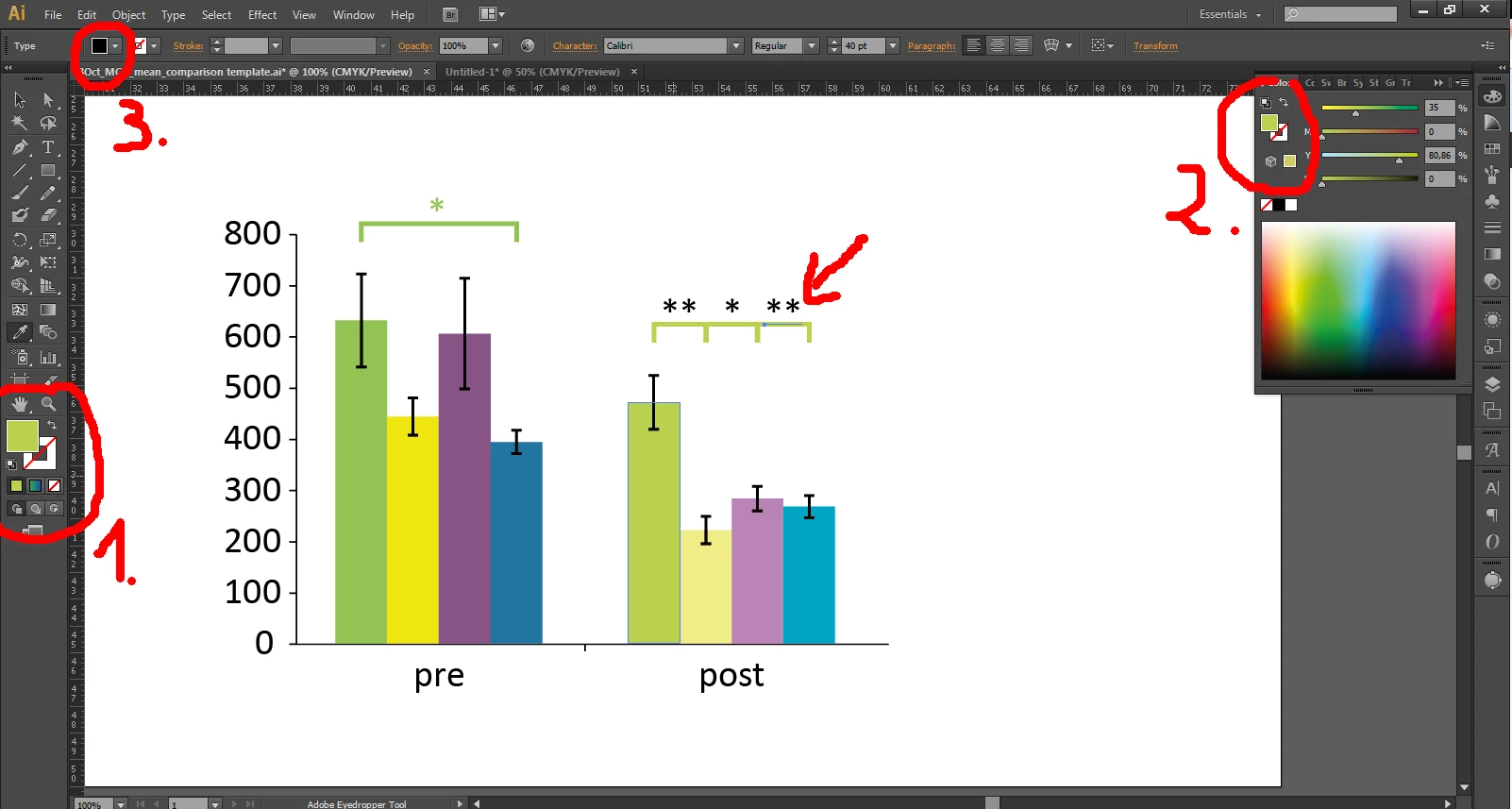
I searched now every post that I could find to this topic but non gave me any solution. There is one way I could manage to change the color but this is extremely annoying and inconvenient. I have to select the object and select the the color. As seen in the image it is not changing. To do so I have to go to circle 1 change the fill to gradient (the small buttons underneath the big ones) and then back to fill and mysteriously it will change the color. But this can't be the solution.
Thank you for your suggestions in advance!
Best
Flo
 AdChoices