
Question
Adobe Illustrator Error 1 Pop-Up upon launch
So I've been using Adobe Illustrator CC 2015 for awhile now and it's been working perfectly up until yesterday when upon launch, I got the Error 1 message.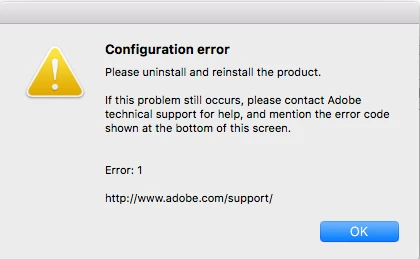
I've uninstalled the product and reinstalled the product and I get the same message. So I read through the forums and downloaded the Creative Cloud Cleaner Tool and cleaned up my adobe applications, restarted my computer and everything else like (Photoshop and After Effects) work except Illustrator that keeps coming up with the same message.
I'm currently running Mac Sierra 10.12 and only have a problem Illustrator. Can someone help me please 
 AdChoices