


Adobe Illustrator ghosting bug/issue
I am having some very weird issues in Illustrator, going back as far version 27.
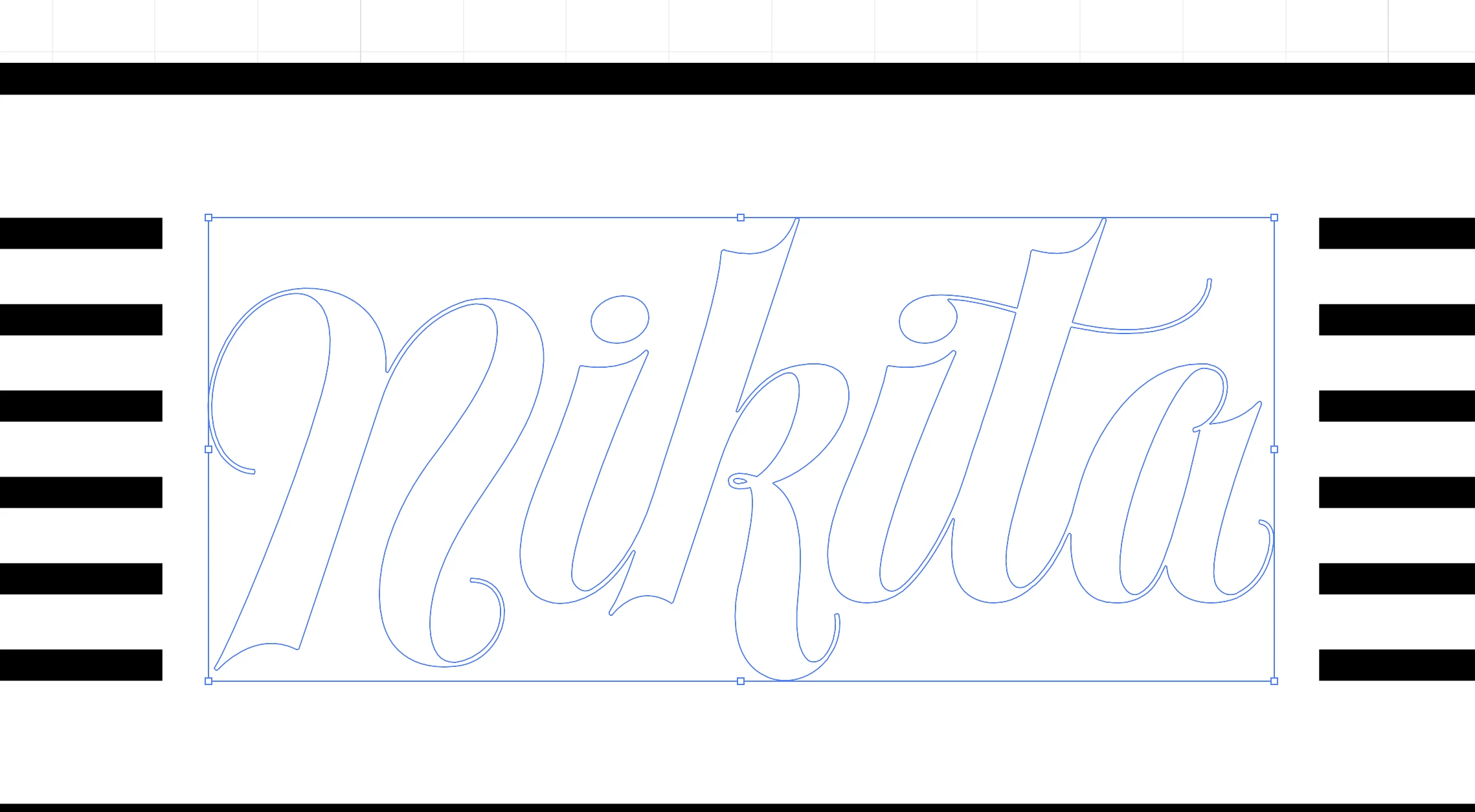
At absolutely random times when I am working on a vector file (could be simple flat art like a logo or a more complex file with multiple layers and content), when I press CMD Y to go into Outline Mode, and then go back to Preview Mode, it works absolutely fine (screenshot 1).
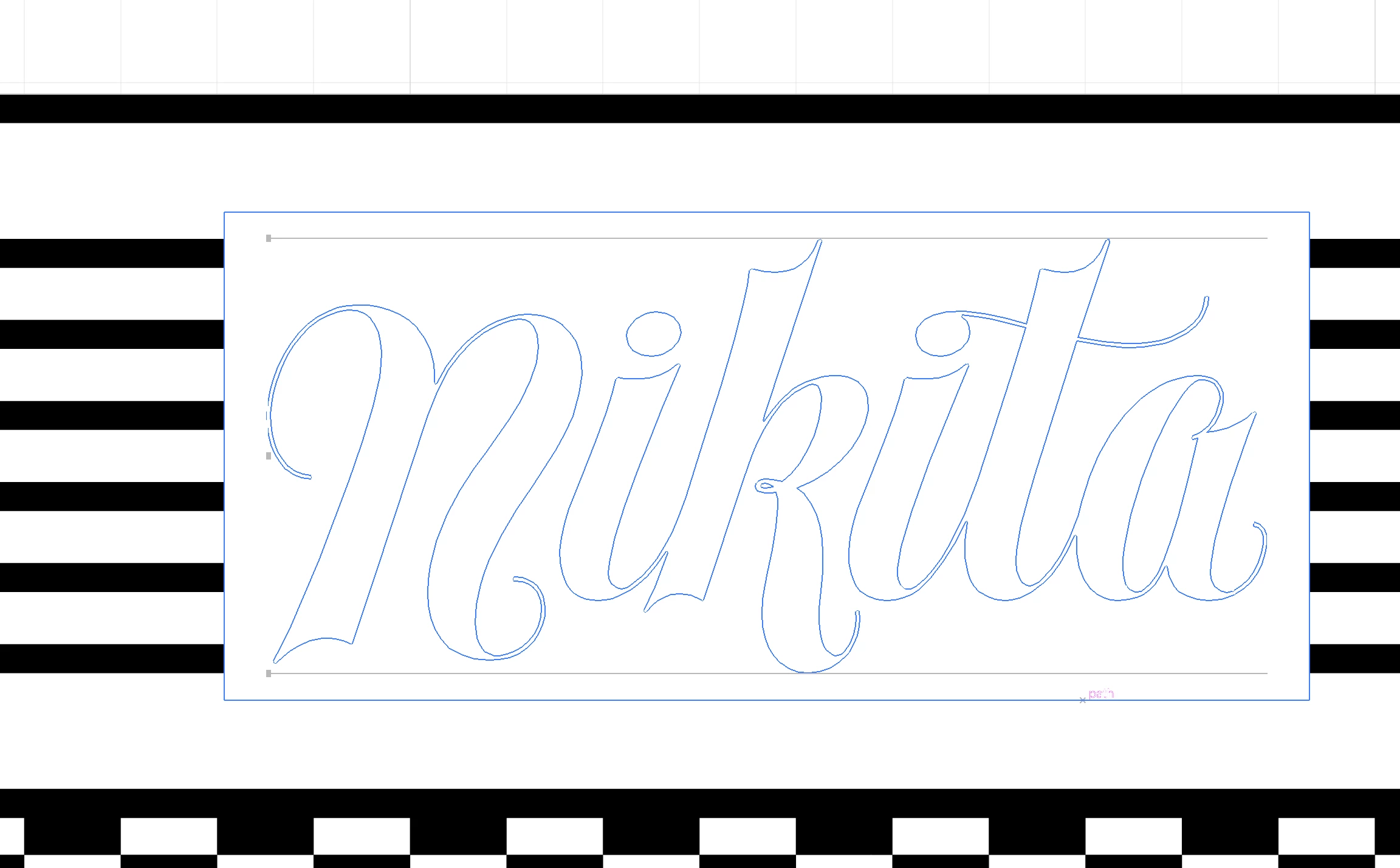
Then, while still in the same file, I could work for a while, then go back into Outline Mode again, then back into Preview Mode at which point the issues appear and persist (screenshot 2). When this happens, the resizing/dragging/clicking (basically almost any function) slows down, becomes very jerky, I lose some resize handles on thebounding box (as well as other weird artefacts and issues) and I have to save the file, close it, then restart Illustrator, and then the same file works just fine.
Screenshot 2 is what the issues look like when I go Preview to Outline then back to Preview.
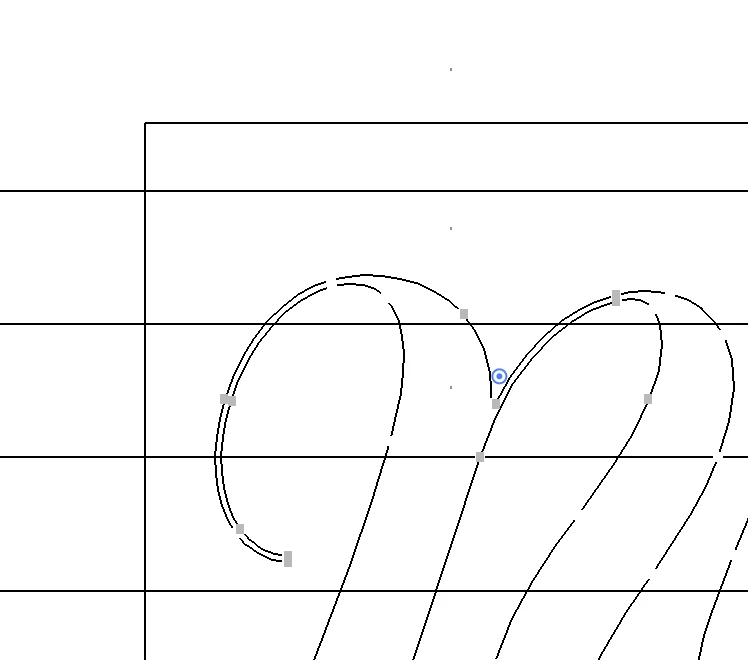
Screenshot 3 is what the issues look like when I go Preview to Outline then back to Preview and then back to Outline once more.
I can't figure this out, and it happens enough where it is very annoying for the workflow. Nothing except saving/closing file and restarting Illustrator resolves the issue. Any suggestions??
Note - the logo in the screenshots is mine, and I have full authority to use that (obviously). Just a disclaimer note in case any admins/mods think I am sharing someone else's logo/work.
Some technical specs:
Machine
- iMac, Retina 5K, 27-inch, 2020
- Processor: 3.8 GHz 8-Core Intel Core i7
- Graphics: AMD Radeon Pro 5700 XT 16 GB
- Memory: 72 GB 2667 MHz DDR4
- macOS: 13.7.6 (22H625)
Adobe Illustrator
- Current: 28.xx
 AdChoices