
Participant
October 24, 2022
Question

Adobe Illustrator Interface Preferences

  • October 24, 2022
  • 2 replies
  • 175 views

Hi, Adobe Illustrator seems to have gone wierd on me... When I first installed it, it had a great, easy-to-navigate interface but I had to reinstall all my apps after doing a system restore to an earlier restore point. Now, I can't seem to get it to open a New File and, if I open an old file, it won't save a copy.  Plus it used to have this when I started it up, although this screen shot is from a Mac, I run Windows 10.
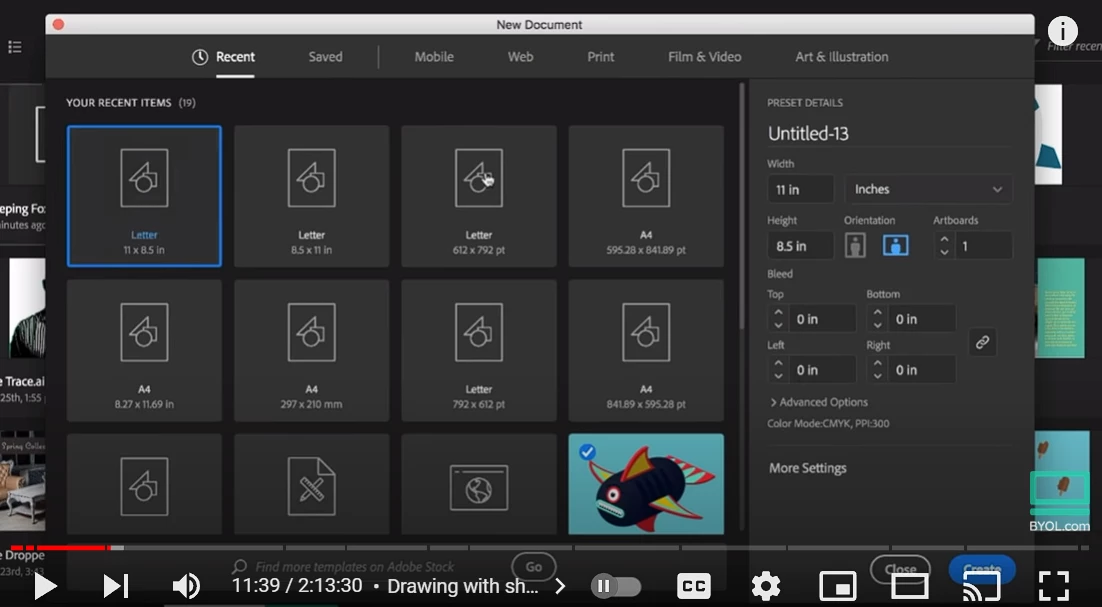
Please help!

Thanks,

Simon

This topic has been closed for replies.

2 replies

Anubhav M
Community Manager
Community Manager
October 24, 2022

Hello @Simon26535905q3ff,


Sorry to hear about this experience. Would you mind trying the following steps and checking if it elopes:

  1. Close all Adobe applications:
  2. Rename the UXP folder to UXP.old from the following locations:
    (Windows) Navigate to C:\Program Files\Common Files\Adobe\UXP
    (macOS) Navigate to Macintosh HD/Library/Application Support/Adobe/UXP
  3. Relaunch Illustrator.


Also, try resetting Illustrator's preferences by following the steps shared in this article (https://helpx.adobe.com/illustrator/kb/troubleshoot-preference-issues.html) and sharing your observations.
Disclaimer: Please note that resetting preferences will remove all custom settings, and Illustrator will launch with the defaults. You may take a backup of these settings from the location mentioned in the article.

Looking forward to hearing from you.


Thanks,
Anubhav

Participant
October 24, 2022
Thank you so much for your help 😊 I will try all these things first thing
tomorrow morning and will let you know how it goes 😊
Thank you again,
Simon
Monika Gause
Community Expert
Community Expert
October 24, 2022

Please tell us the exact steps that lead you to the issue.