


Adobe Illustrator - Layer does not hide properly on artboard after clicking "eye" icon
I’m using the latest version of Adobe Illustrator and I'm encountering a strange issue:
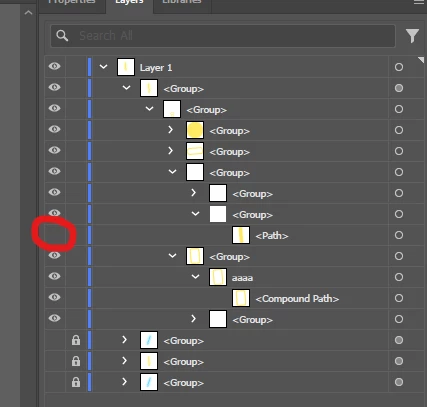
When I click the "eye" icon to hide a layer in the Layers panel, the layer stays visible on the artboard (even though it’s marked as hidden). The layer is not locked, and the visibility toggle does change in the panel, but the artwork doesn't disappear from the canvas immediately.
I noticed that if I slightly move the object (nudge it), the hidden layer finally disappears from the artboard. It seems like Illustrator doesn't refresh the canvas properly after hiding the layer.
Has anyone experienced this issue? Is there a setting or workaround to fix this without having to manually refresh the artboard?
What I’ve tried:
- The layer is definitely not locked.
- Toggling visibility on and off does not force the redraw. The issue resolves temporarily if I move or zoom the artboard.
- Any suggestions would be appreciated
 AdChoices