


Participating Frequently
December 18, 2025
Question

Adobe Illustrator multiple issues with Adobe Fonts

  • December 18, 2025
  • 1 reply
  • 177 views


Adobe Illustrator 30.0 on Win 11 64-bit

Straight workflow. I picked fonts from Adobe and used them in design.
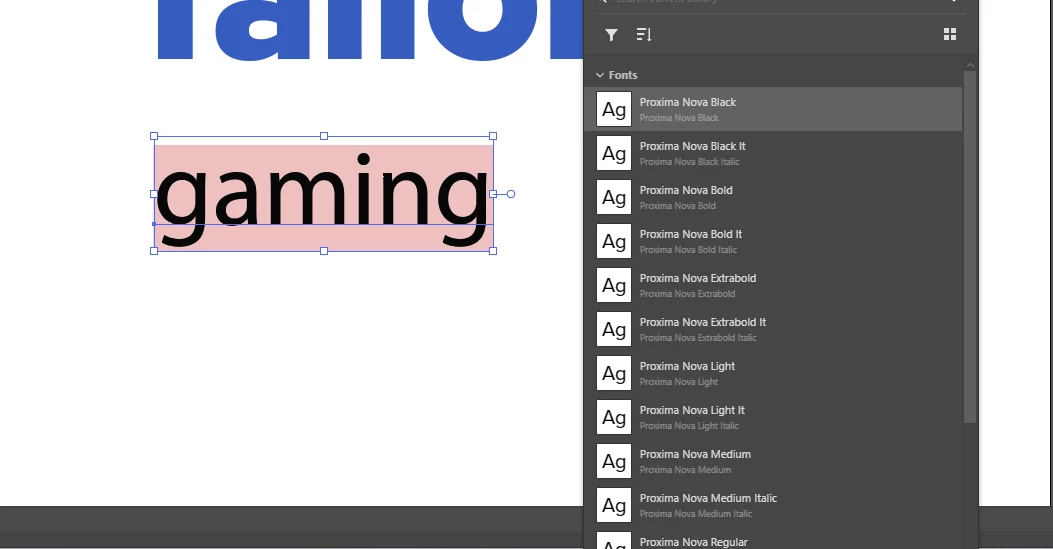
On each opening I get message that some fonts are missing. (Proxima Nova)
Each time it can't resolve missing font.
In Creative Cloud app, I go to ad that missing font to Library  It says font is already in library.
Today it says there are no libraries.  
I see the font in Character panel.  Application says font is missing. (maybe it-s the font name or something)


All in all.. multiple issues with fonts and  libraries .
870427iBC614C961BCB1BE5.png


1 reply

Abhishek Rao
Community Manager
Community Manager
December 18, 2025

Hi @Superneutrino,


Thanks for sharing the details. As a first step, please try signing out of the Creative Cloud desktop app, restart your system, and then sign back in to allow the font services and libraries to resync.

If the behavior continues after that, please go through the troubleshooting steps outlined in this article, which covers font activation, cache, and sync issues between Illustrator and Adobe Fonts: https://adobe.ly/3YEttTK


Please keep me posted on how it goes after you try this. Looking forward to hearing back. 

Abhishek

Participating Frequently
December 26, 2025

Friend.   Hire a QA to do that. I am not your employee but customer who pays product and wants product to work.
Thanks.

Community Expert
December 26, 2025

Abhishek didn't ask you to do anything more than a couple of simple trouble shooting steps. Any computer user should be able to do that, particularly anyone working with professional graphics software.


Font sync issues are annoying, but they can often be fixed simply by signing out of the CC account in the CC Desktop App, rebooting the computer, re-launching the CC Desktop app and signing into the account again.