When I move the side balk at illustrator with my Wacom pen ( Wacom Intuos Pro) It's get stuck. And then I can do noting while my page is moving when I move my pen.
Thanks for sharing this, and sorry you're running into the issue. We understand how disruptive this can be. This is a known issue when using Wacom tablets with Illustrator on Windows, and it's currently being discussed with the product team.
To help them investigate further, could you please share the following details:
1. Illustrator version where the issue started
2. Windows version
3. Wacom tablet model and driver version
The team hasn't been able to reproduce this internally yet, so these details will really help.
In the meantime, please try the steps below and let us know the outcome:
2. Update Illustrator to the latest available version(also, confirm the Illustrator verison you are using).
3. Disable Windows Ink in the Wacom tablet settings and test again.
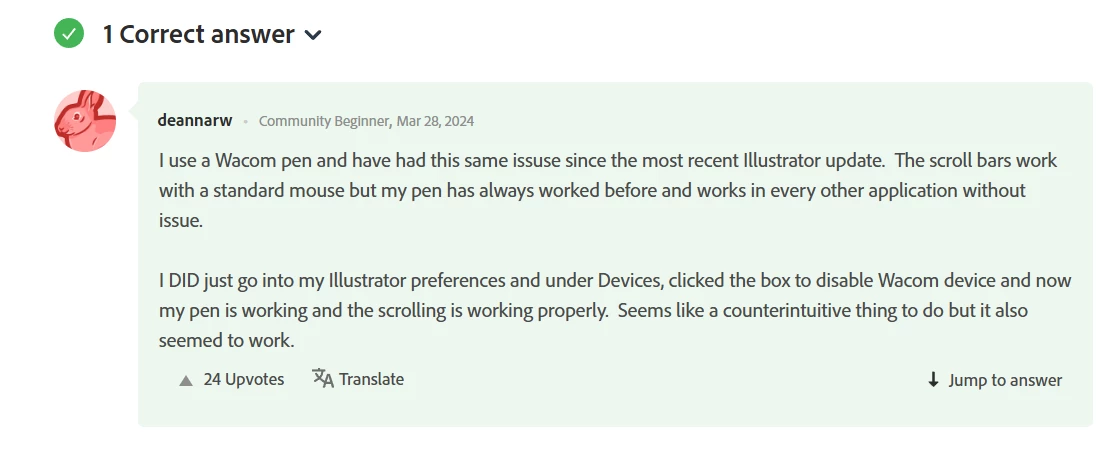
You can also try the workaround shared in this community thread to see if it helps temporarily: https://adobe.ly/3Nt6mcy
This issue is being tracked on UserVoice as well. Please consider upvoting and adding your details here to help with prioritization: https://adobe.ly/3LMdal9
I'll keep you posted on any updates from the team.
I using now an old version where this problem is not. ( Illustrator 2024 versie 28 ) But when I'm using newer ones I will get this problem.
I'm using now Windows 11 but at windows 10 I had this problem also.
I already detel the old drivers and install the new one. ( this because Wacom also said this) But nothing changed nothing. Also when I disable the Windows ink button.
But I want to use the newest version of Illustrator with all the new options. SO hole you can help me.



 AdChoices