


Participant
September 22, 2025
Question

Adobe illustrator share for review bug

  • September 22, 2025
  • 1 reply
  • 171 views
The option to share for review in Illustrator has an issue that I haven't been able to resolve.We work with a master file that serves as a customizable clothing template. For each client, we create a copy of this master file, design it, and generate a link to share with the specific client for that project. However, the master file is retaining the comments from the copies that have been generated, even though these files have been duplicated, modified, and have different names; the copies are also saved in different folders.

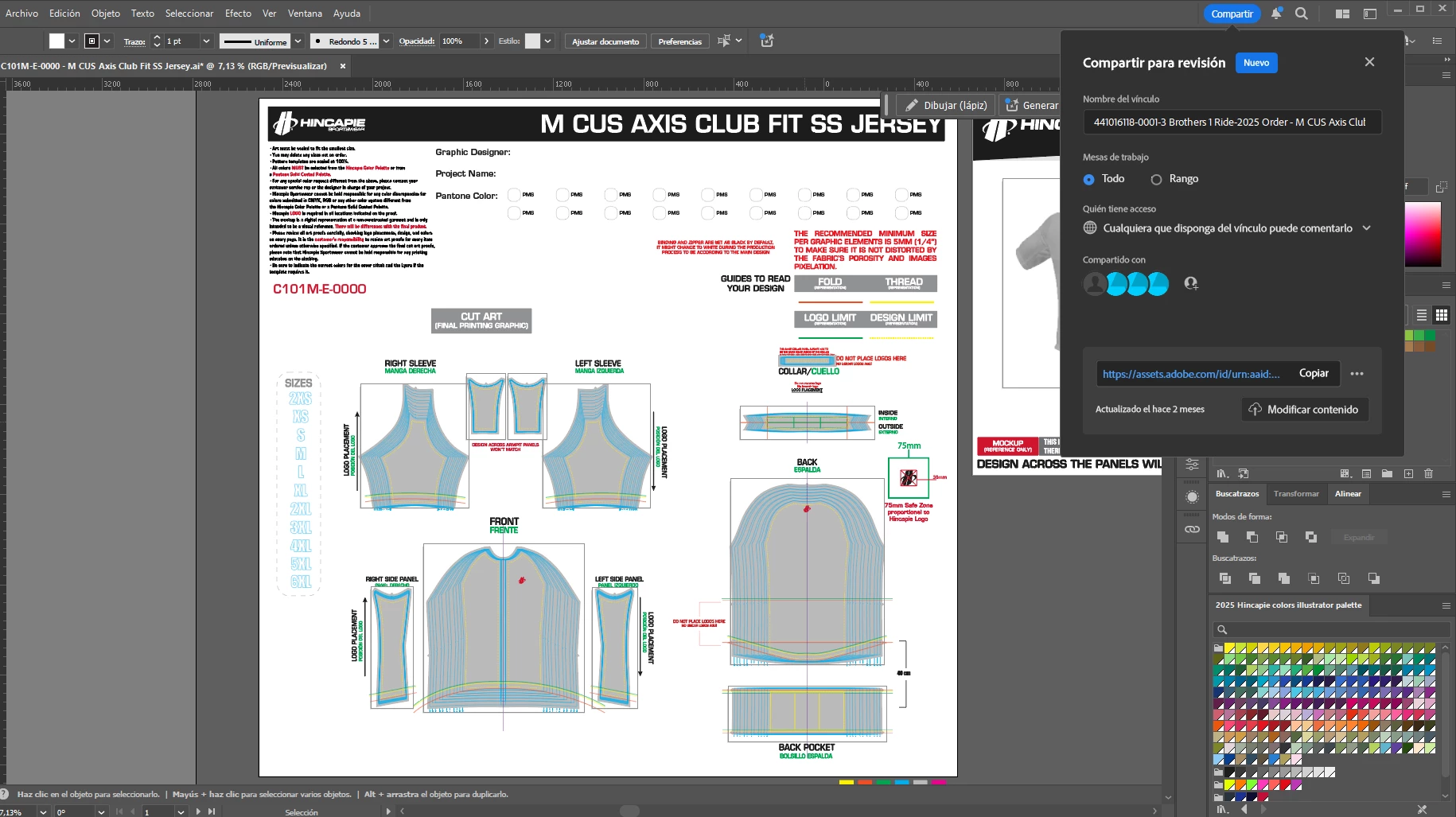
here's the master file when we click the share option, it has the name of the previous copy we made, it also contains the users it was shared with


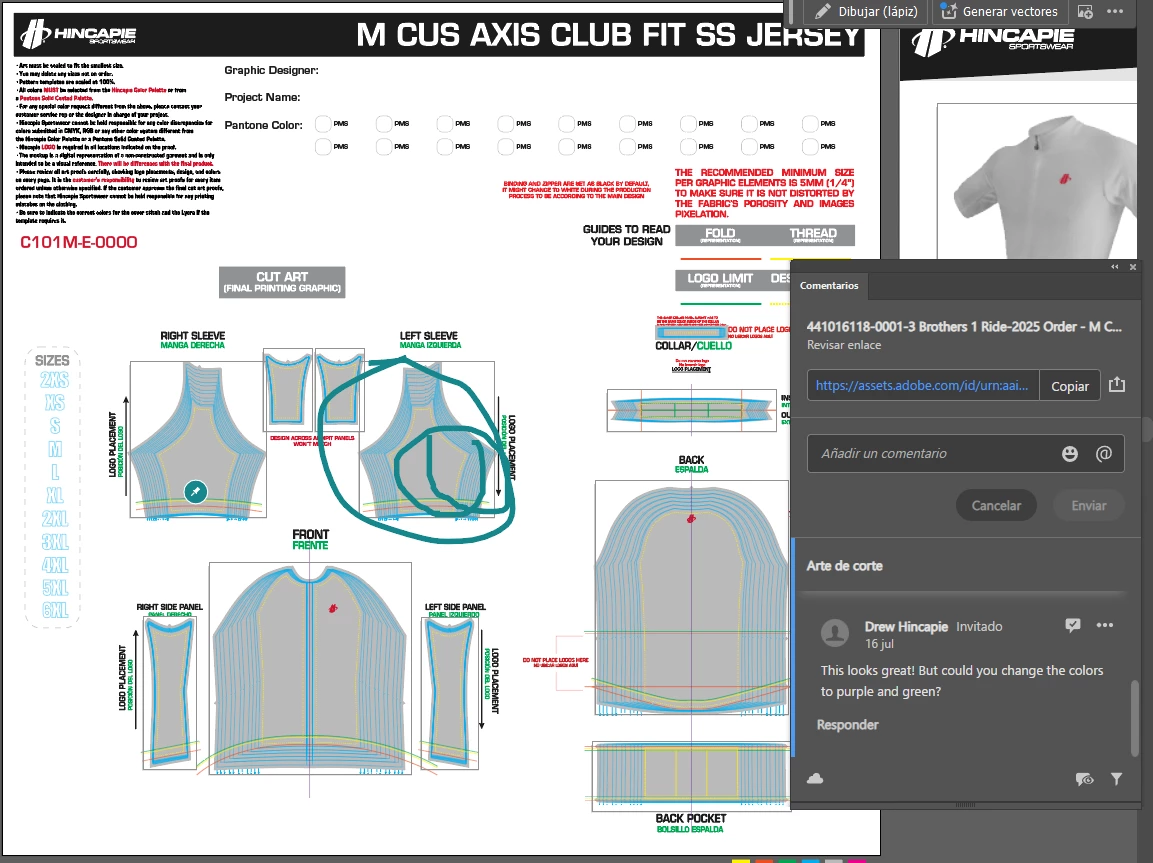
in adition to this, it is also showing the coments that were made in the copied file:
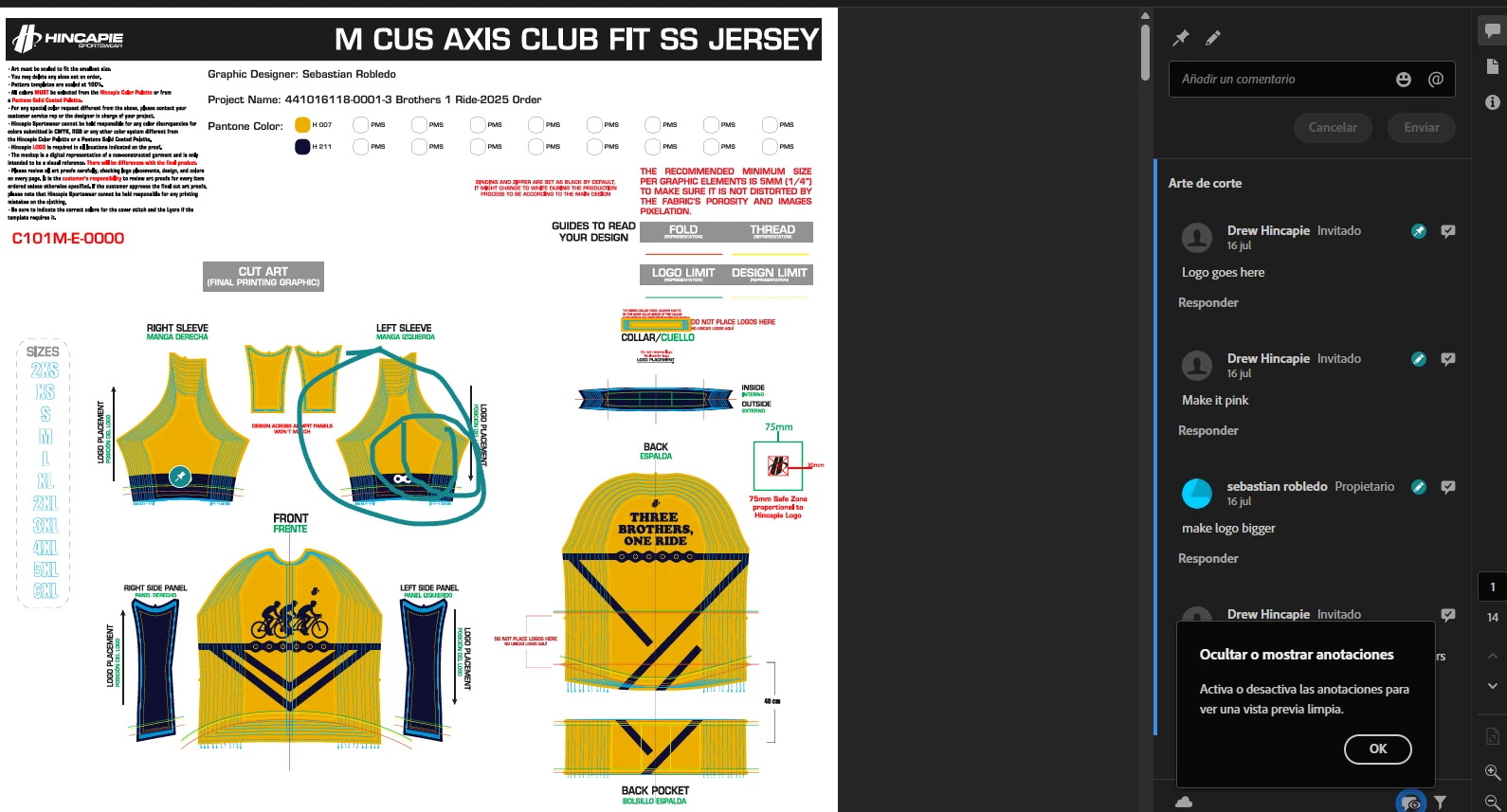
this is the real file were the coments were made: 
 

thank you in advance


1 reply

Abhishek Rao
Community Manager
Community Manager
September 22, 2025

Hi @sebastianr45441601,


Thanks for sharing the details and the screenshots. Could you please share the version of Illustrator and your operating system, and also confirm if this happens with every duplicated file or just with certain ones? A short screen recording showing how the comments from the copied file appear in the master file would also be really helpful for the team to investigate further.


Looking forward to your update.

Abhishek

Participant
September 23, 2025

thank you for your quick response @Abhishek Rao, I run my illustrator in windows 11 and my illustrator version is 29.8.1 (64-bit) the issue is happening with all of our master files/duplicated files, please find the attachment for a screen recording showing the complete process, this contains: 

1. opening the master files that shows previous comments for the previous copied file
2. creating a first test of a duplicated file
3. creating a second test of another duplicated file
4. unable to access the files because the adobe page does not show any)

thank you for your help!

Anubhav M
Community Manager
Community Manager
September 24, 2025

Hello @sebastianr45441601,

Thanks for sharing the screen recording. Kindly allow me some time to check this with the team.

Feel free to reach out if you have more questions or need assistance. We'd be happy to help.

Anubhav