

Champagne DVyne
Participant
November 13, 2023
Answered

Adobe Illustrator tools not working

  • November 13, 2023
  • 4 replies
  • 588 views

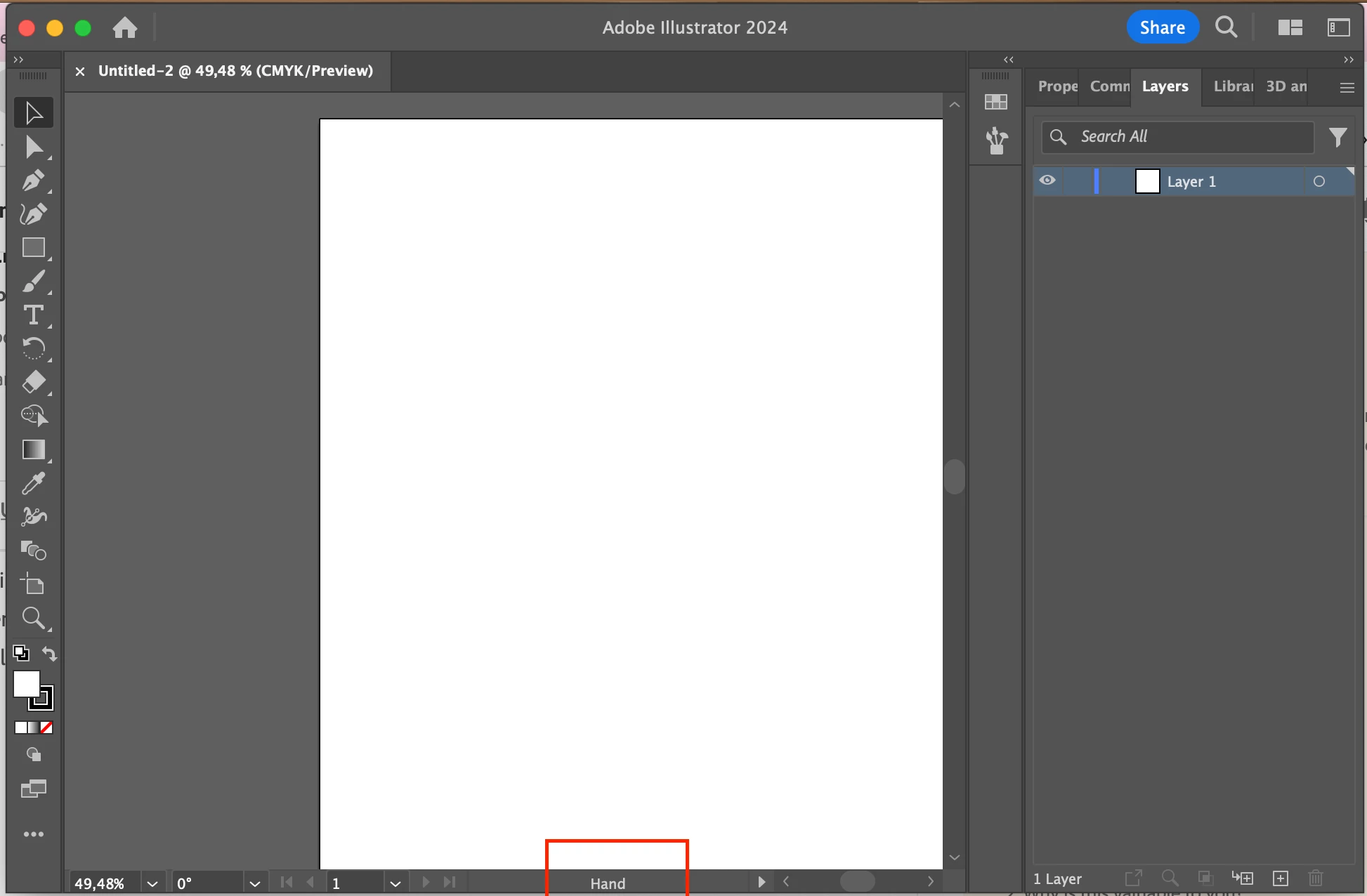
It seems like the hand tool gets stuck. It's not the space bar i'm sure. I cannot use any of the tools. Even i select them and moving to the screen after clicking them, the cursor becomes a hand icon again and useless. Please help me. I cannot use my Adobe Illustrartor. 
This topic has been closed for replies.
Correct answer Champagne DVyne

Edit2: They did it like they do in the "it crowd" 🙂

"Have you tried tried turning it off and on again?"

I haven't restarted my mac for a long time and voila! it did work!

4 replies

Champagne DVyne
Champagne DVyneAuthorCorrect answer
Participant
November 13, 2023

Edit2: They did it like they do in the "it crowd" 🙂

"Have you tried tried turning it off and on again?"

I haven't restarted my mac for a long time and voila! it did work!

kglad
Community Expert
Community Expert
November 13, 2023

in the future, to find the best place to post your message, use the list here, https://community.adobe.com/

p.s. i don't think the adobe website, and forums in particular, are easy to navigate, so don't spend a lot of time searching that forum list. do your best and we'll move the post (like this one has already been moved) if it helps you get responses.


<"moved from using the community">
Champagne DVyne
Participant
November 13, 2023

OMG same problem in photoshop. Does Adobe have an online help desk?

Monika Gause
Community Expert
Community Expert
November 13, 2023

@Champagne DVyne  schrieb:

OMG same problem in photoshop. Does Adobe have an online help desk?


They do.

https://helpx.adobe.com/contact.html 

Champagne DVyne
Participant
November 13, 2023

edit: uninstall and install again is not working either.