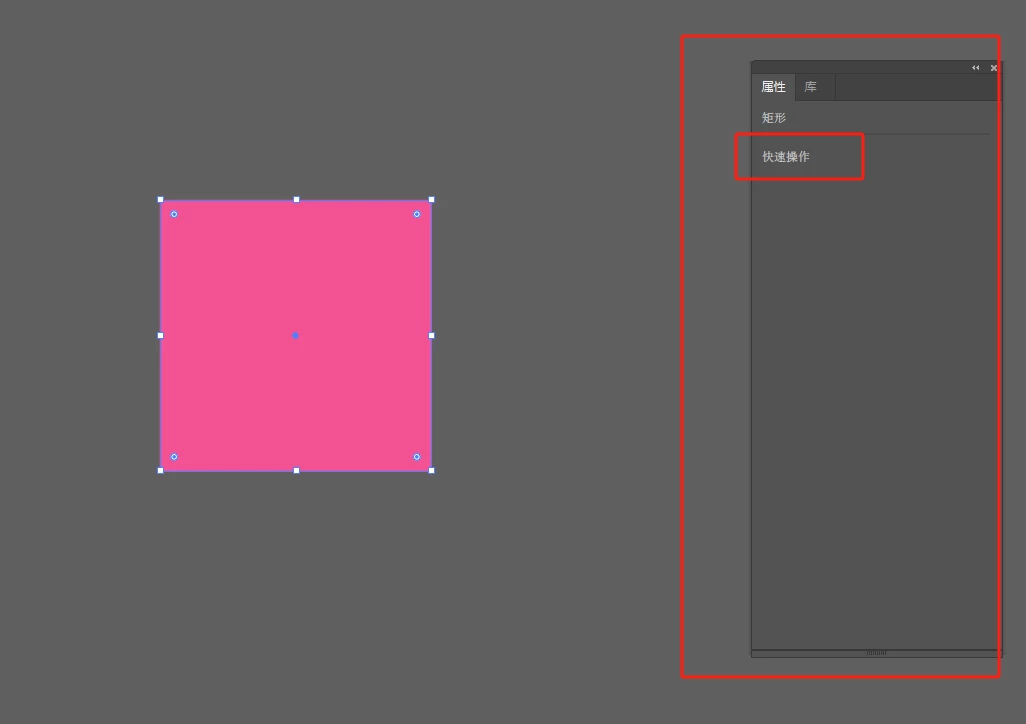
Thanks for the screenshot! Could you share a few more details, like the version of Illustrator you're using and your operating system? Also, is this happening with one specific file or all files? Are you using any third-party extensions?
Version 29.3, the operating system for win10 enterprise, open all the files do not show the quick action, also tried to close the properties panel in the menu bar after reopening, or reset the preferences, can not be resolved, today in adobe cloud desktop uninstalled and reinstalled to resume use!
Thanks for the update and for confirming the steps you’ve already tried. Glad to hear reinstalling from the Creative Cloud desktop app brought things back to normal!
If the issue happens again, please try the steps below and see if they help:
1. Close all Adobe applications completely.
2. On your Windows system, navigate to this folder location: C:\Program Files\Common Files\Adobe\UXP Once you're there, rename the UXP folder to UXP.old.
3. Relaunch Illustrator and check if the Properties panel and Quick Actions appear as expected.
Feel free to reach in case you have any other questions.



 AdChoices