Inspiring
September 5, 2020
Answered

Ai 2020 CC: How to enter a specific color code ie. #00DBDE

  • September 5, 2020
  • 1 reply
  • 3017 views

Hi all.


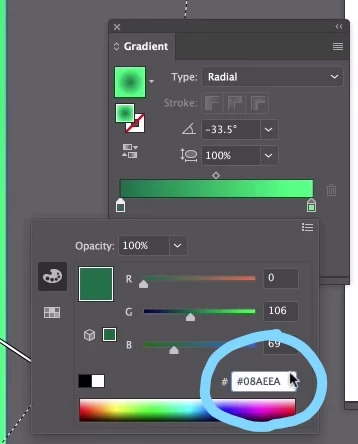
If I have a color code #00DBDE, where can I enter it into the swatch or palette area? I see some videos on YouTube where other people can enter it into a little box, but I don't see that box in Ai. I am using the Windows version.


Thank you.
 

This topic has been closed for replies.
Correct answer Dan Rodney

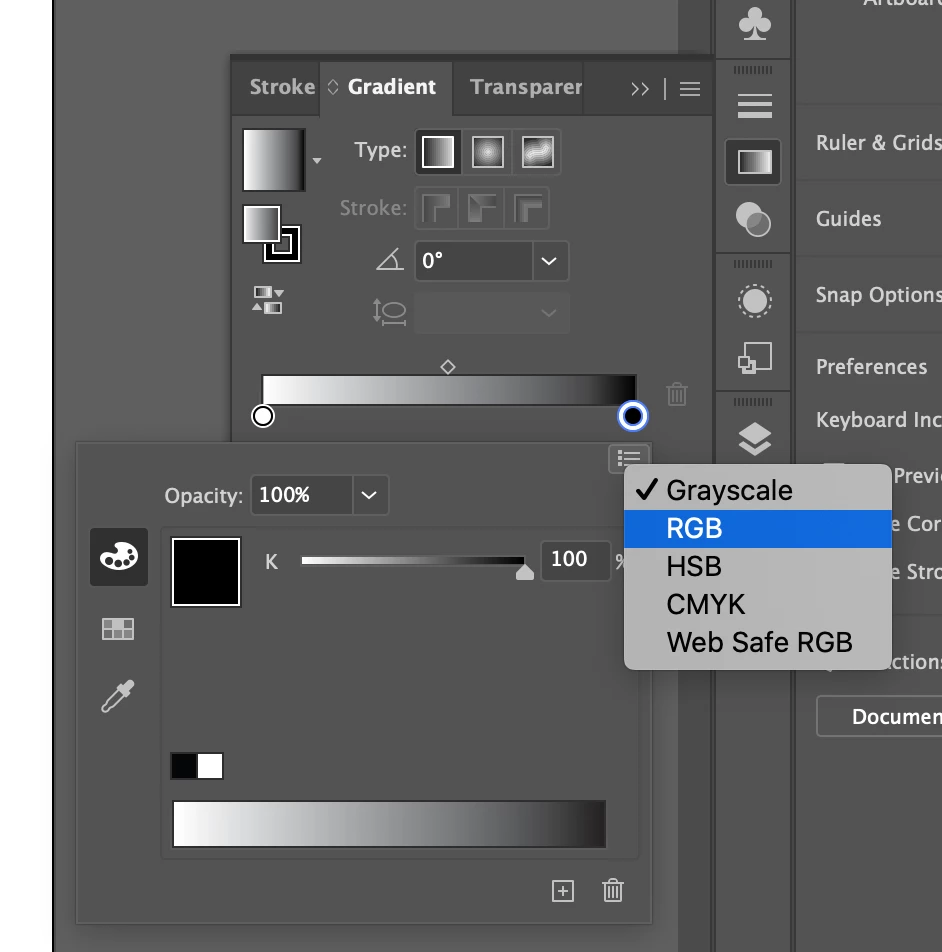
My guess is you're seeing a different color picker (such as Grayscale or CMYK). To change color pickers, click the menu icon at the top right of that panel (it looks like a bulleted list) and choose RGB from the menu that appears.


1 reply

Dan Rodney
Community Expert
Dan RodneyCommunity ExpertCorrect answer
Community Expert
September 5, 2020

My guess is you're seeing a different color picker (such as Grayscale or CMYK). To change color pickers, click the menu icon at the top right of that panel (it looks like a bulleted list) and choose RGB from the menu that appears.


— Adobe Certified Expert & Instructor at Noble Desktop | Web Developer, Designer, InDesign Scriptor
Inspiring
September 5, 2020

You are exactly right! Thanks! 🙂