Colorful_questioner5EE7
Participant
May 4, 2018
Answered

AI CC - Unable to find the "Copies" in "Transform effect " function

  • May 4, 2018
  • 2 replies
  • 3509 views

Hi there,

I was checking a AI Geometric line art tutorial in youtube: https://goo.gl/4k2HFK

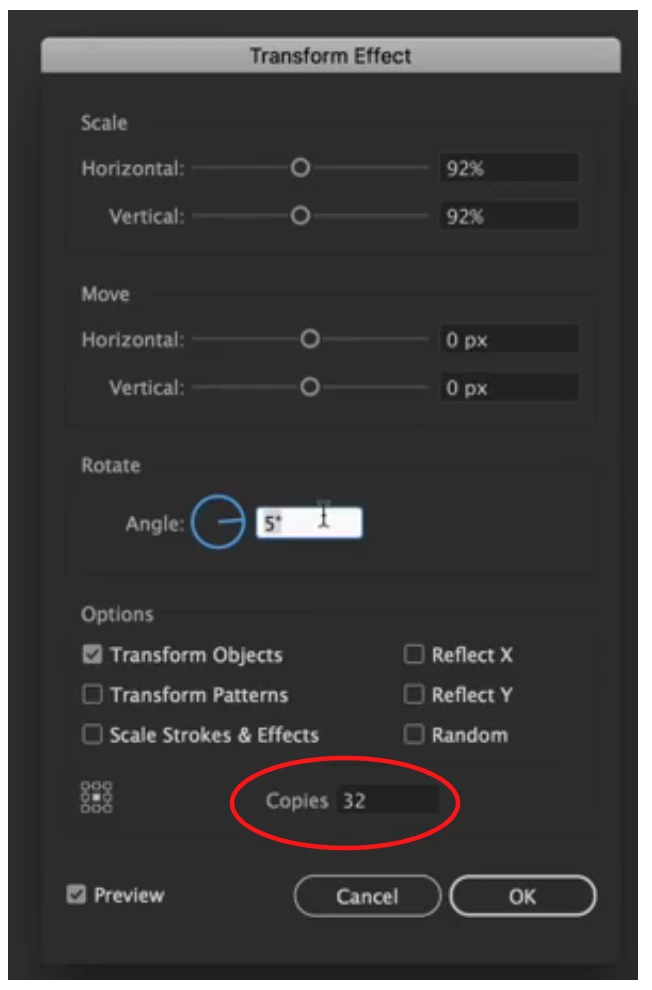
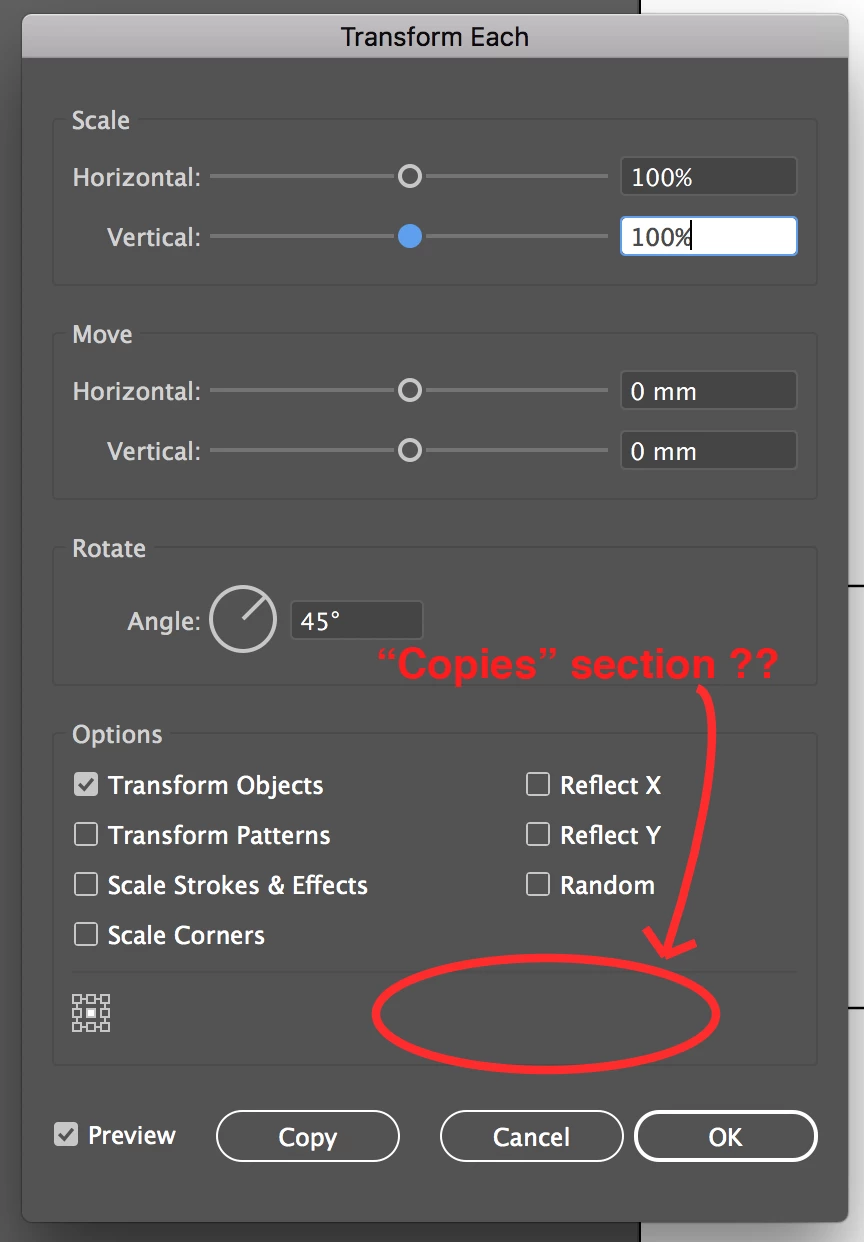
But I can't find the "Copies" section in "Transform effect", the attached picture for your reference.

Any idea about that? Thanks!
This topic has been closed for replies.
Correct answer Doug A Roberts

Your screenshot on the left shows the window for Transform Each. This is not the same as the Transform Effect (Effect > Distort & Transform > Transform)

2 replies

tromboniator
Community Expert
Community Expert
May 4, 2018

Transform, and its subcategory Transform Each, under the Object menu, are not, and really should not be called, "effects", although I believe that even official Adobe publications sometimes use the term. These Transform functions either actually scale, move, rotate, shear, or reflect the original object or, if activated by the Copy button, produce a duplicate object and perform the transformation on that. There is no option to produce multiple copies, other than to engage Object > Transform Again (cmd/ctrl + D) to produce a transformed duplicate of the first copy. These "copies" are stand-alone, independent objects.

The Transform Effect produces apparent objects, leaving the original object unaffected, with transformations sequentially applied to as many copies as may be designated. No objects are produced, only the appearance of objects. If no copies are requested, then only one apparent object appears, with transformation applied. 1 Copy means the original object + 1 apparent, transformed copy, and so on.

So, while the Transform Effect window has a Copies field, the Transform function, and Transform Each, has only a Copy button.

I hope this makes sense to you.

Peter

Colorful_questioner5EE7
Participant
May 7, 2018

Thank you for all reply. That's help me a lot

Doug A Roberts
Community Expert
Doug A RobertsCommunity ExpertCorrect answer
Community Expert
May 4, 2018

Your screenshot on the left shows the window for Transform Each. This is not the same as the Transform Effect (Effect > Distort & Transform > Transform)