
Participant
September 11, 2024
Question

AI error showing Font Character

  • September 11, 2024
  • 1 reply
  • 353 views

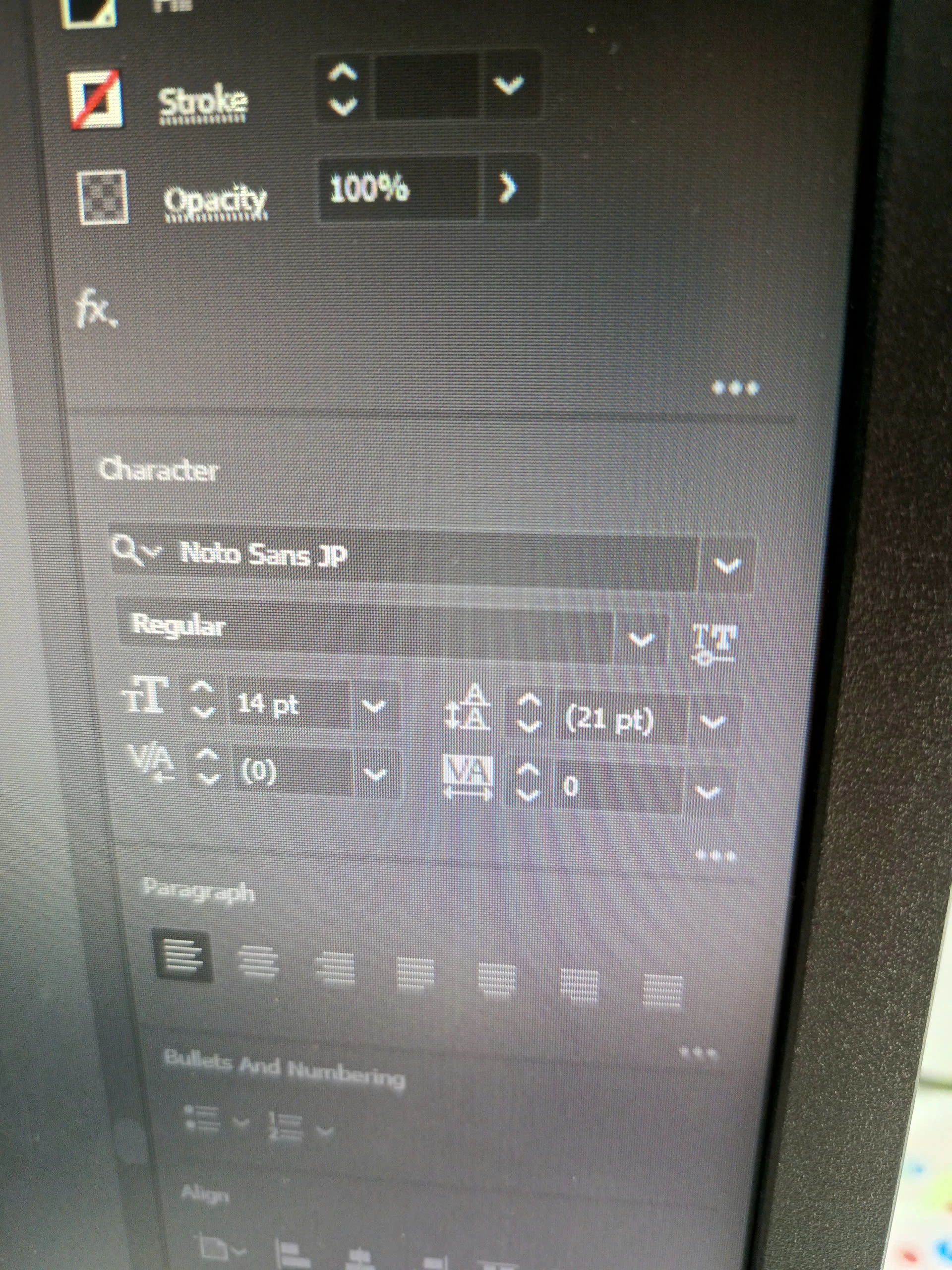
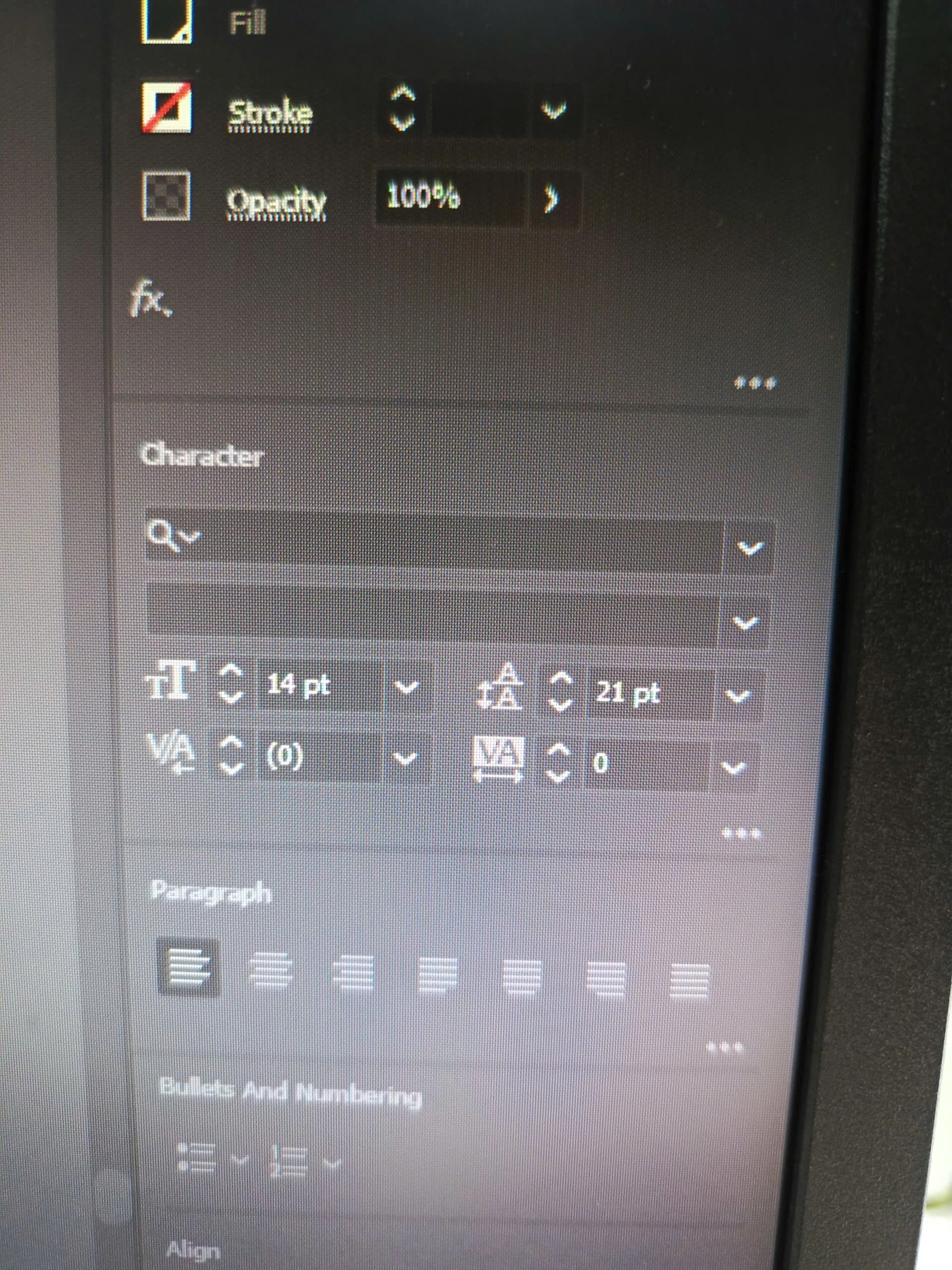
I am having an error that the Font does not appear in Character when clicking on desing.
The font name will be hidden but in the system that Font already exists.
If I install a new one, the Font will appear but if I turn off and turn on AI again, the Font will disappear, only some fonts are broken, not all.

As the 2 pictures below, 1 picture is the Font I just installed and 1 picture is me turning AI off and on again
This topic has been closed for replies.

1 reply

Anubhav M
Community Manager
Community Manager
September 11, 2024

Hello @practical_creator04454,

Thanks for reaching out. Would you mind removing and reinstalling the font to check if it helps? If the problem persists, kindly share the exact name of the Font and the Foundry so we can check it.

Looking forward to hearing from you.


Thanks,

Anubhav

Participant
September 12, 2024

Dear Anubhav
I tried removing and reinstalling the font, when I was opening the design with AI and installing the font, the font showed up. But after closing and reopening AI, the error reappeared.
The current font that is having the error is Noto Sans Japanese.
Thanks for your help.

Anubhav M
Community Manager
Community Manager
September 12, 2024

Hello @practical_creator04454,

Thanks for confirming. Is it the static / variable font that you have installed? Also, would you mind running Illustrator under a different administrator account (Windows / macOS) and sharing your observations.

Looking forward to hearing from you.


Thanks,

Anubhav