
.AI files in Mac Preview will not show layers (both print and non-print)
Hi There!
I have a problem -
My Apple Preview was updated, and the new version no longer works with Adobe Illustrator.
I contacted Apple, and my ticket went all the way to the engineering team and they said it's a problem with Adobe Illustrator itself.
I have layers that are for "non printing" as I use them as a template guide. In the older Finder version of Apple, I use to be able to see these "non print" layers in Finder's Preview. I used this to help me pick a template as each of my template has various sizes inside. My "non print" layers are the boxes, and the sizes up on top (the numbers).
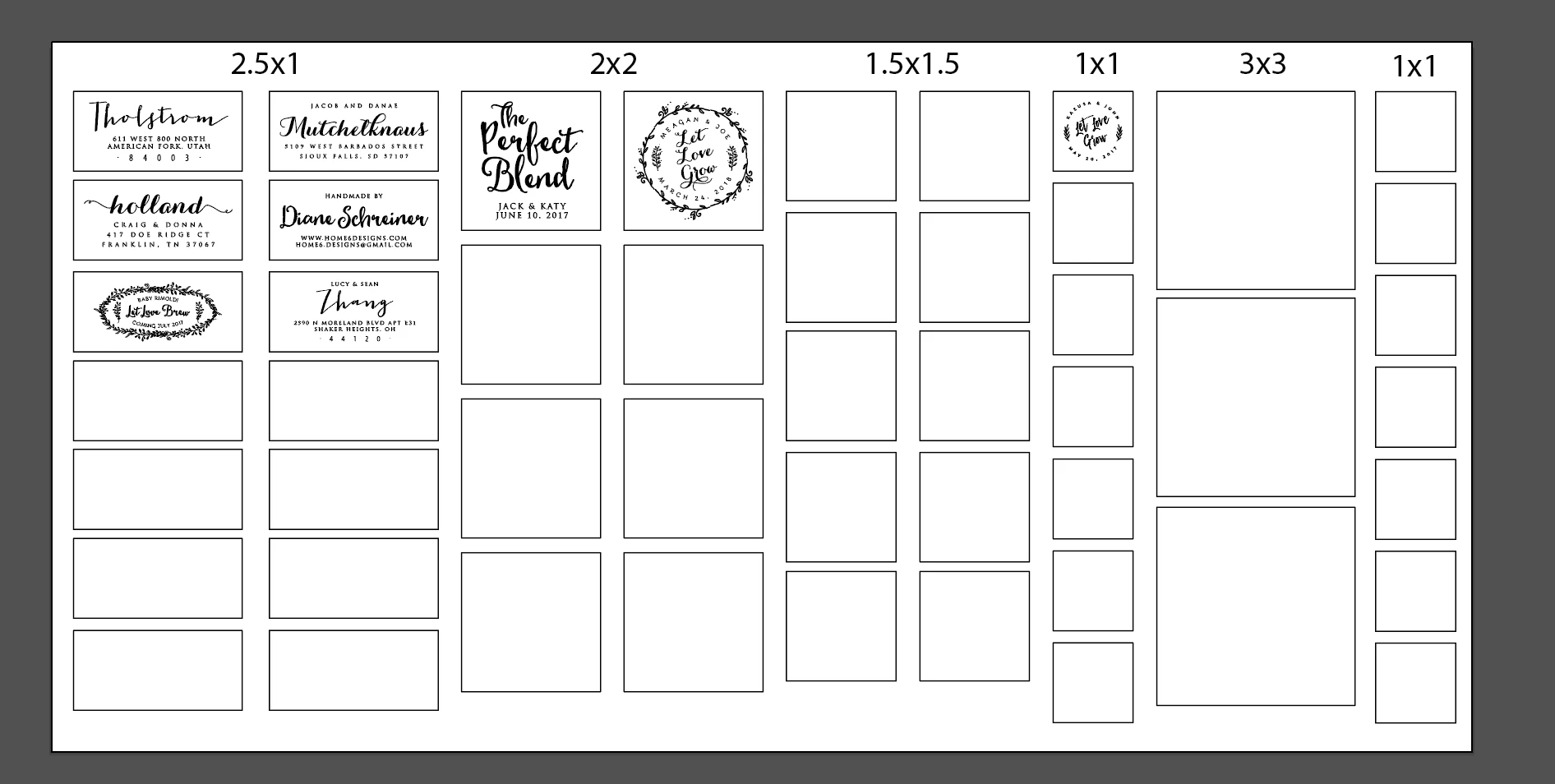
I do have the layers correctly marked for non-print;
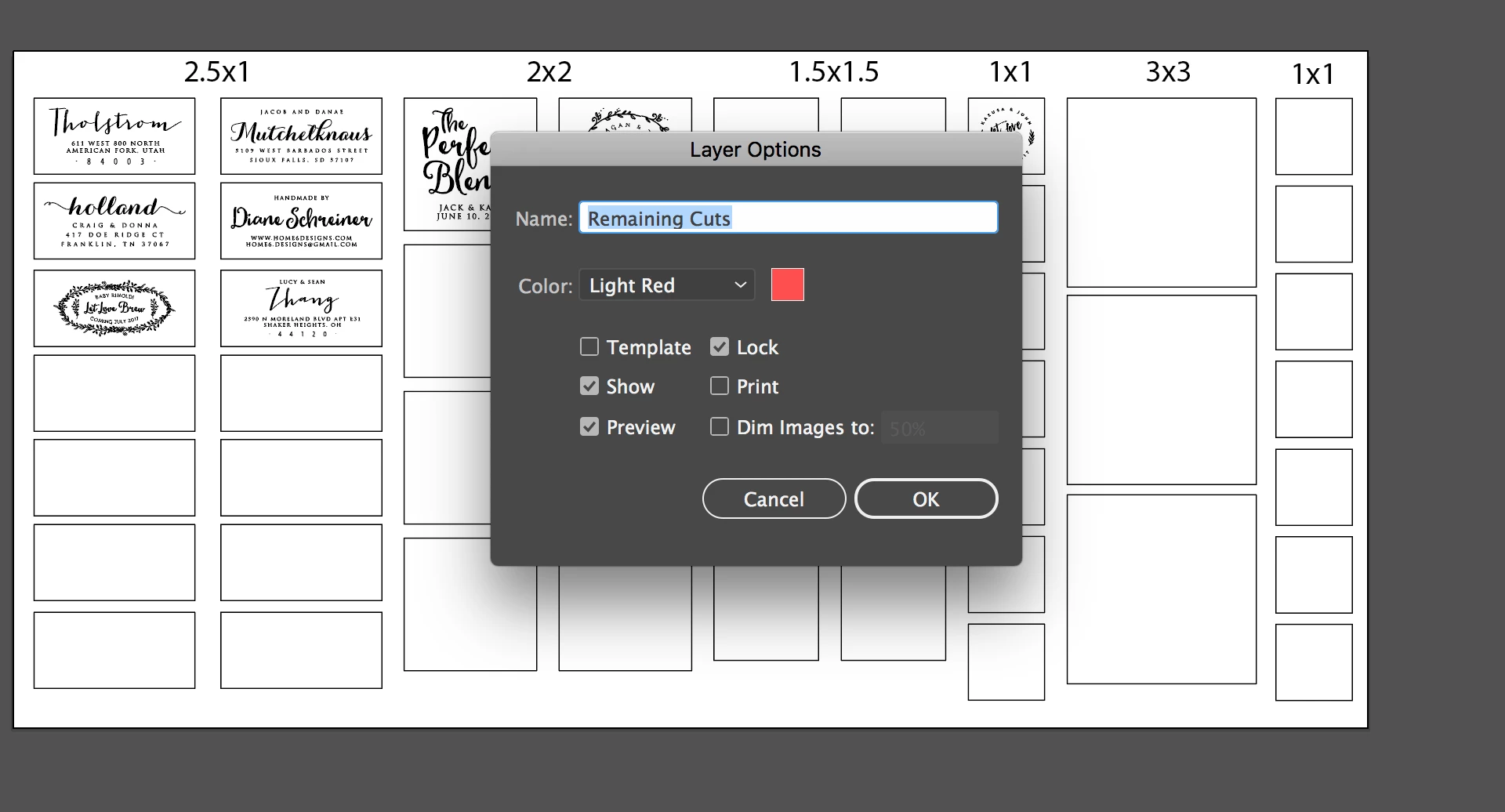
However, in Apple Finder, the layers aren't showing. I marked the layers as "print", re-created the file, marked it as template, locked, unlock, show, preview... I've done everything and I cannot get Adobe Finder to view the layers. This is what it shows. My boxes and sizes are gone.
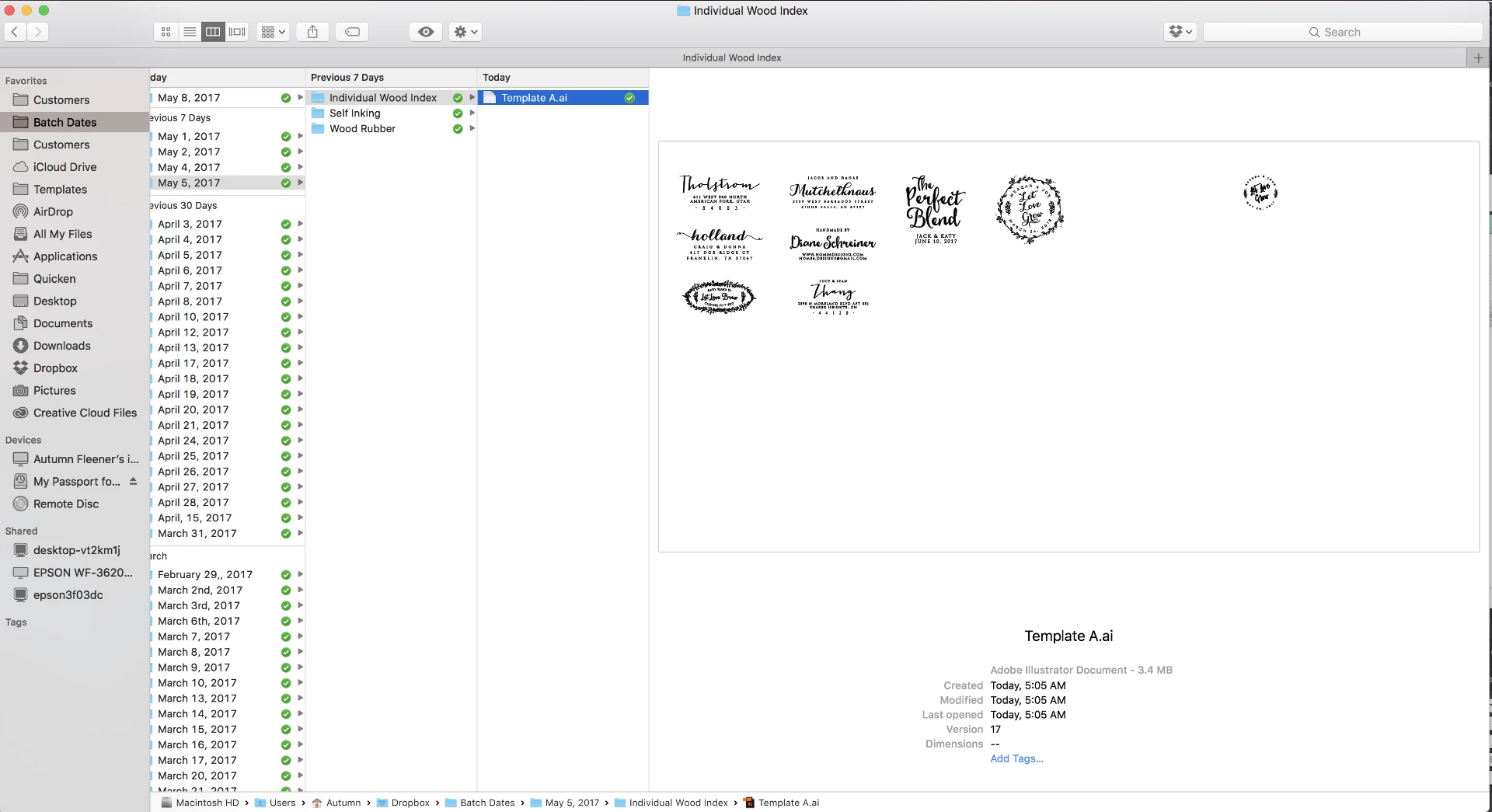
Apple's Engineering team said this is a bug with Adobe Illustrator itself. I saw in the forums that another Mac User was having a problem with Adobe Acrobate Preview having the same issue on a mac... but I do not know what I need to be doing differently in illustrator to get my non-print layers to actually show up in Finder Preview. Or to get my layers to show up at all. They just won't show. Only the first layer is showing.
Any suggestions?
 AdChoices