Participant
November 10, 2022
Question

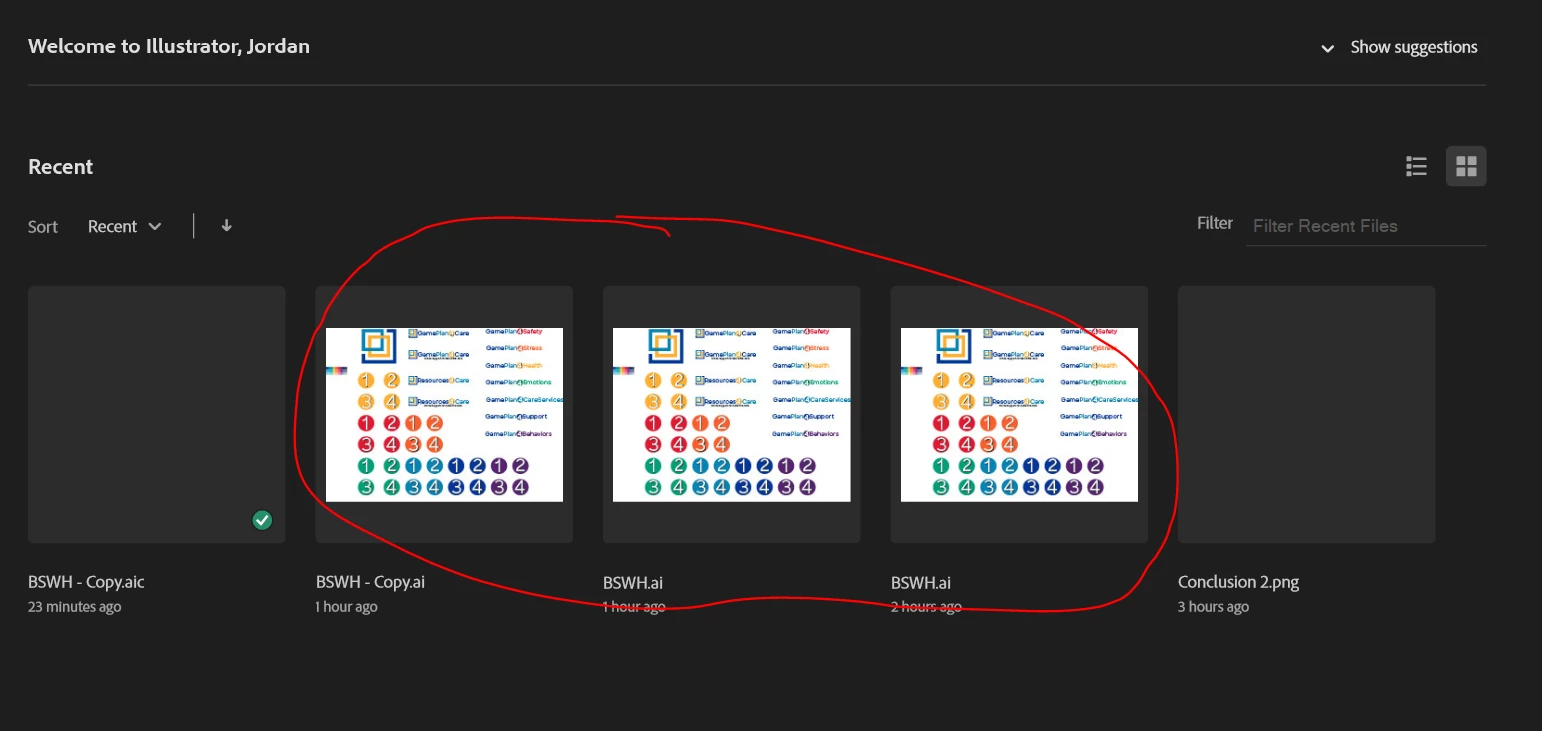
AI files load as white blanks

  • November 10, 2022
  • 2 replies
  • 392 views

Hey everyone, 

I am new to adobe illustrator, but I am working on a project for work and when I try opening a file passed on to me by my collegue. It just shows up as multiple blank objects. I can see the images though on the home screen. Can someone help me out please? 


Thank you in advance. 



This topic has been closed for replies.

2 replies

Anshul_Saini
Community Manager
Community Manager
November 10, 2022

Hi @Jordan27066294zjim,


Thanks for reaching out. It seems the file is stored on a network drive like (onedrive/ Dropbox) and the file isn't downloaded or copied properly on the internal Hard drive. Try moving or redownloading the file to Desktop and see if that helps.


If it doesn't, would you mind sharing the information asked by gianvitulano?


We'll be looking forward to your response.


Thanks,

Anshul Saini

Participant
November 10, 2022

I tried downloading it to my desktop and I am still seeing the same problem. 

I am using adobe illustrator v27.0.
Computer is running on Windows 10 Enterprise 

The file was saved on a network drive but I downloaded it to my desktop as well. 


Met1
Legend
November 10, 2022

Did you download it - drag it to your computer, or open in Illy then save as? They are not the same thing. Do the first.

Community Expert
November 10, 2022

Hi Jordan,

we need more information to help you. Which version of Adobe Illustrator are you using? Which OS are you running the software on? Where are your files saved? Thank you