
Known Participant
July 13, 2017
Question

AI: How can I smoothen gradient after or when applying Image Trace?

  • July 13, 2017
  • 7 replies
  • 9225 views

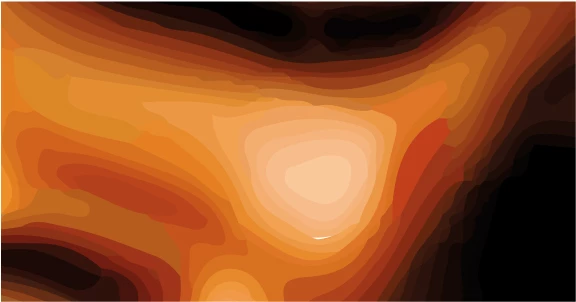
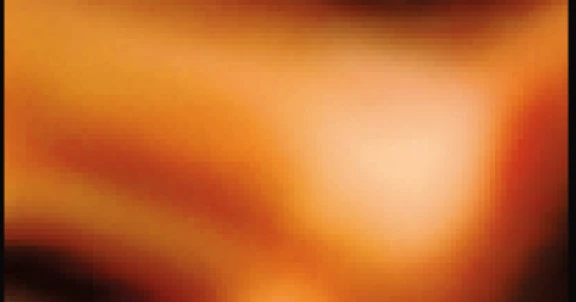
Hello, I am trying to vectorize an image with Trace Image in AI. I have applied all the quality enhancing features: Mode: Color / Full Tone / Colors to 100% / Paths to High / Corners to 100% / Noise to 1. The result is that in some parts of the image, the gradient has become less smooth. I wondered whether there are tools to smoothen this out again on the vectorized image. The upper image illustrates the state AFTER vectorization with Trace Image, the lower image is prior to vectorization. It would be great if there is a way... Many thanks. Ciao Frank
This topic has been closed for replies.

7 replies

JonathanArias
Legend
July 13, 2017

happy to hear that worked out.. yes, the photoshop effect do bring up file size. by you can rasterize, i believe, to bring down the size and make a .pdf,

Known Participant
July 13, 2017

Feedback: I went for using Photoshop, increasing the size of the image and using blur. it was much easier than setting up a mesh as the overall image is quite complex. Many thanks to everyone for your advise.

Known Participant
July 13, 2017

Technically I understand there is difference between a path and a mesh, but then it looks like a mesh. -)

Known Participant
July 13, 2017

Thanks to all for the responses. In the meantime I wondered whether there is a way to transform the mesh created by Trace Image to the gradient mesh.

rcraighead
Legend
July 13, 2017

No.

JonathanArias
Legend
July 13, 2017

gaussian blur might be a quick wait to get you where you want to be.  apply it to individual shapes and play around with it. Keep in mind that effect is "photoshop" effect technically. So maybe you might want to scale your artwork at the finished size first.

rcraighead
Legend
July 13, 2017

I couldn't resist using this as my "morning tuneup" in AI. This is one roadmap for creating a mesh, as Monika suggested. With a mesh vector selected and the eyedropper tool active, you can "Shift-click" to sample a color from your image directly to the selected vector point. Others may have additional suggestions.

Monika Gause
Community Expert
Community Expert
July 13, 2017

Image Trace is not able to output gradients. No autotrace tool on the market can do that.

Moreover: in order to get that result as a vector, you would need a gradient mesh. So all you can do is delete the shapes that have been created there and create a gradient mesh instead.

Known Participant
July 13, 2017

Thanks for the quick reply.