December 7, 2017
Question

AI: Question about automatic reference line

  • December 7, 2017
  • 2 replies
  • 619 views

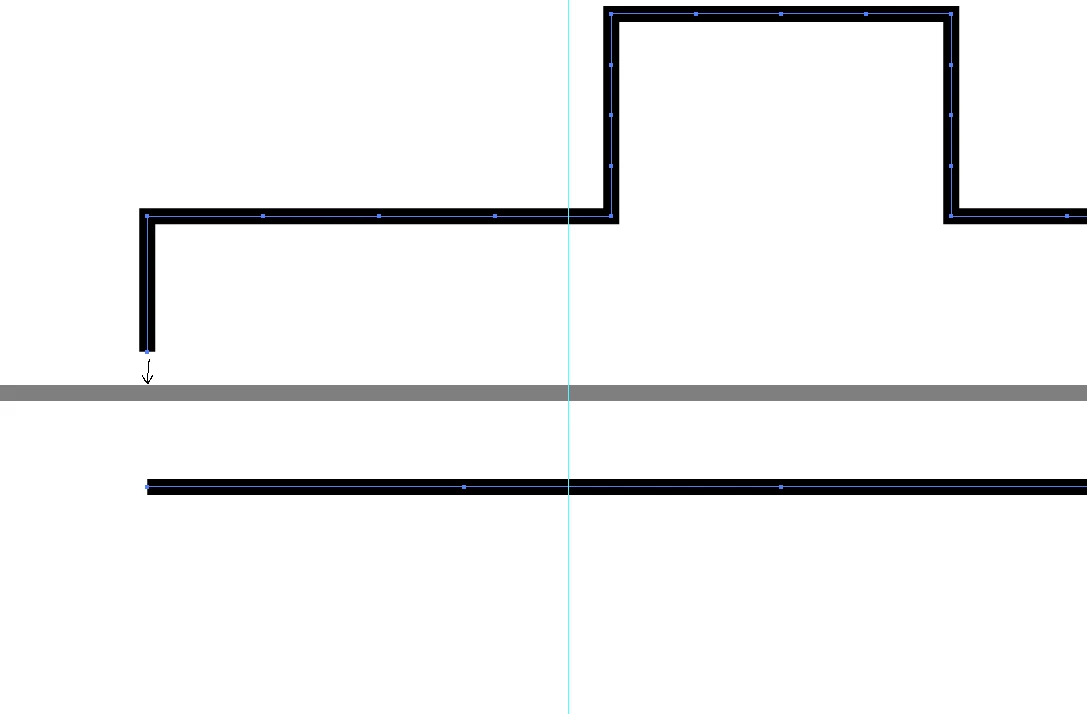
I want to move the black figure onto the gray line precisely while there is no automatic reference line guiding me. How to move them together precisely?
This topic has been closed for replies.

2 replies

Ton Frederiks
Community Expert
Community Expert
December 7, 2017

If you turn on View > Smart Guides and grab the black object somewhere above the bottom anchor point, it should snap to the grey line.

S_Gans
Community Expert
Community Expert
December 7, 2017

If these are both stroked paths, there isn't a good way to get exact precision for the cap of the black line to touch the gray edge precisely. The path is what would guide you, and a stroke on a path is simply a visual mathematical construct to show you what you requested. To get precision and "snapping", I'd suggest making the gray line a filled, unstroked rectangle. That way, there's an actual mathematical path to which the black cap can snap.

Adobe Community Expert / Adobe Certified Instructor
December 7, 2017

Thanks! But how to make a "unstroked" rectangle? Do you mean that using the rectangle tool?