
Participant
September 30, 2022
Question

ai to psd export with layers is not preserving layers properly

  • September 30, 2022
  • 1 reply
  • 152 views

my graphics agency has attempted to export an ai file to psd with layers so that i can edit with photoshop. she used the following settings:
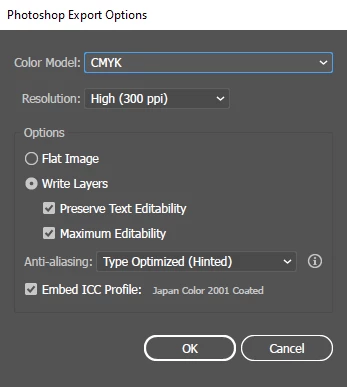
however, the exported photoshop file did not contain all layers as per following screenshot:
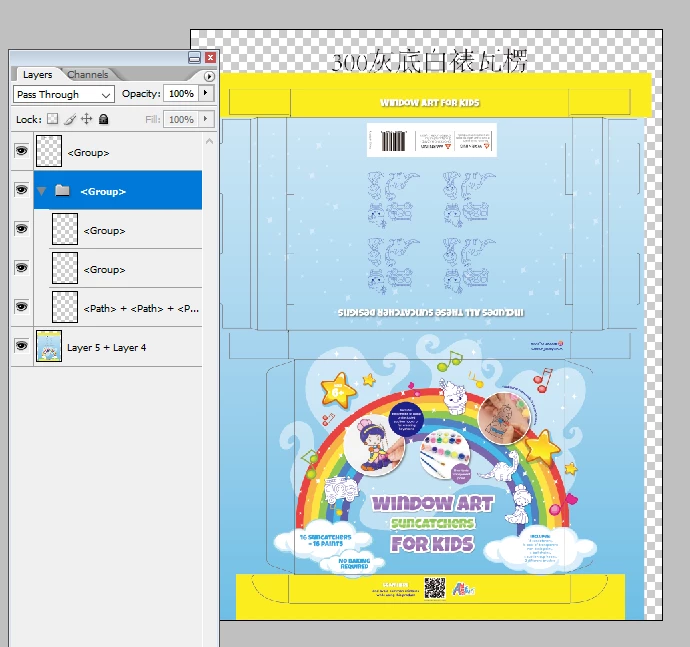
what is she doing wrong?


This topic has been closed for replies.

1 reply

Lukas Engqvist
Community Expert
Community Expert
September 30, 2022

You are not showing original layer structure, so it is hard to see what layers are not the same as original. Note that you are saving layers, not objects. There is no 1 to 1 conversion of illustrator objects to photoshop objects. Illustrator has to make objects appear the same and so if you have various effects, strokes or other appearance attributes that cannot be directly translated into Photoshop then you will get a raster rendering of that object/group


If you are working on print packaging I would not recommend this workflow since text is best kept as real text to be able to benifit from type technology such as hinting. Also spot colours for cuts and creases are handled poorly in the conversion. 


I do understand that it is easier to process one type of file than properly doing prepress work, but you will be limited to 300ppi which is fine for printed material, but not great for text or detailed linework. 300ppi makes visible jagginess on non photographic work. Again the limitation of how Photoshop works with spot colours will be the most serious limitation.


If you want to edit artwork withouot having illustrator, and you are in print production you should look at PDF editing solution.