
Participant
June 11, 2022
Answered

Aligning a pattern to connect in Illustrator

  • June 11, 2022
  • 1 reply
  • 157 views

Hi Everyone!


So I have been trying to search it on different platforms but there is no answer to it. And I am sorry if I am not using the right search terms.


I am creating a 23.5 cm x 4.5 cm sticker in illustrator that has to go on a circular jar. What I want is that once the sticker is placed it creates a seamless pattern (as in that the end and the start meet creating without breaking the pattern).


But I cant figure out a way to do that when scaling the pattern inside the object?


Is there a tool/technique that I can use that can help with that?
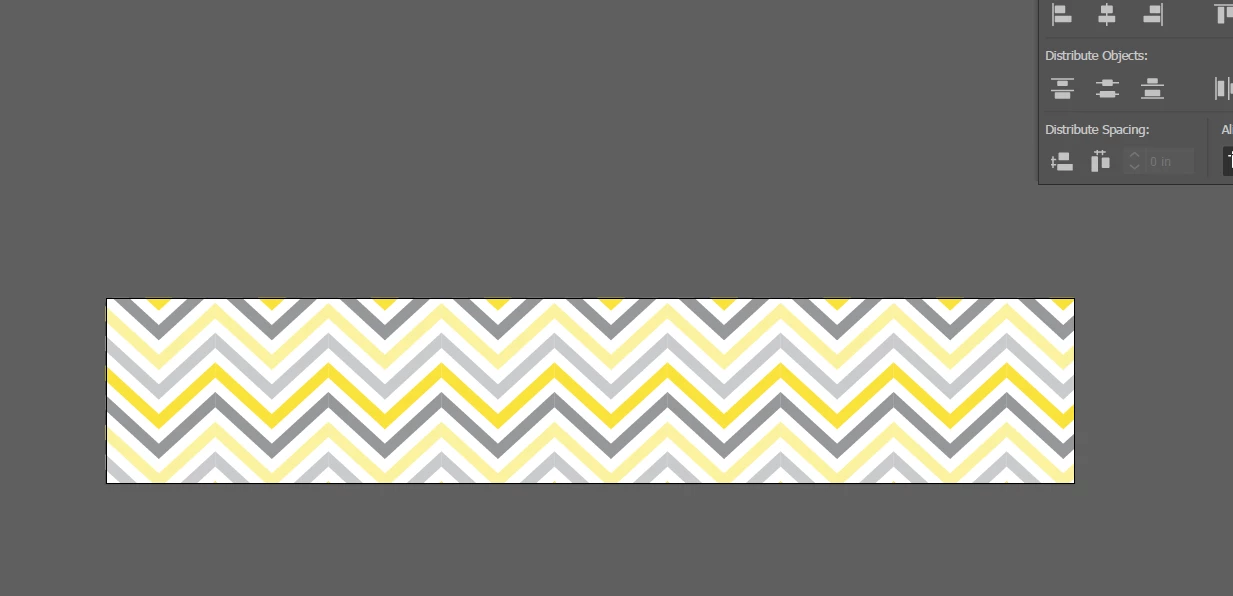
 

Thank you!

This topic is closed to new replies. Start a new post to keep the conversation going.
Correct answer Mylenium

In your case I'd start by creating a rectangle that matches the artboard size, then subdivide it into a grid, then convert it to guides/ use it as a reference layer. This will give you an idea how large the chevrons need to be without having to convert it to a pattern right away.


Mylenium

1 reply

Mylenium
MyleniumCorrect answer
Legend
June 11, 2022

In your case I'd start by creating a rectangle that matches the artboard size, then subdivide it into a grid, then convert it to guides/ use it as a reference layer. This will give you an idea how large the chevrons need to be without having to convert it to a pattern right away.


Mylenium