

Stephen Barrante
Inspiring
April 8, 2026
Question

"Allow Data from other Apps" msg keeps appearing on application launch

  • April 8, 2026
  • 2 replies
  • 27 views

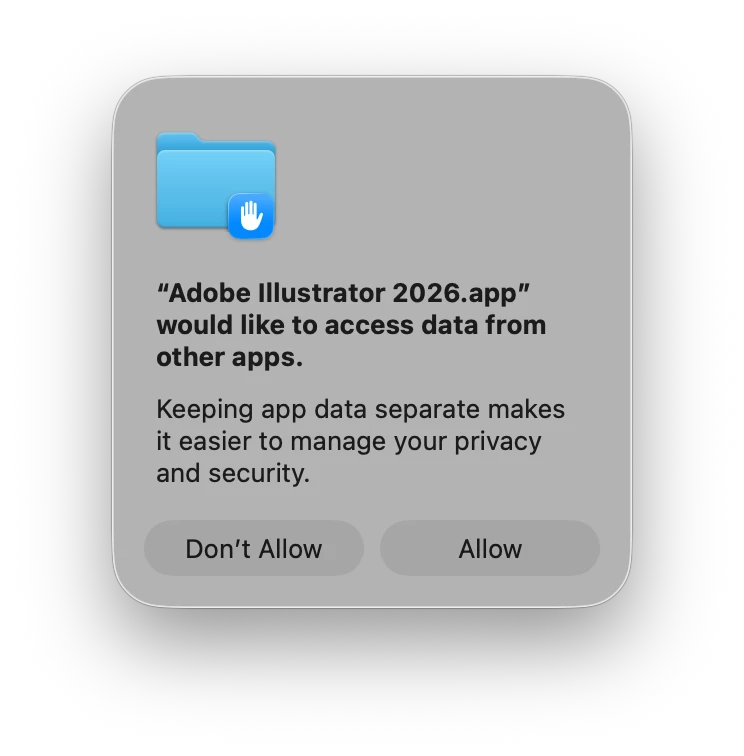
Across our studio we are getting pop-ups each time we launch a Creative Cloud application asking each user to “Allow”, for the message:

"Adobe Illustrator 2026.app" would like to access data from other apps.


This is typically something we would only expect once during initial installation or a major update. This is now happening every time the app is launched. (See attached image). 

We’re experiencing this on all recent versions of Mac OS up to 26.4. On a variety of machines (Mac Book Pro, Mac Studios, all Apple Silicon), and it has only just starting in the past couple of weeks.

Is anyone else experiencing this, and have you found a work around?


    2 replies

    Tina_Irvine
    Community Expert
    Community Expert
    April 8, 2026

    Hi ​@Stephen Barrante,

    I’m on Tahoe 26.2 (I often hesitate on updating my OS for a bit). For comparison, the toggles are working perfectly on my OS version.

    Tina_Irvine
    Community Expert
    Community Expert
    April 8, 2026

    Hi ​@Stephen Barrante, to remove the notification, go to your System Settings > Privacy & Security > Full Disk Access. Flip the switch on.

    Stephen Barrante
    Inspiring
    April 8, 2026

    Hi Tina, appreciate the reply. First looked there to see what was up and made sure they were toggled on. The apps have been installed for a while. Unfortunately the settings aren’t “sticking”. I haven’t tried uninstalling / reinstalling - since the problem isn’t exclusive to one app. Thinking it might be more systemic (e.g. a bug with CC and the OS), I wanted to see if it’s more widespread. It’s unusual that it’s suddenly affecting many of the machines here.

    Anubhav M
    Community Manager
    Community Manager
    April 8, 2026

    Hello ​@Stephen Barrante 


    This does seem troubling. Could you check if the problem persists Would you mind trying to run Illustrator under a different administrator account (macOS) and check if it helps?


    Looking forward to hearing from you.
    Anubhav