
Participant
February 3, 2019
Answered

ALT won't centre my elipse. Very confused Beginner
  • February 3, 2019
  • 2 replies
  • 259 views

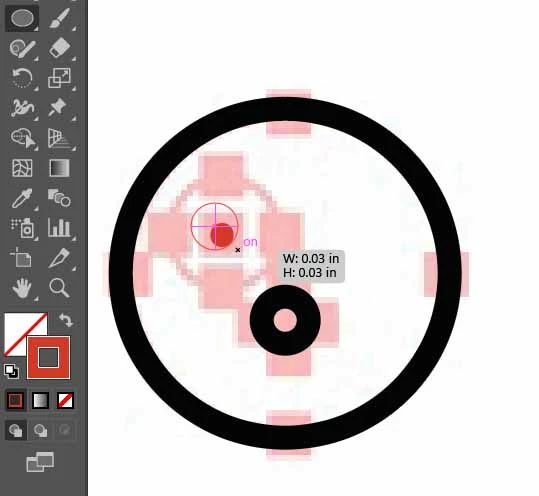
So, every time I try to hold alt and click where I want, or click and then hold alt, no matter what I do, the ellipse tool will never begin from that point. Instead, it always chooses a corner of the pink square from the locked, template layer, or a little off the red mark, never inside the red mark. However, making the larger circle was no problem, maybe I was just lucky. But it leaves me super confused.

Thanks

This topic has been closed for replies.
Correct answer Monika Gause

Check if either Snap to grid or snap to pixels is active

2 replies

Monika Gause
Community Expert
Monika GauseCommunity ExpertCorrect answer
Community Expert
February 3, 2019

Check if either Snap to grid or snap to pixels is active

Jeff Witchel, ACI
Community Expert
Community Expert
February 3, 2019

If I'm understanding your issue correctly, clicking with a drawing tool and then holding down Alt, does not center the object to anything. It draws the object from the "center" outward.

Here's a video tutorial I produced a while back about the drawing tools in Illustrator that could help.

http://www.jeffwitchel.net/2012/02/illustrator-drawing-tool-tips/