

Alternative ways for making a point grid.
Hopefully I can explain this inquiry a little better than my title.
I'm working in Adobe Illustrator CC and I'm trying to make a point grid for a brand system.
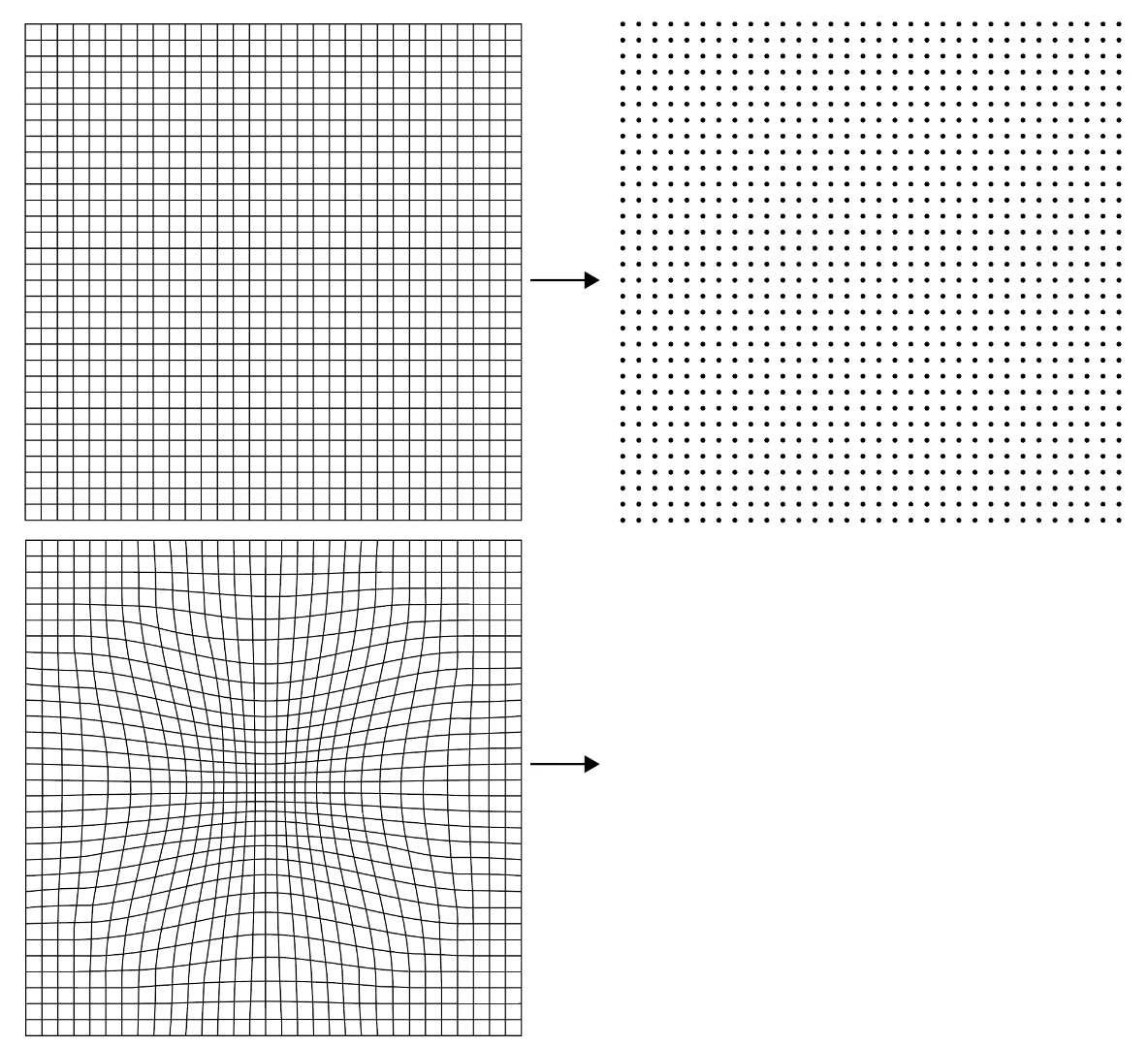
Basically to make a point grid I would normally:
1. make a normal grid
2. make a shape
3. line shape up with top left point of grid
4. alt-drag to next point to the right
5. cmd-D to copy over along all points
6. take top row and alt-drag to row beneath it
7. cmd-D until the grid is made
8. delete background
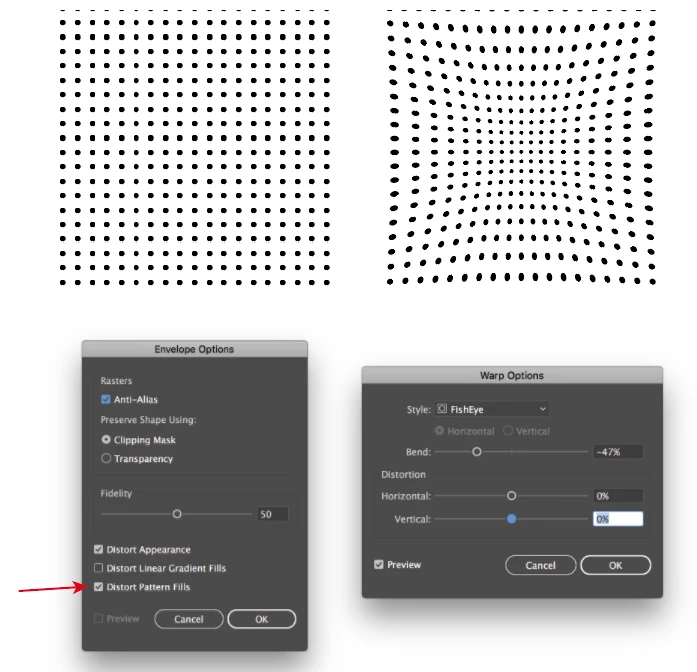
I'm trying to make a point grid based off of the second grid in my image though which is skewed to get smaller as it goes towards one point and I can't use the method state above.
Is there a simple way to make a point grid that I'm missing? or would it have to be done by hand?
Any ideas would be super helpful! Thank you.
 AdChoices