


boaruey
Known Participant
June 25, 2026
Answered

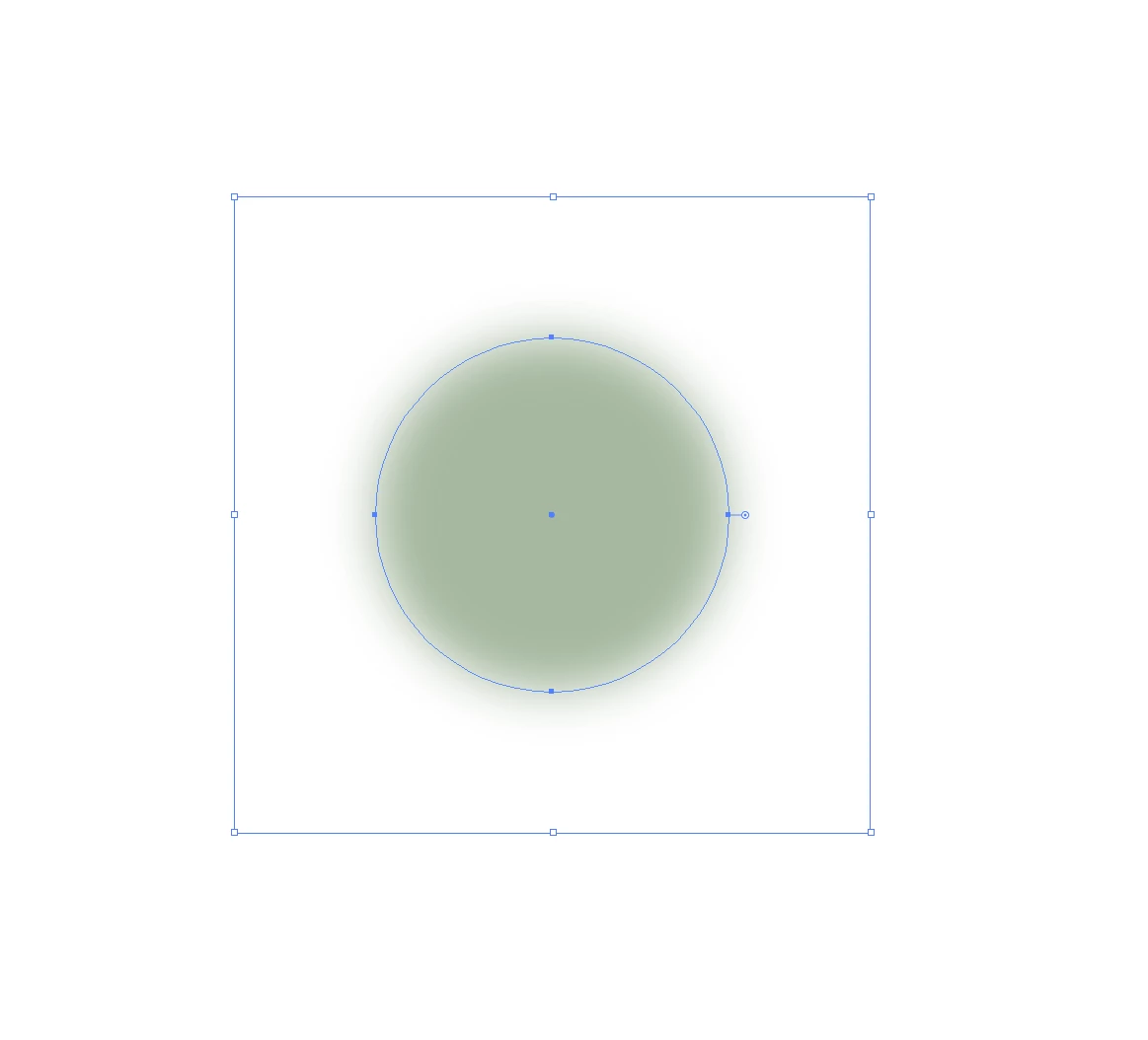
"An extra border appeared outside the object itself."

  • June 25, 2026
  • 1 reply
  • 0 views

"This just happened: right after I applied Effect → Blur → Gaussian Blur to a circular object, a bounding box appeared around it. How can I get rid of this outer box?"

 

    Correct answer Ton Frederiks

    @boaruey Is “Use Preview Bounds” checked? In Preferences or the Align menu.

    You may want to deselect and select the object after changing the option to see the change.

    1 reply

    Ton Frederiks
    Community Expert
    Ton FrederiksCommunity ExpertCorrect answer
    Community Expert
    June 25, 2026

    @boaruey Is “Use Preview Bounds” checked? In Preferences or the Align menu.

    You may want to deselect and select the object after changing the option to see the change.

    boaruey
    boarueyAuthor
    Known Participant
    June 25, 2026

    "Great job! Thank you for your reply. It turns out it was under 'Preferences,' which explains why I couldn't find it in 'View' at all. Anyway, thank you so much!"

    Ton Frederiks
    Community Expert
    Community Expert
    June 25, 2026

    Good to hear that helped.
