


Participant
March 21, 2023
Question

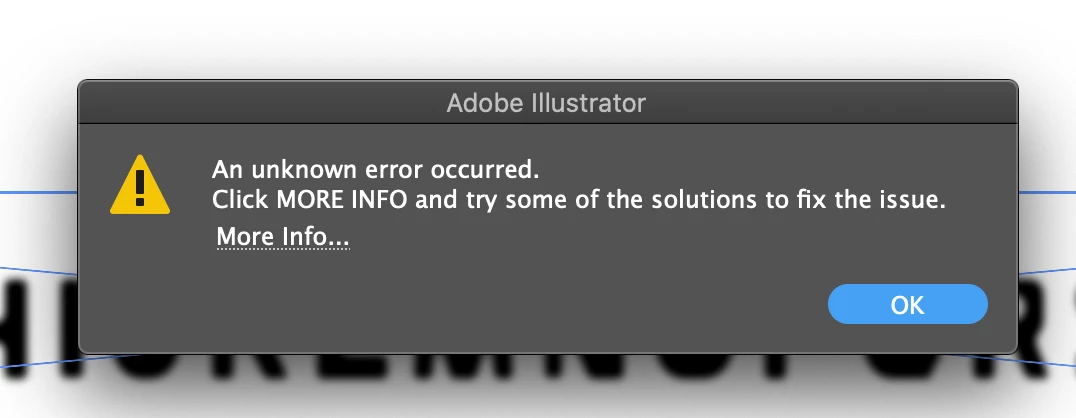
An Unknown Error occurred. Image trace randomly stopped working mid session

  • March 21, 2023
  • 6 replies
  • 1029 views

I was using image trace one minute, and the next it won't work. I get the error message "unknown error" (see below)


I've already tried renaming cache files with "old" added to them. Didn't fix my problem. I uninstalled and reinstalled. I cleared space on my computer.


Please helpppppppp
 

This topic has been closed for replies.

6 replies

Anshul_Saini
Community Manager
Community Manager
April 27, 2023

Hi @Meg Sketch @mwaksm @sarah.andrews87,


We are sorry for the inconvenience this issue has caused. After investigating this issue, our product team has identified that this error only occurs on macOS Catalina. A workaround for this issue is updating your operating system to a later version or using images larger than 400x400 pixels.


We understand that this issue is hindering your productivity, and we apologize for any frustration this may have caused. We appreciate your patience while our team works on a solution to this issue, which will probably roll by the end of next month.


If you have any further questions or concerns, please don't hesitate to reach out to us. We are here to help. Thank you for your understanding.


Best,

Anshul Saini

Anubhav M
Community Manager
Community Manager
March 30, 2023

Hello @Meg Sketch@sarah.andrews87,


We understand that encountering technical issues can be frustrating. We are here to help and would like to suggest trying to reset Illustrator's preferences as described in this article (https://helpx.adobe.com/illustrator/kb/troubleshoot-preference-issues.html). If you don't mind, could you please follow the steps and share your observations with us?

Also, kindly check if Illustrator also behaves this way with other files. If not, kindly share some sample files you are having trouble with (https://community.adobe.com/t5/illustrator-discussions/share-your-files-in-6-simple-steps/td-p/12967531), so we can check it on our end.


We appreciate your time and effort in helping us resolve this issue.


Thanks,

Anubhav

Participant
March 25, 2023

This JUST happened to me. I've been working in illustrator for a decade, I know how to use image trace. I know I am doing nothing wrong, but what changed? Did you solve your issue, I can't find any solutions.


Monika Gause
Community Expert
Community Expert
March 25, 2023

Please tell us about your Illustrator version, system and hardware?

Did you already reboot the system?

Met1
Legend
March 21, 2023

What does More Info... say?

Monika Gause
Community Expert
Community Expert
March 21, 2023

Which version of Illustrator is it?

Rene Andritsch
Community Expert
Community Expert
March 21, 2023

What file format is the placed image? Or is it a pasted screenshot? Try to safe the image in a diffenrent format, place it again in Illustrator and retry the tracing.