

Anchor Point Guides
I can no longer see my anchor point guides that I use throughout many of my Illustrator templates.
This first image is what they should look like when they are not selected. I opened up my Illustrator CS5 to get this screenshot:
But the anchors in Illustrator CC are invisible. (They weren't invisible until recently.)
You can see a blue square when the anchors are selected. (First Image)
They're invisible when they are not selected. Not Helpful! (Second Image)
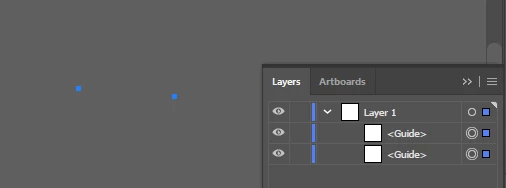

Is something corrupted with my Illustrator CC installation, or did Adobe remove the ability to view anchor point guides?
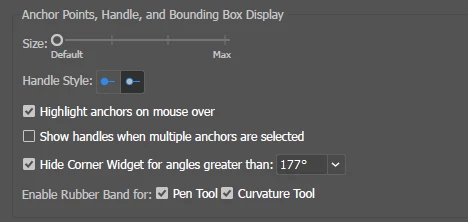
Did Adobe change the way Illustrator displays anchor points/guides at the same time that they changed the Anchor Point and Handle Display preferences box?
Is there some setting that I have accidentally changed?
FYI - Old Anchor Points Preferences (First Image)
FYI - Current Anchor Points Preferences (Second Image)
Any help would be greatly appreciated!
-Scotty
 AdChoices