


Participant
March 10, 2025
Question

Anchor Points showing while using Selection (v) tool / Description gone using Direct Selection Tool

  • March 10, 2025
  • 1 reply
  • 804 views

I must have pushed something or selected something in right click menu, but now even in the Selection tool I am showing all of my anchor points/nodes.  I have toggled show edges on and off. I want to see the line normal, without the anchors like when using Direct Select. Also the Show Anchor Points in Selection Tools is turned off. This happened mid use and I know it did it on a right click menu or some hot key.
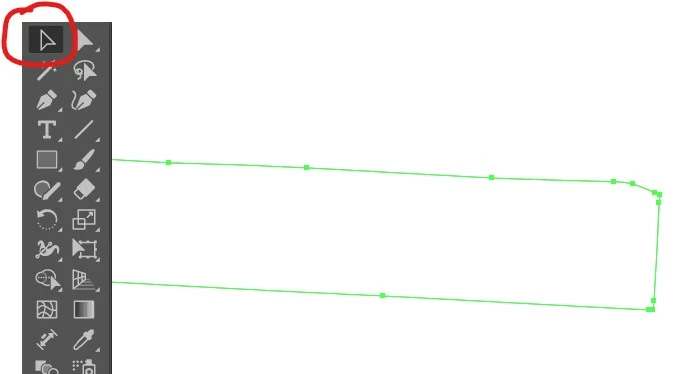


Then when I go to the Direct Selection tool, I can see the adjsutable radii nodes now, but when I hover on an anchor or handle, the words telling me what I'm on is gone.

1 reply

Anubhav M
Community Manager
Community Manager
March 10, 2025

Hello @Jilpaq,

Could you turn on Show Bounding Box under the View Menu to see if it helps resolve the problem?


Looking forward to hearing from you.


Anubhav

JilpaqAuthor
Participant
March 12, 2025
I was able to show the bounding box to rotate, but that still left the
nodes on my lines. I restarted Adobe a few times and that did nothing. I
did fix the problem somehow but I'm not sure how at all. I kept pushing
random keys.

--

Install Instructions <>

Instagram <>

[image: user img]

Jil

Design Manager ScreenProtech

E: cs@screenprotech.com

screenprotech.com
Monika Gause
Community Expert
Community Expert
March 12, 2025

With the direct selection tool you do not have a bounding box by design.