



Appearance Panel Stroke Visibility Scripting Issue
So, maybe I'm missing something obvious, but I have a script that draws simple stroked rectangles based on the users selection. If the user happens to have an item selected (or was the last item selected) where the appearance panel has the stroke visibility (eyeball) turned off, any new path the script creates will also have the stroked turned off.
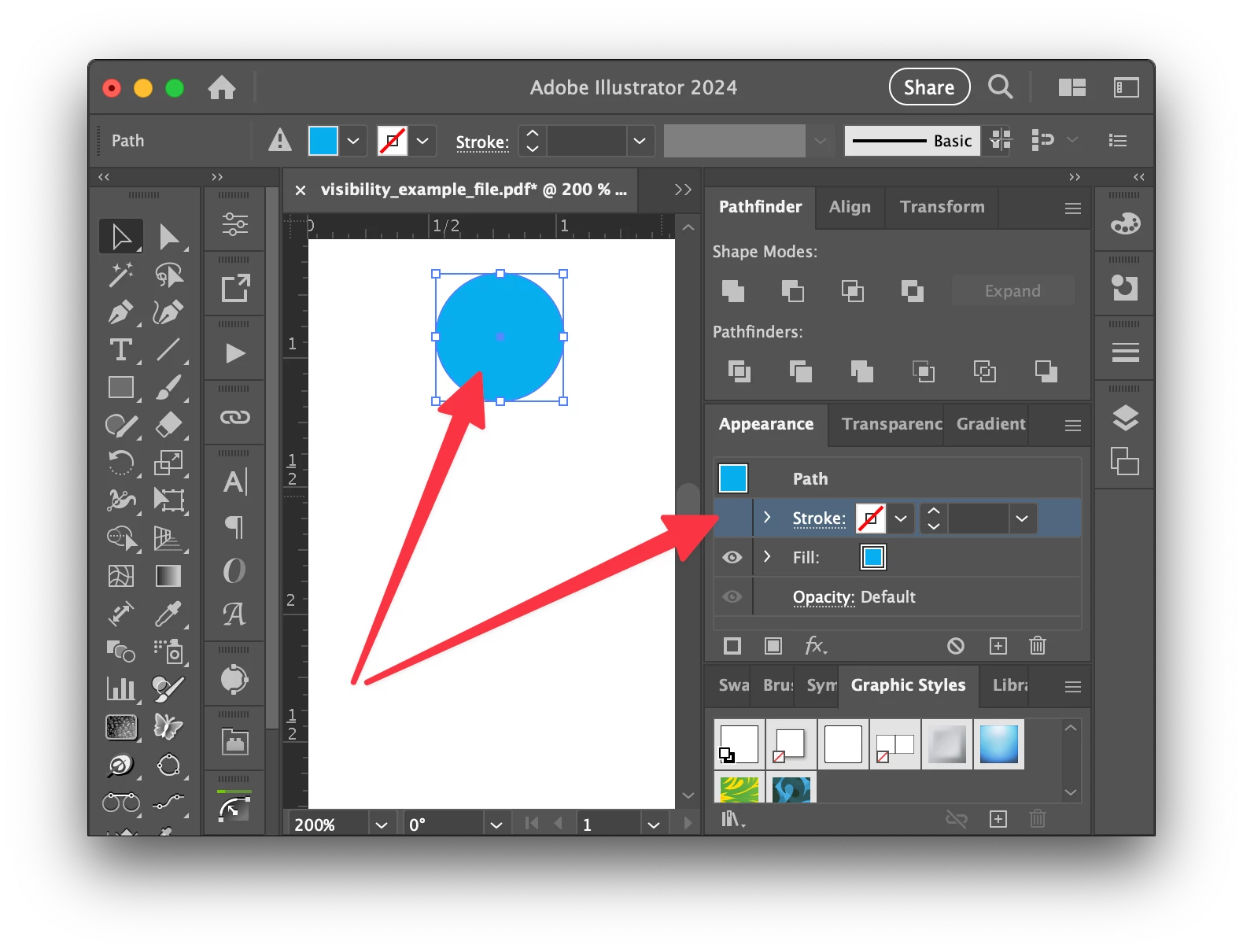
// create new path
var rect = app.activeDocument.pathItems.rectangle(circle.top - 36, circle.left, 36, 36);
rect.stroked = true;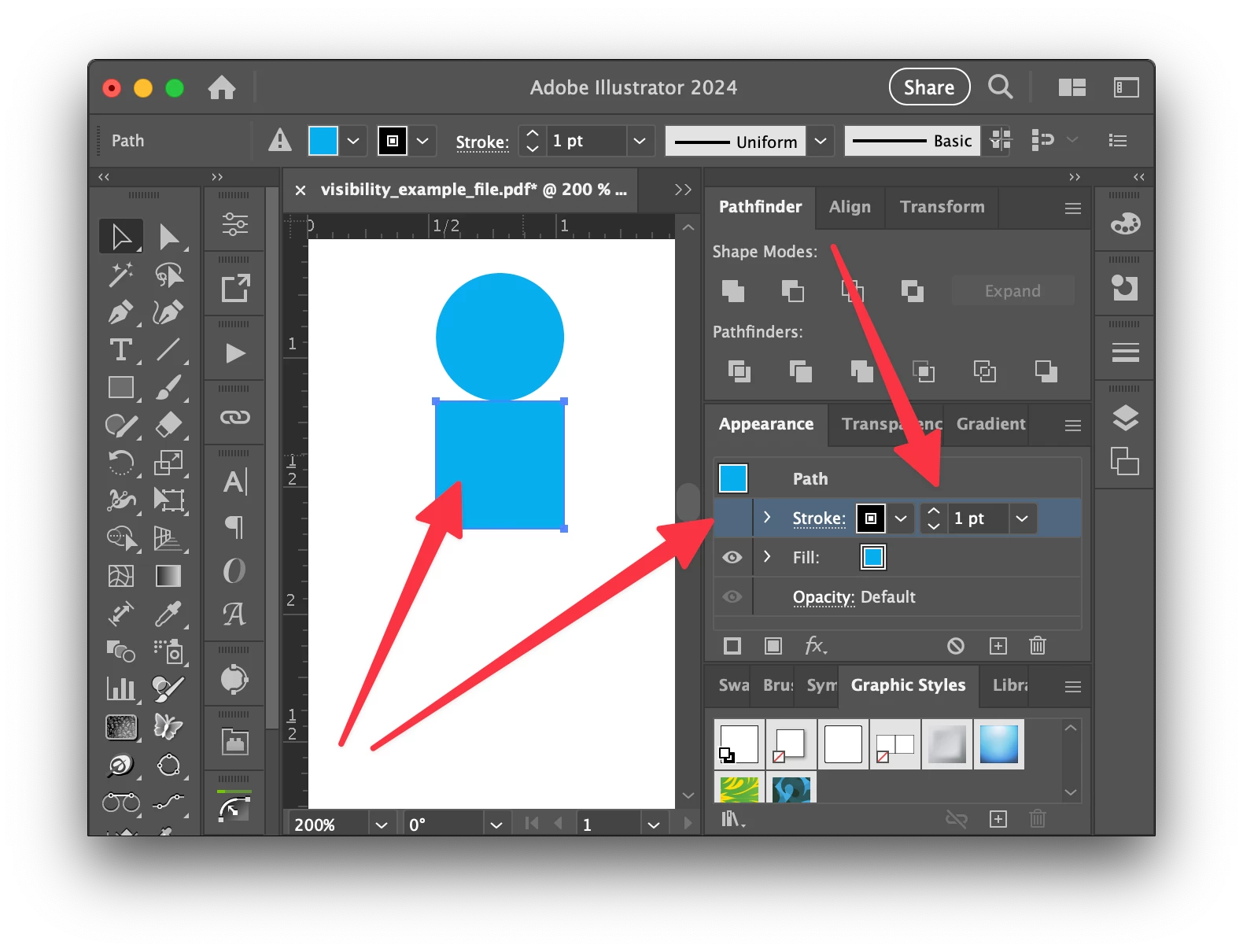
I have tried changing/resetting the `defaultStroked` variables but that didn't help. The only real solution I could come up with is to create a temporaty shape, expand it's appearance, and then go on creating the shapes I need withing my script.
// create temp shape to reset appearance panel
var temp = app.activeDocument.pathItems.rectangle(0, 0, 36, 36);
app.executeMenuCommand("expandStyle");
temp.remove();

// go on creating required script shapes with appearance settings reset
var rect = app.activeDocument.pathItems.rectangle(circle.top - 36, circle.left, 36, 36);
rect.stroked = true;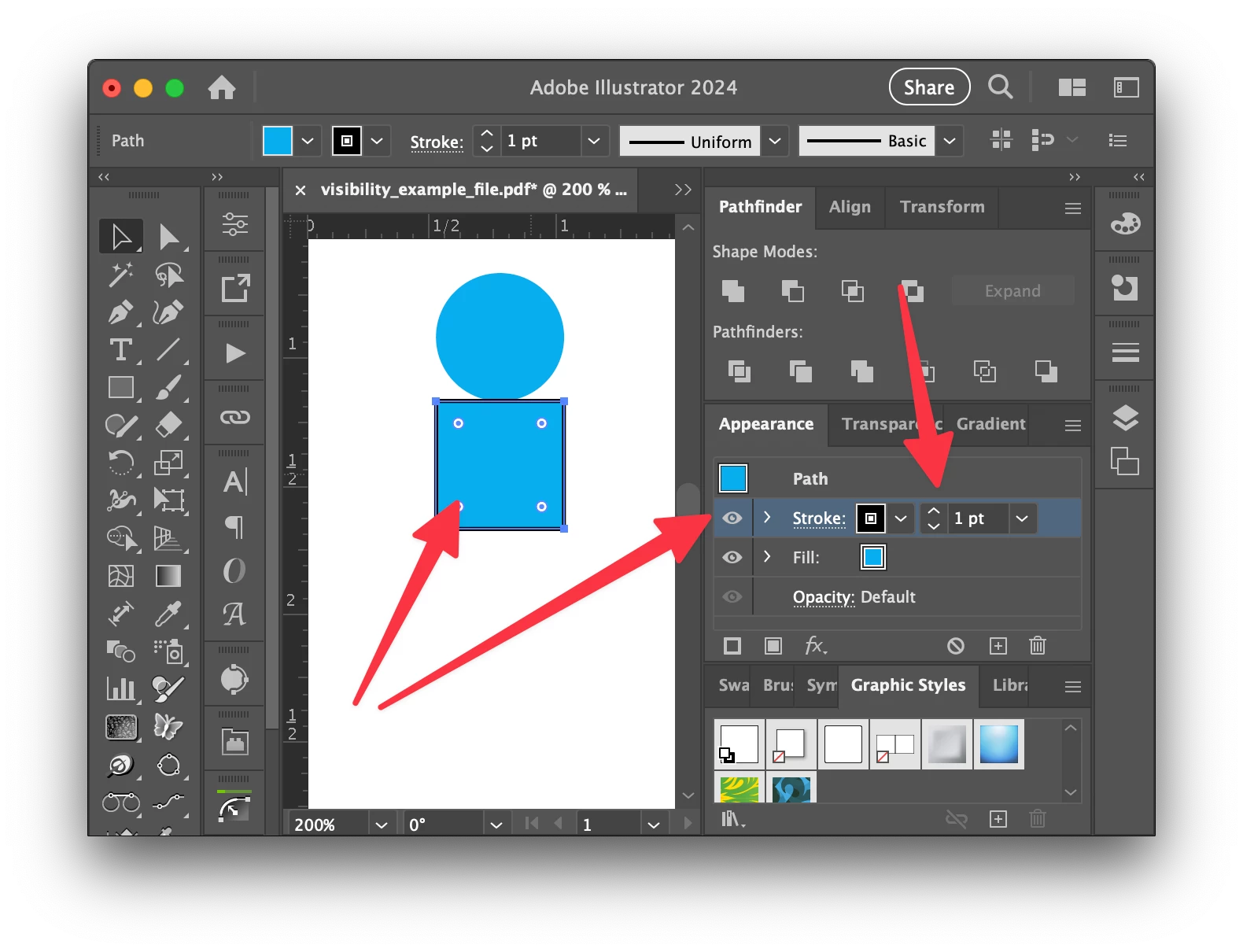
Am I losing my ming and missing something obvious??? I also, ran into a similar issue when the selected object had multiple strokes and fill that were not in the standard order.
This script needs to run on unknown systems and setups so I want to ensure the shapes will be drawn correctly no matter who runs the script.
Thanks in advance for your help!


 AdChoices