


Inspiring
March 5, 2025
Answered

Apply gradient across a grid

  • March 5, 2025
  • 1 reply
  • 493 views

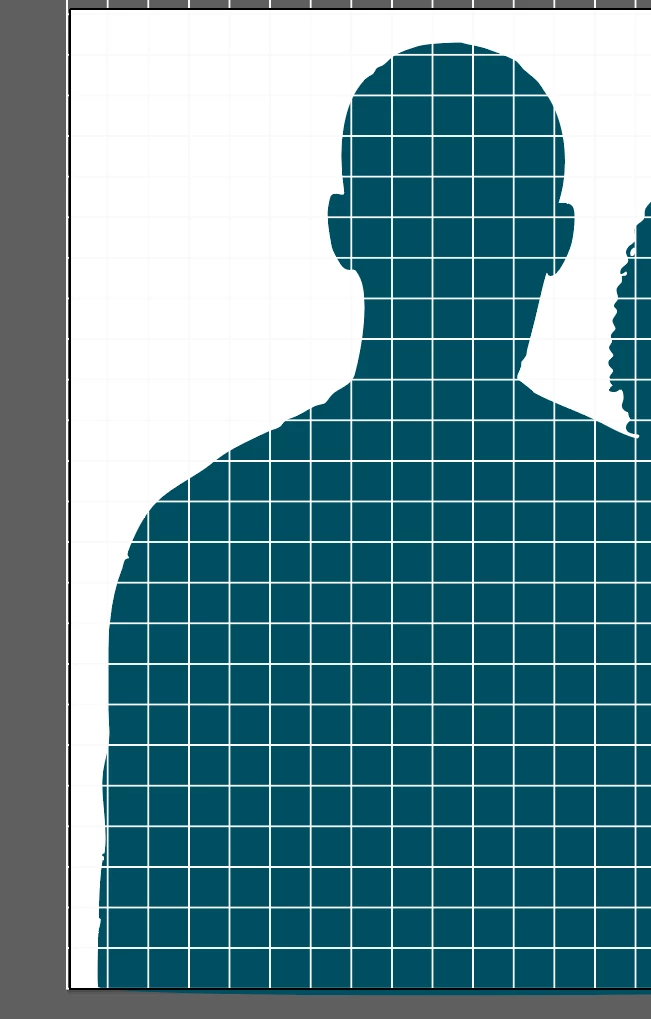
I want this grid to fade away from bottom to top. I thought applying a gradient to the grid from white to the color of the background image would do it, but every way I try it (rasterizing, expanding, etc.) it either does nothing or the gradient is not applied evenly to the lines from top to bottom (sometimes the vertical lines have the gradient but not horizontal or vice versa). How do I do that, or is there a better way to achieve what I am looking for?



Correct answer Monika Gause

The grid was created with the grid tool. I guess they are lines just grouped together.


Then you can apply an opacity mask to the grid. 

Make a black to white gradient in a rectangle and select grid and gradient and in the transparency panel hit "Make Mask"

1 reply

Monika Gause
Community Expert
Community Expert
March 5, 2025

Should each block have a uniform color?

Or would just fading be OK?


For them to fade you could apply an opacity mask. That will make the thing transparent.


Inspiring
March 5, 2025

The bluish color behind the grid should remain as it is. I want the grid itself to fade away.

Monika Gause
Community Expert
Community Expert
March 5, 2025

And the grid consists of lines? Or are there rectangles? Please show what's in the layers panel.
