
Question
Apply to All checkbox missing in Adobe Illustrator v28.5 for Windows
The "Apply to All" checkbox is missing. This is a huge problem when relinking multiple images (sometimes hundreds in my case) automatically for imposition for large format printing.
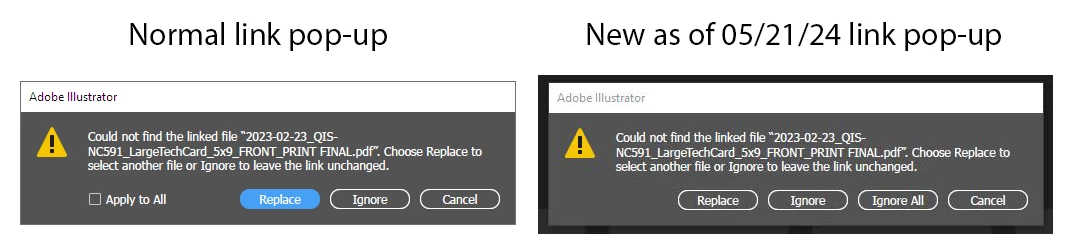
This issue came up last year and it looks like it has reappeared with this latest version of Adobe Illustrator v28.5, released 4 days ago. Adobe - please fix this bug as soon as you can. All my templates are affected by this and instead of one global replacement, I now much click for every linked instance. Not much of a problem when there's only one or two relinking clicks required, but when I need to click "Replace" over 100 times, this is a time killer. Please see if you can fix this bug. Thanks.
 AdChoices