

Applying a gradient across multiple paths destroys widths
Hello! I am re-drawing a logo for someone, and have re-drawn using the line tool, pen tool, and a few shapes where I cut off an edge or two to get the shapes I want.
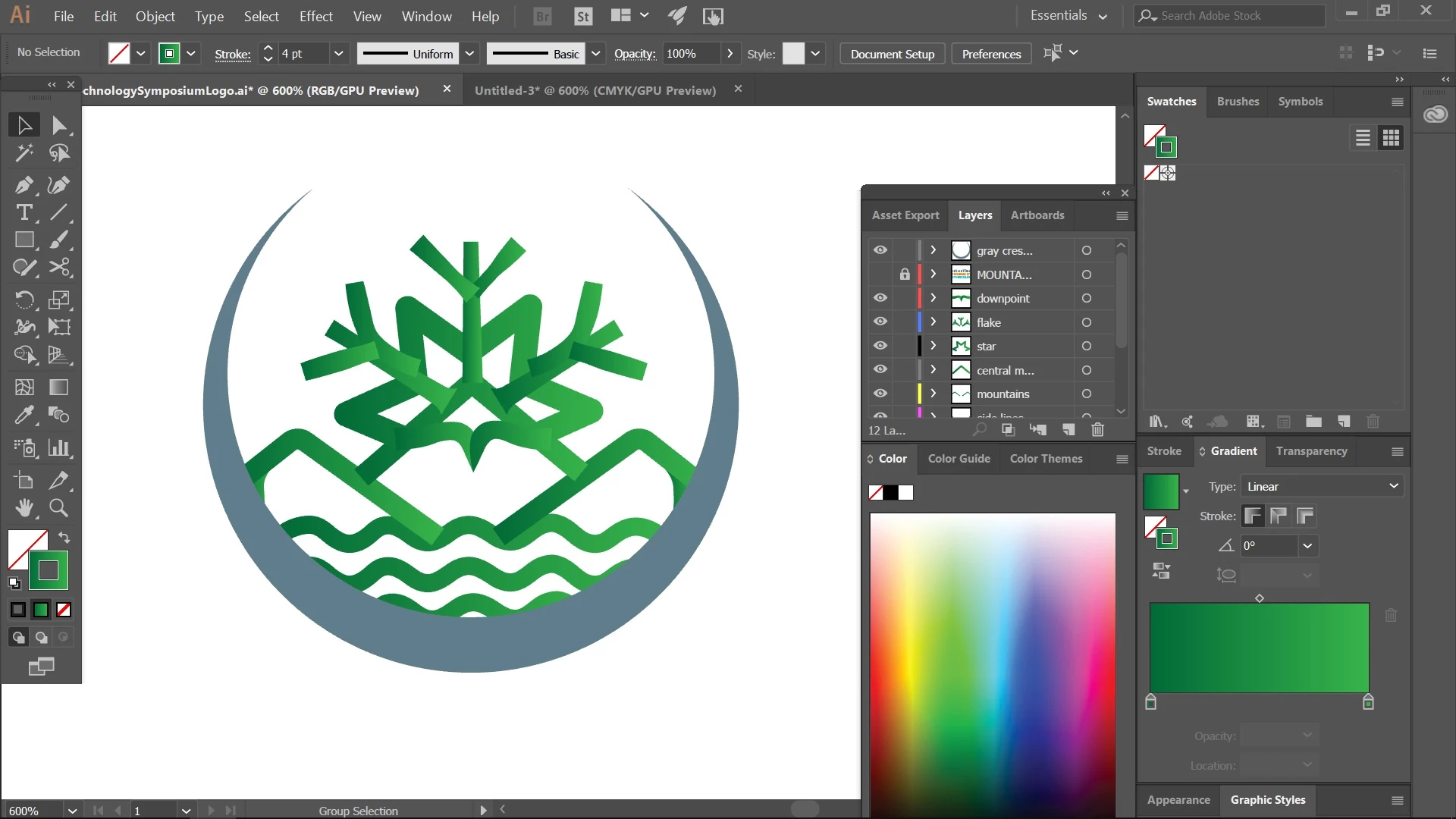
I want to apply a gradient across all the paths. In the below image, you can see how the dark to light green gradient is applied to the stroke of each path individually. Also note that some lines have had the Width tool applied to them (like the fronds/edges of the 'snowflake' and the bit under the snowflake pointing down that also forms the top of the mountain).
If I select all the green lines, right click and 'Make Compound Path', the gradient is applied across all the lines as I want - but the width effects are destroyed. For instance, the pointy part is no longer pointy.
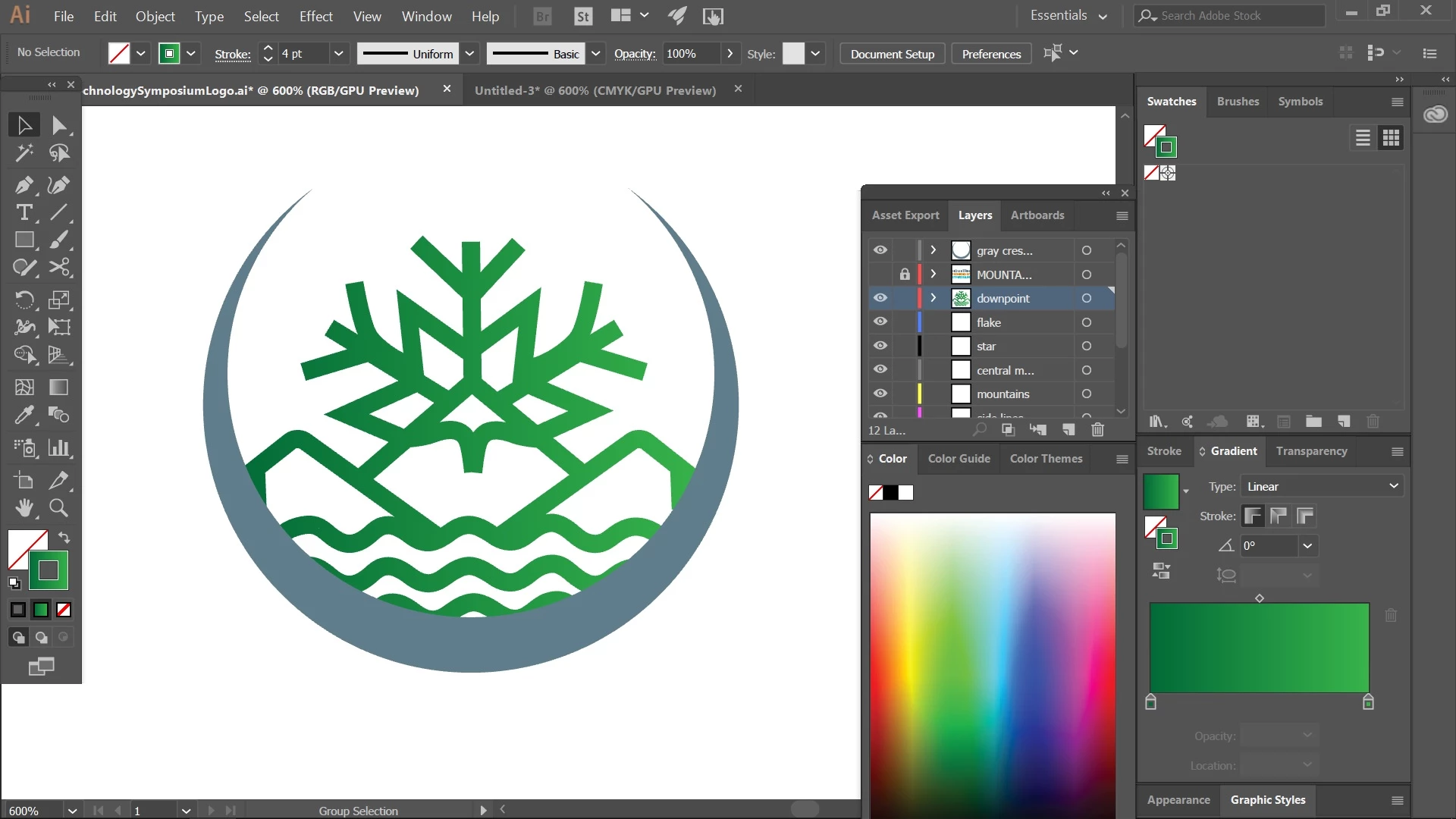
How can I apply the gradient across multiple paths and still preserve the width effects? Any ideas or suggestions on how to approach this would be greatly appreciated. Thank you!
 AdChoices