Known Participant
July 16, 2018
Question

Applying Stroke to Image

  • July 16, 2018
  • 4 replies
  • 1561 views

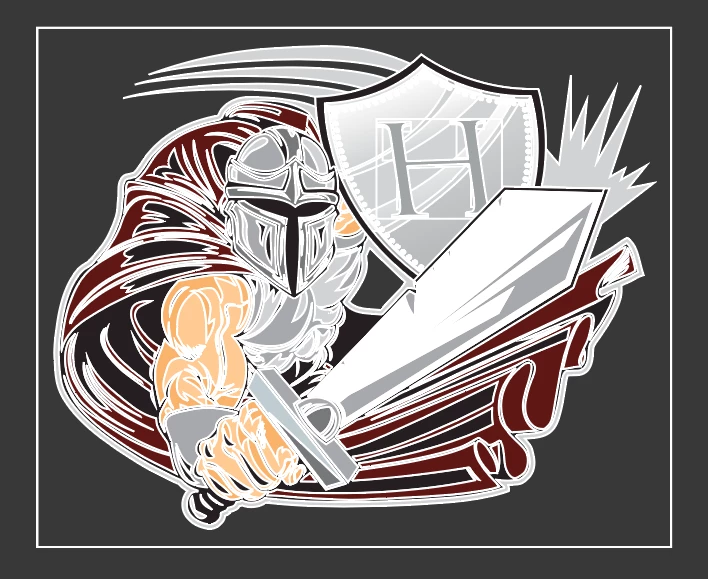
Related question: I want to apply a stroke to the outside of an image (a logo) so that when I placed it over the top of another image it stands out. However, I can't figure out how to do it.

First, I was hoping for a way to apply a stroke/outline only to the outer perimeter of the logo as a whole (not to every vector segment!). I hoped that grouping everything first would do the trick. It didn't.

After giving up on that, I decided to duplicate the logo and apply the stroke to it as before, then move it behind the unedited logo, so that only the outer stroke would appear. However, the stroke applied to the bounding box! (Who intends to apply a stroke to a bounding box?!) Is there anyway to place a stroke on the entirety of an image WITHOUT stroking the bounding box? (Even when hiding the bounding box, the stroke still appears.)

I've Googled this and not found an answer.

TIA!
    This topic has been closed for replies.

    4 replies

    Known Participant
    July 16, 2018

    Drat. I missed that this was an InDesign thread. I'm sorry. I'm actually working in Illustrator already. The problem is in Illustrator. I don't supposed you know the solution to that do you?

    Abambo
    Community Expert
    Community Expert
    July 16, 2018

    Moved to Illustrator.

    mattstephens268  wrote

    Drat. I missed that this was an InDesign thread. I'm sorry. I'm actually working in Illustrator already. The problem is in Illustrator. I don't supposed you know the solution to that do you?

    No problem, the Illustrator forum will supply the answer (even that I’m nearly positive, that also the InDesign​ community could answer a lot of Illustrator questions and vice versa.

    ABAMBO | Hard- and Software Engineer | Photographer
    Known Participant
    July 16, 2018

    Thank you.

    BobLevine
    Community Expert
    Community Expert
    July 16, 2018

    I concur with Jonathan. This should be done in Illustrator.

    JonathanArias
    Legend
    July 16, 2018

    This sounds like something that should be done in illustrator. with the appearance panel you can have as many strokes as you want on shapes and change the stack order.

    here is a video about that panel that might be of help:

    Adobe Illustrator Appearance Panel and Effects Part 1 - YouTube

    Steve Werner
    Community Expert
    Community Expert
    July 16, 2018

    You've added an unrelated question to an old thread. I'm branching it into a thread of its own.

    What version of InDesign? What operating system?

    Known Participant
    July 16, 2018

    I'm using Ilustrator CC on a Mac with the latest OS.