


Answered
Arabic text direction and language in Illustrator CC 2014
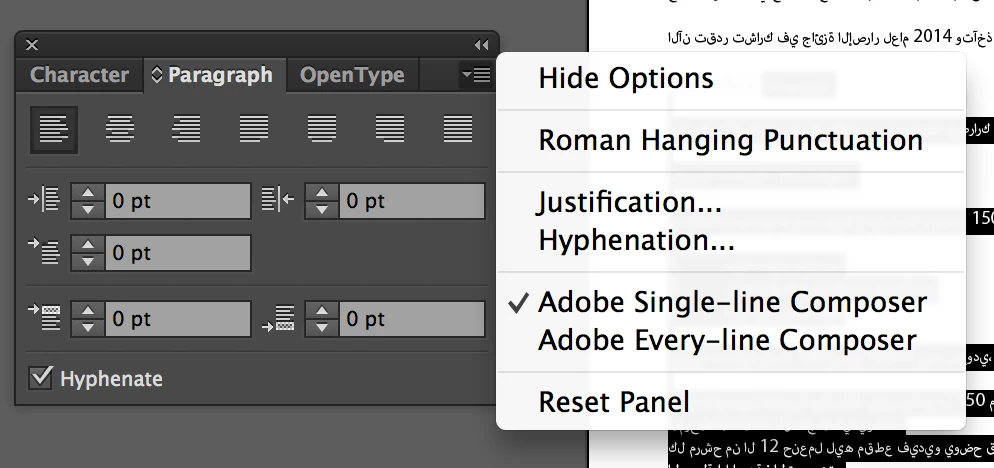
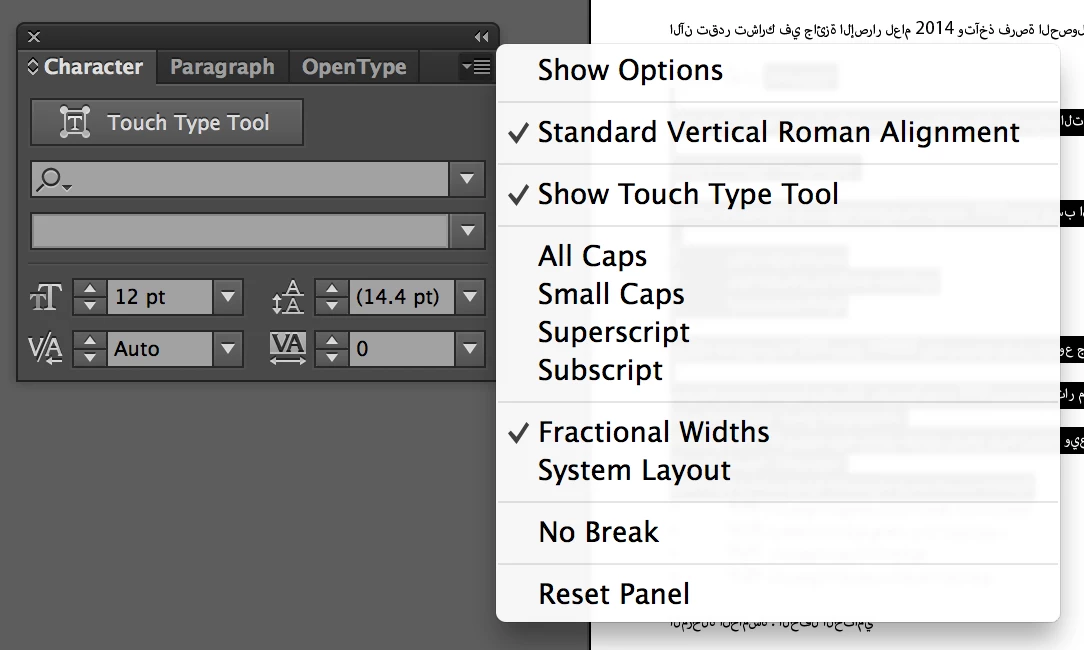
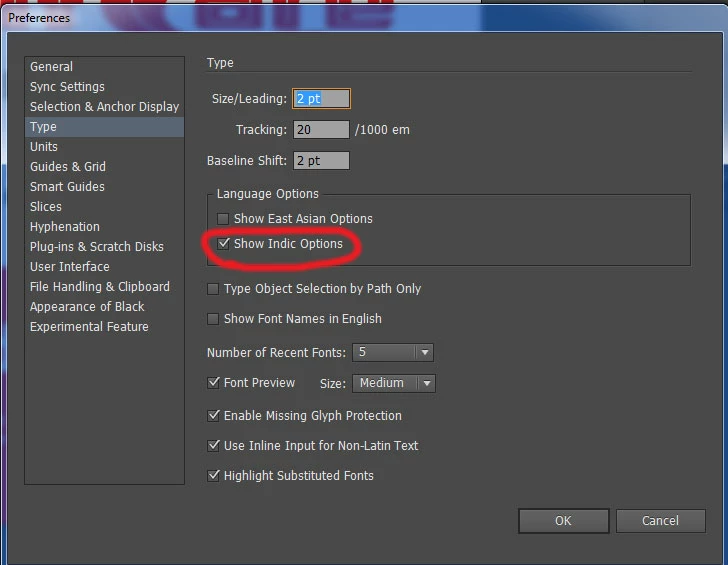
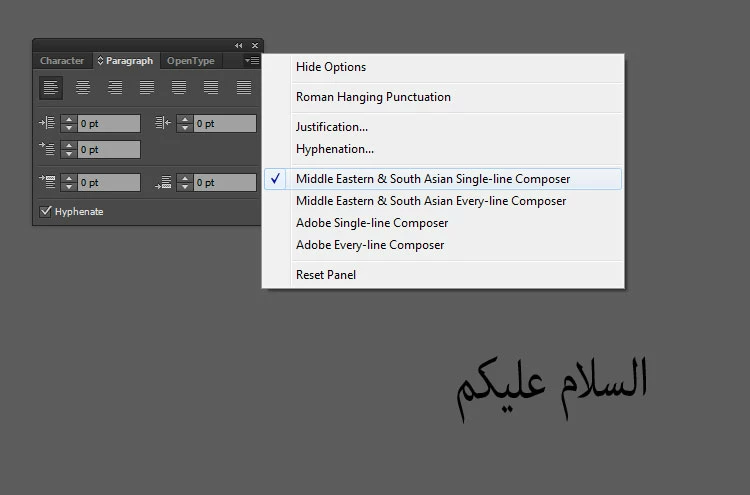
I have a rich text format document in Arabic and the text direction is from right to left. when I copy the text in TextEdit software and paste it in illustrator CC 2014 I can change the characters to Arabic but the text direction in from left to right. I've read about Adobe World-Ready Composers and the option for paragraph direction in the adobe site in this link Creative Suite Help | Arabic and Hebrew support in CS6 but I don't have this option in my version of Illustrator CC 2014. This is the image shown in the link http://helpx.adobe.com/mena/using/arabic-hebrew/_jcr_content/main-pars/image.img.png/World-readyComposer.png and these are my options shown in these two screen capture images of my software. What should I do?

 AdChoices