

brewcitywi
Participant
May 22, 2022
Answered

Arc a serif font without distortion

  • May 22, 2022
  • 3 replies
  • 902 views

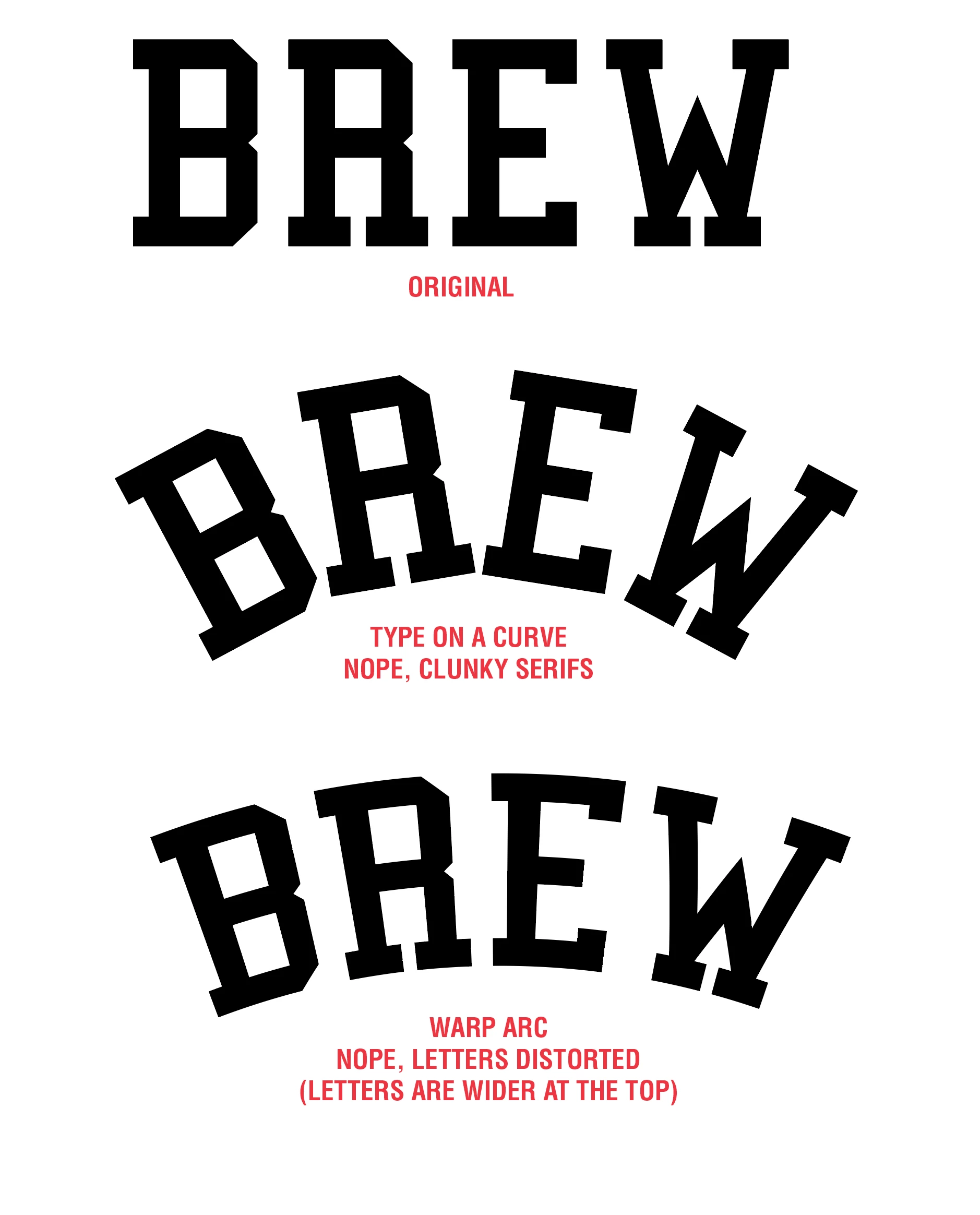
There must be a way. But, when using a collegiate font with a word that has 4 letters or less, you can't use the arc tool without distorting the type. You can't manually set the letters because the serifs are clunky. So far, I haven't seen ONE example or tutorial that addresses this situation. I also haven't seen a plug-in which helps. FilterIt comes close, but it only "arches" the type, not "arc" it.
 

This topic has been closed for replies.
Correct answer Jacob Bugge

brewcitywi,


As I (mis)understand it, I am afraid the long answer is careful manual work.


This thread is about a (dis)simimilar request, pointing back to a distant past:


https://community.adobe.com/t5/illustrator-discussions/how-can-i-keep-top-third-of-text-untouched-while-curving-bottom-half/td-p/12186490

3 replies

Jacob Bugge
Community Expert
Jacob BuggeCommunity ExpertCorrect answer
Community Expert
May 22, 2022

brewcitywi,


As I (mis)understand it, I am afraid the long answer is careful manual work.


This thread is about a (dis)simimilar request, pointing back to a distant past:


https://community.adobe.com/t5/illustrator-discussions/how-can-i-keep-top-third-of-text-untouched-while-curving-bottom-half/td-p/12186490

kphotopage
Legend
May 22, 2022

Brewcity, Hi.


As Mylenium mentioned, at this point you have not given us what you are expecting. Maybe attaced an inspiration image of what you want.


Maybe something like this???

I used Type on a Path.

Show in Red is the path I used. Type is centered aligned.

Then Type>Type on Path>Path Options.


K

Mylenium
Legend
May 22, 2022

Not sure what you are asking here. What exactly are you expecting to happen?


Mylenium