


November 24, 2025
Question

Area de trabalho inexistente

  • November 24, 2025
  • 1 reply
  • 264 views

Depois de atualizaçoes recentes meu illustrator nao tem mais area de trabalho.
Funciona normalmente e tambem consigo "selecionar" objetos, mas a area de trabalho fica preta ou branca, nao aparece nada (igual a imagem anexada)
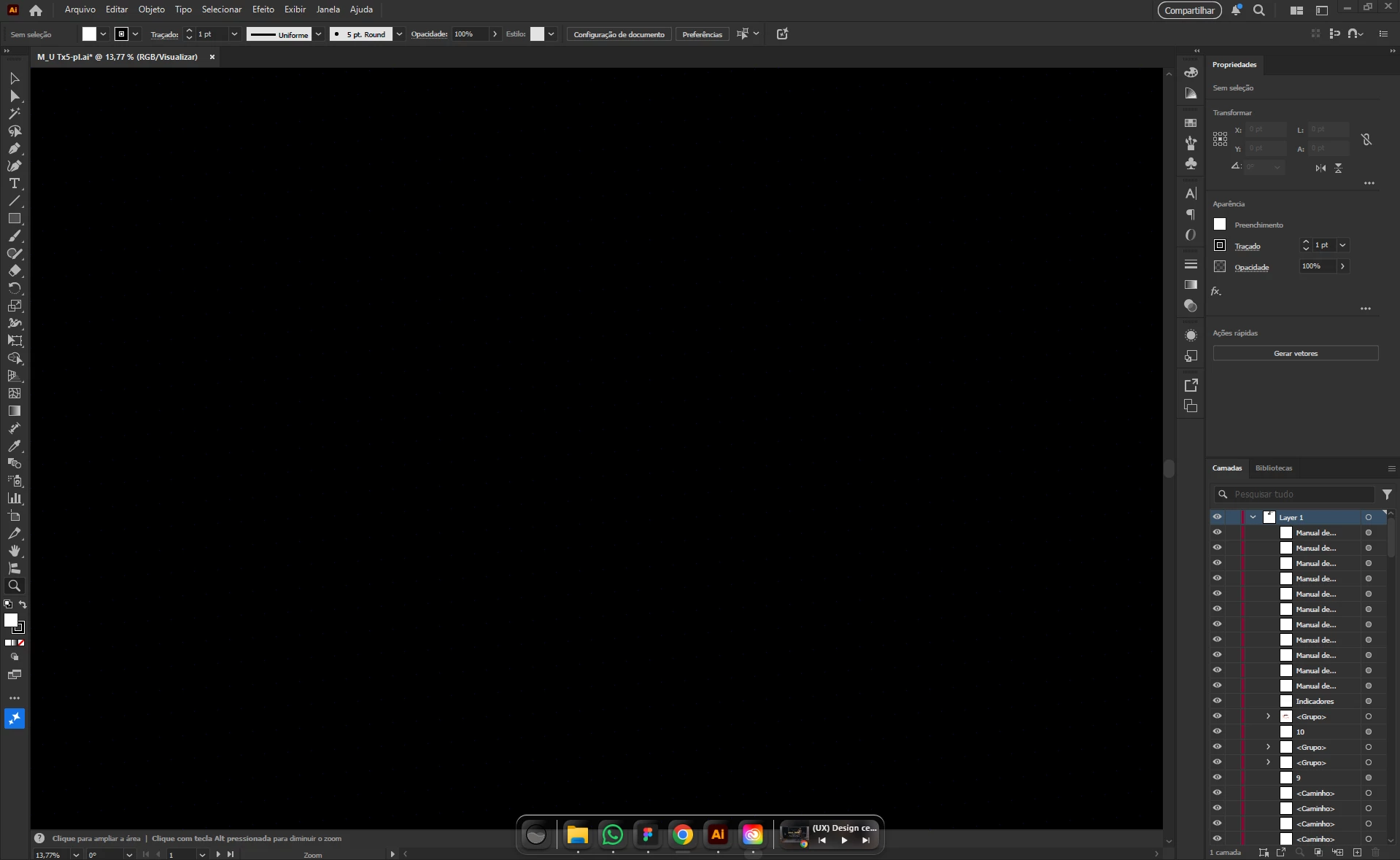
865881i8B7D701DE4DE05AE.png

Não faço ideia doq fazer


1 reply

creative explorer
Community Expert
Community Expert
November 25, 2025

@caio_icaro_0685 sometimes, one can accidentally de-pressed or toggled a key by mistake, View Mode (Shift Ctrl H (PC) / Shift Cmd H (Mac) — This can make the entire workspace look white/blank around your document. Toggling it back can reveal the correct artboard boundaries. Unless, you're in outline mode (Ctrl Y (PC) / Cmd Y (Mac). If that doesn't work, try the GPU setting (Go to Edit (Windows) or Illustrator (Mac) - Preferences - GPU Performance. Then uncheck the box next to "Enable GPU Performance". Click OK.


Normally, you should be able to go to Window - Workspace. Select your current workspace. And then go back to Window-Workspace and choose "Reset Your Workspace


m
November 25, 2025

Quando desligo a GPU performance ele volta a funcionar, porem o aplicativo fica extremamente lento e travando nao me deixando trabalhar

Tem alguma outra coisa que possa ser?

Anubhav M
Community Manager
Community Manager
December 2, 2025

Hello @caio_icaro_0685,

Thanks for confirming. Would you mind performing a clean reinstallation of the GPU(s) drivers (Intel / NVIDIA / AMD) and setting the Graphics Preference to High-Performance for Illustrator (https://adobe.ly/4pD7OqC) and checking if it helps?

If the problem persists, please try the following steps and share your observations:


- Close all Adobe applications.

- Rename the UXP folder to UXP.old from the following location:

(Windows) Navigate to C:\Program Files\Common Files\Adobe\UXP

(macOS) Navigate to Macintosh HD/Library/Application Support/Adobe/UXP


- Relaunch Illustrator


Looking forward to hearing from you.

Anubhav