Participant
October 9, 2019
Question

Arrange to backward/front not working properly.

  • October 9, 2019
  • 5 replies
  • 358 views

When I send back a object, its fill hides behind the front object but stroke is still visible.
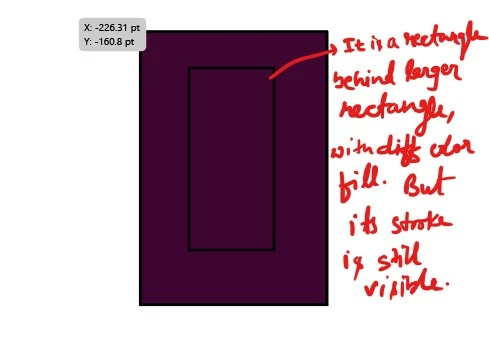
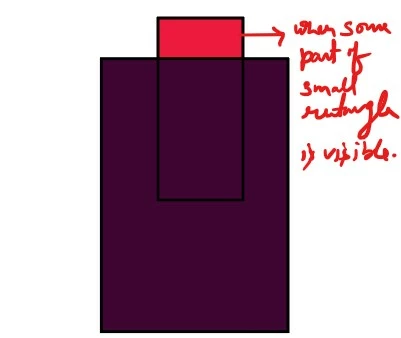
How to hide the stroke? 

    This topic has been closed for replies.

    5 replies

    Jacob Bugge
    Community Expert
    Community Expert
    October 9, 2019

    Shaurav,


    As to Anne, to me it looks like this,


    "2. The top object has a Blending Mode (e.g. Multiply). Check this in Appearance panel."


    Normal quotes are off, still.


    Monika Gause
    Community Expert
    Community Expert
    October 9, 2019

    There might also be strokes applied to the layer.

    Anna Lander
    Inspiring
    October 9, 2019

    the versions:

    1. The top object has an Opacity < 100%

    2. The top object has a Blending Mode (e.g. Multiply). Check this in Appearance panel.

    Monika Gause
    Community Expert
    Community Expert
    October 9, 2019

    Check the ppearance panel if any transparency is applied to the object or the layer

    sishamIAGD
    Community Expert
    Community Expert
    October 9, 2019

    Do you have any effects added to any of the graphics?