Participant
July 30, 2024
Question

Arrowheads Lost When Opening With Newer Version of AI

  • July 30, 2024
  • 1 reply
  • 915 views

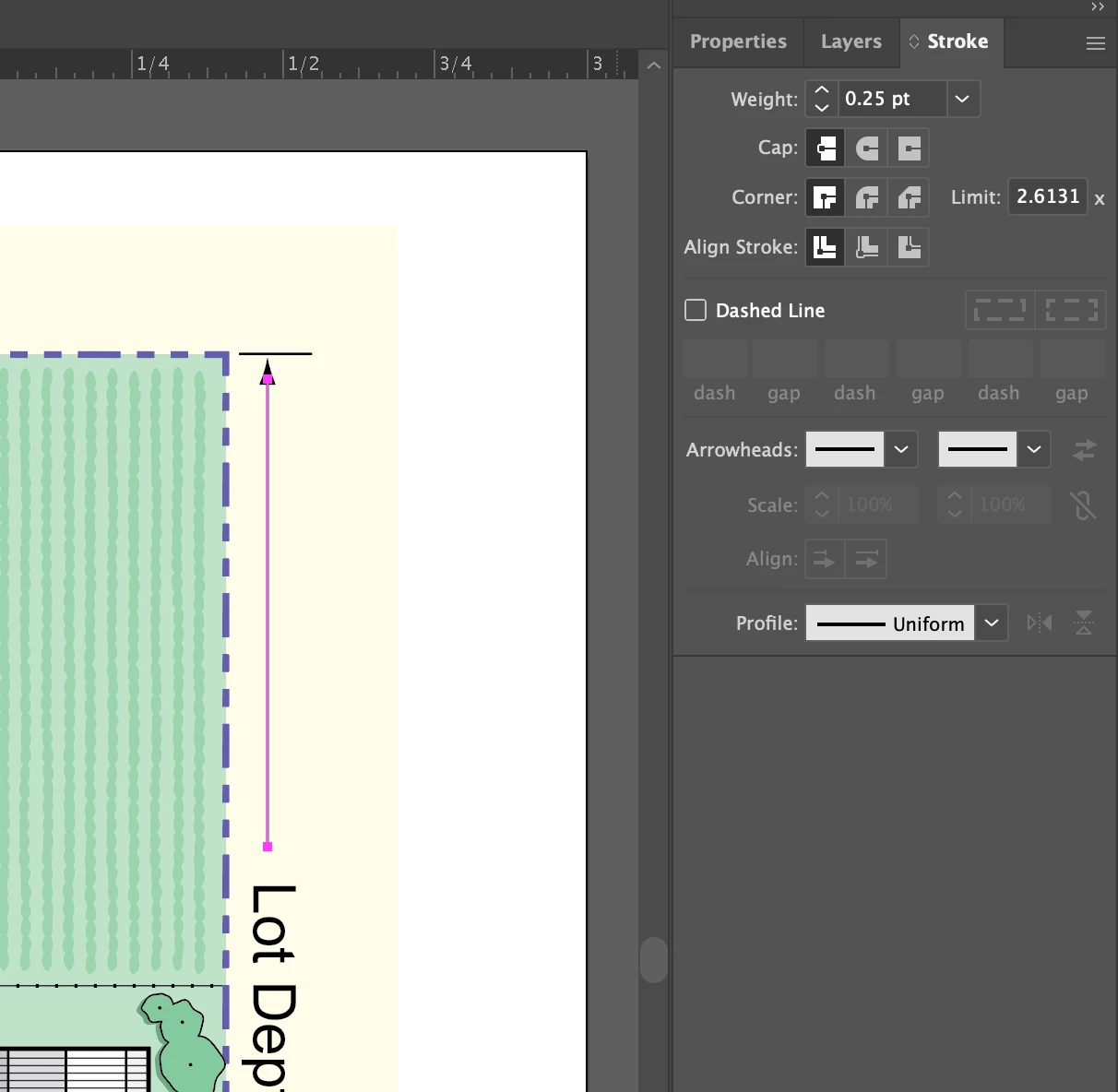
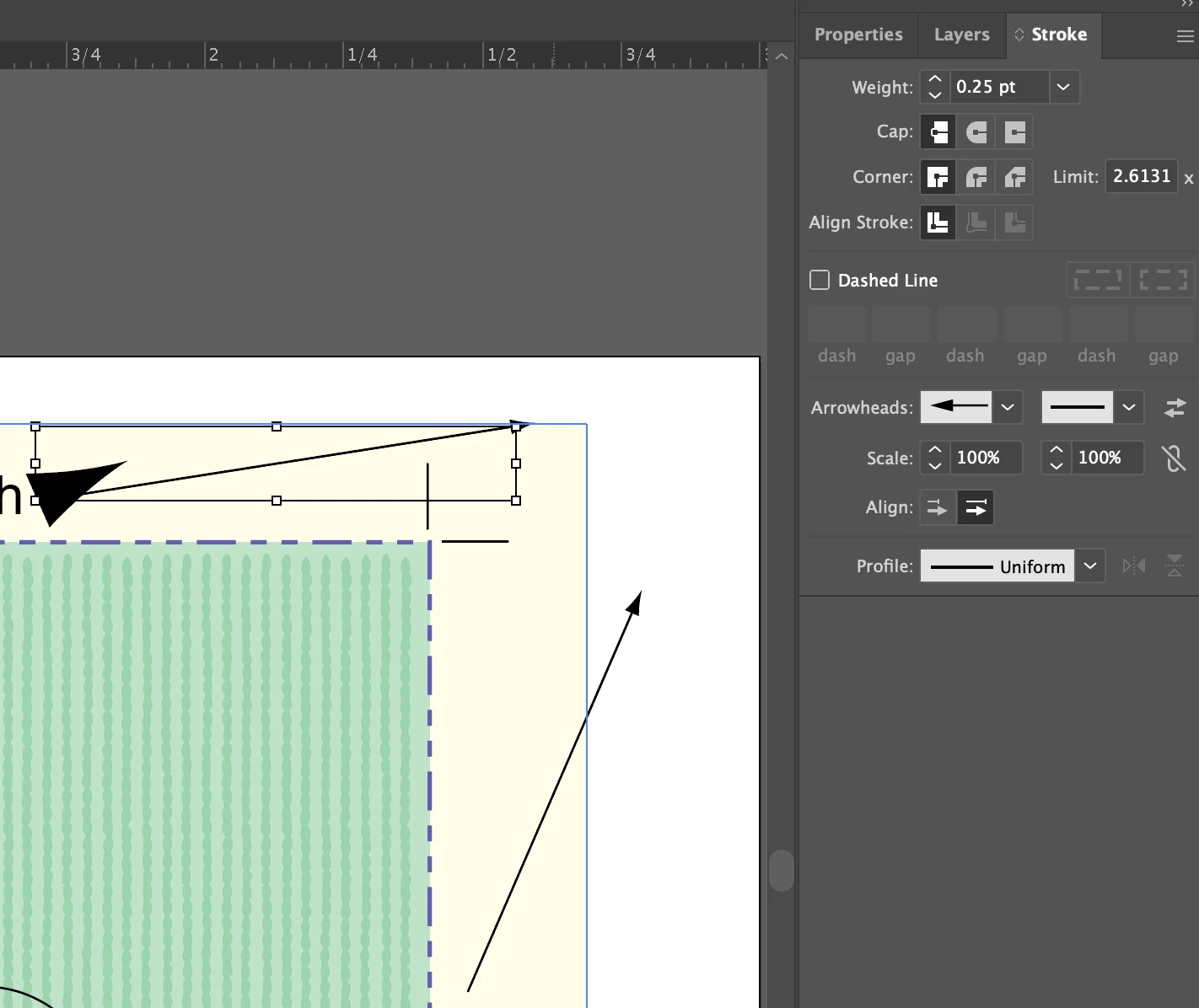
I'm opening files created a few versions ago.  I'm currently using v28 of AI.  When I open a file that had strokes with arrowheads a few wierd things happen.  One, the arrowhead is there, but doesn't show up in the strokes panel as having an arrowhead applied.  It shows as a simple line.  Two, if I add an arrowhead to the stroke they go crazy, pointing in different directions.  Is there a way to open older files, maybe version 24 and NOT lose the arrowheads?  My only workaround is deleting the line, redrawing it, and manually adding an arrowhead.  I have about 100 files that each have 4 to 10 stylized strokes (either a round dot or arrowhead attached.  Its a lot of manual work to fix; but more importantly, will this keep happening with every new version of Adobe Illustrator?  
This topic has been closed for replies.

1 reply

Monika Gause
Community Expert
Community Expert
July 30, 2024

Has the update worked correctly? Did everything get installed correctly? This sounds like either the files use custom arrowheads or you do not have the default arrowheads file installed.


But even then the arrowheads should be present on the objects.

Participant
August 1, 2024

After further looking into the issue, I'm finding that the arrowheads have 'moved' to the Properties Panel and are showing up as a Special Effect, called "Add Arrowheads".   Add Arrowheads is not in my special effects menu as an option.  I've never applied arrowheads any other way than through the Stroke panel.  Did arrowheads used to be in the Special Effects panel prior to being in the Stroke panel?

Ton Frederiks
Community Expert
Community Expert
August 1, 2024

Yes, before they were added to the Stroke panel, they were an effect.