Yura Timoshenko
Inspiring
September 18, 2020
Answered

Art board is not copied when alt-dragged

  • September 18, 2020
  • 3 replies
  • 2052 views

Artboard is not copied when alt-dragged as I said before. Then sometimes it is being copied, seems sporadic, did not find any reasons for it. Artboards with some content, that is raster and vector objects, say a flier A4. When you want to replicate it by selecting it in document setup tab, alt-dragging it sometimes works, sometimes not, frustrating. It just moves to a dragged location and not being replicated. Sometimes. But often enough to cause frustration and mild pain. I have the latest version of Illustrator with all latest updates, on the latest Imac runnins OSX with all latest updates. Please fix it, I will pray that you will.

Correct answer Mike_Gondek10189183

When posting, please try to be a little more clear, and don't be afraid to post a screenshot. They are often loaded with information for us to see what your settings, and what type of elements you are missing in your copy. Myself & others more often reply to posts with screenshots.


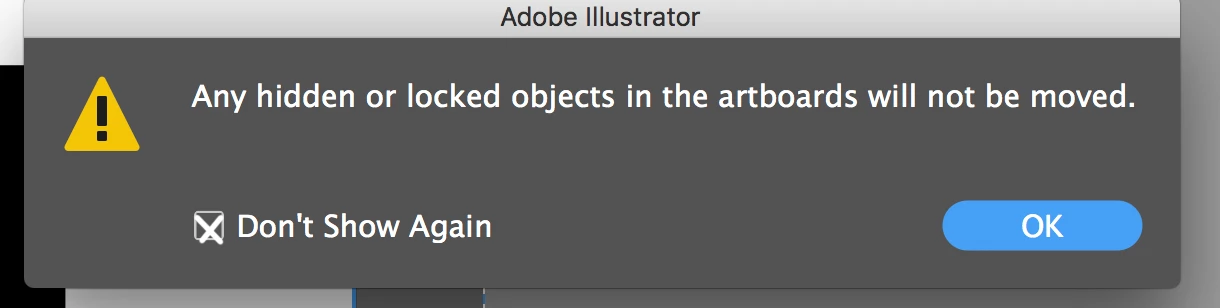
My guess is you are in the artboard tool, and alt(win) or option (mac) dragging the artboard to make a copy. If you have a locked element that would not copy over if this was checked. 


For you migth be better to drag the artboard you want to copy, to the new artboard, no option key needed. 

3 replies

Participant
September 20, 2025

This is a major pain and a challenge - I have noticed that Illustrator keeps report "Unknown Error" when someone is working on files that are being synced to OneDrive or GoogleDrive.

Anubhav M
Community Manager
Community Manager
September 23, 2025

Hello @Francis_Kanja,

Thanks for reaching out. Illustrator supports working across networks, removable media, and cloud-synced folders (Google Drive / Dropbox / OneDrive, etc.) and is vigorously tested across multiple configurations. However, not all configurations, including different software, hardware, settings, and access rights, have been tested. Therefore, your configuration can cause errors, crashes, or unexpected behavior. You may learn more about this here: (https://adobe.ly/3W7tNco).


To avoid such problems, we recommend working on your files from a local directory, like the Desktop, and manually copying them to the removable media, network drive, cloud-synced folder, or using Cloud Documents.


Please start a new post if you have more questions or need assistance. We'd be happy to help.

Anubhav

Mike_Gondek10189183
Community Expert
Community Expert
September 18, 2020

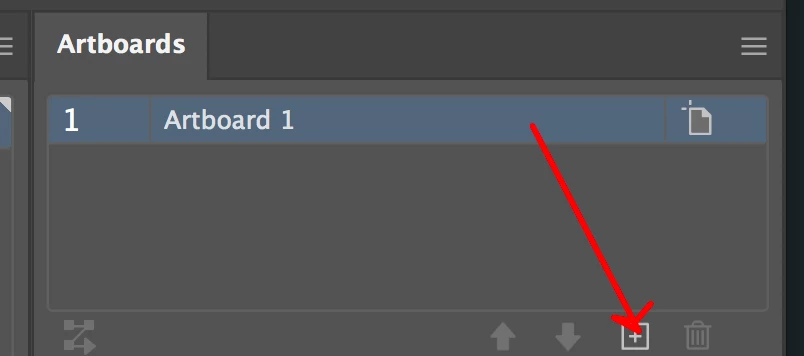
Also make sure this button is depressed.

Yura Timoshenko
Inspiring
September 18, 2020

Yes, the button is depressed, to no effect, just tried ) Thanks though!

With the bestestest wishes! )
Mike_Gondek10189183
Community Expert
Mike_Gondek10189183Community ExpertCorrect answer
Community Expert
September 18, 2020

When posting, please try to be a little more clear, and don't be afraid to post a screenshot. They are often loaded with information for us to see what your settings, and what type of elements you are missing in your copy. Myself & others more often reply to posts with screenshots.


My guess is you are in the artboard tool, and alt(win) or option (mac) dragging the artboard to make a copy. If you have a locked element that would not copy over if this was checked. 


For you migth be better to drag the artboard you want to copy, to the new artboard, no option key needed. 

Yura Timoshenko
Inspiring
September 18, 2020

Thanks for your reply! When there are locked elements I get a notification, so that is not the case. Plus, just like I said, sometimes I get into frenzy and keep dragging with the same effort and without pushing any extra buttons and then it just works! So, I am not sure that there is any intelligent meaning to it... But I will dabble some more...

With the bestestest wishes! )