


Inspiring
Jan 16, 2025 4:14 PM UTC
Answered

Art brush stoke around rectangle breaks at corner
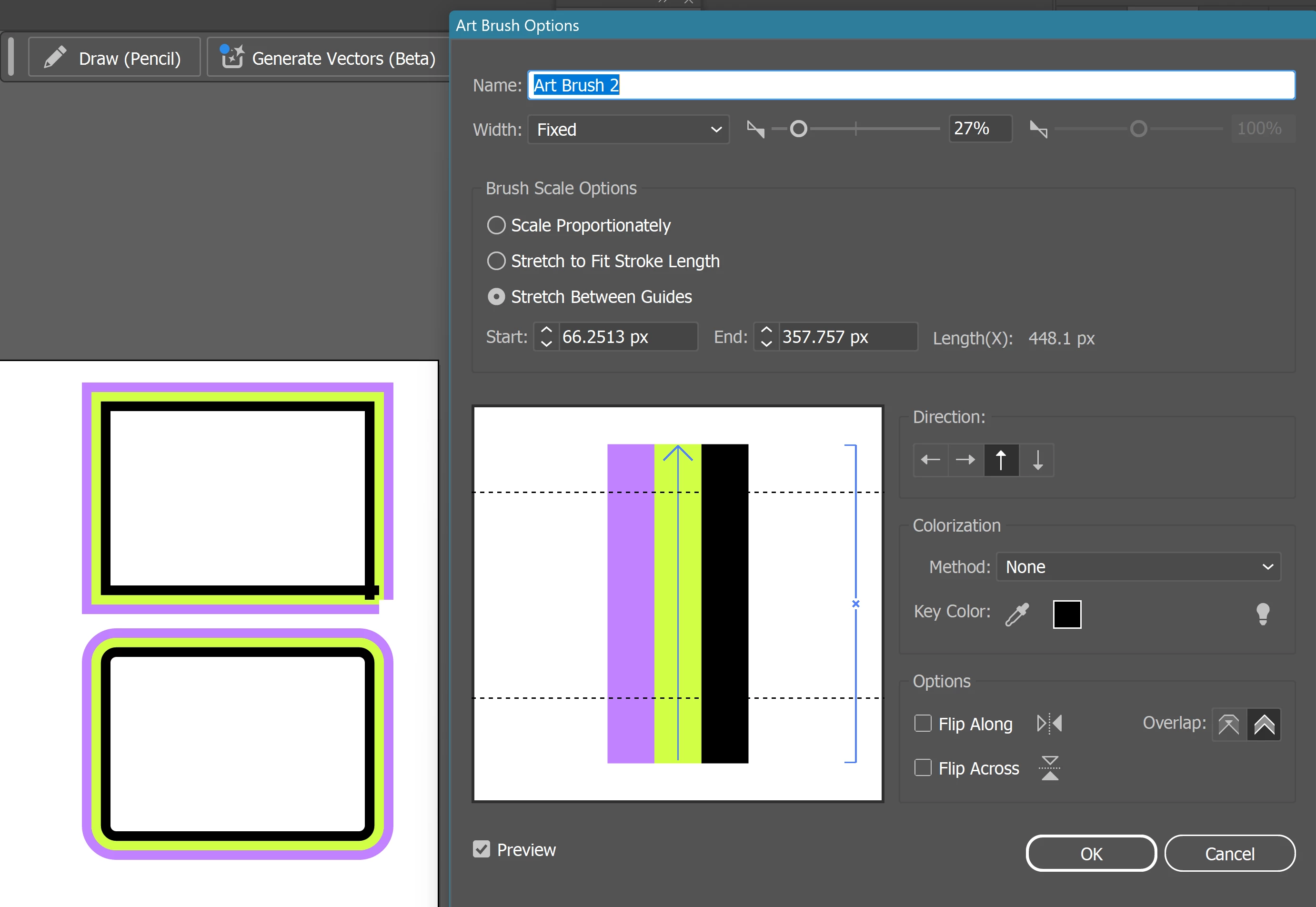
 

created a rectangle and applied this are brush as a stroke.
one anchor point does not agree, and the brush in that corner just breaks.
I thought moving the guide a bit inward would help (screenshot) but no.
When the corners are rounded, it works perfectly fine.

Monika Gause
Monika GauseCorrect answer
Community Expert
Jan 16, 2025 4:39 PM UTC

That is usually the point that is considered the start/end point. Making a pattern brush should solve it.

5 replies

Ton Frederiks
Community Expert
Community Expert
Jan 16, 2025 4:40 PM UTC

You could  try the Pattern Bush option.

Translate
PonyxPonyAuthor
Inspiring
Jan 16, 2025 4:43 PM UTC

Thank you very much, indeed choosing an art brush was not the way to go. now pattern brush works fine.

Translate
Ton Frederiks
Community Expert
Community Expert
Jan 16, 2025 4:50 PM UTC

Good to hear that worked for you.

Translate
Monika Gause
Community Expert
Monika GauseCommunity ExpertCorrect answer
Community Expert
Jan 16, 2025 4:39 PM UTC

That is usually the point that is considered the start/end point. Making a pattern brush should solve it.

Translate
PonyxPonyAuthor
Inspiring
Jan 16, 2025 4:43 PM UTC

Thank you! I made it pattern brush and now its fine.

Translate