


Jojakeem
Known Participant
February 22, 2018
Question

Artboard not snapping to anchor point

  • February 22, 2018
  • 1 reply
  • 4003 views

I can't figure out why my artboard will not snap exactly on an object;s anchor point.. here's what happens:

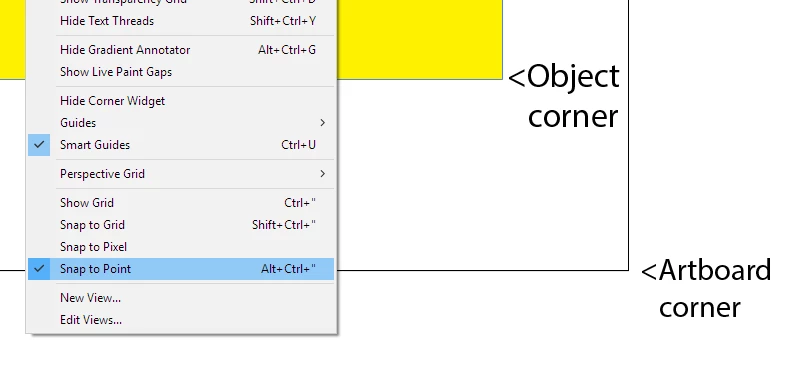
Object layw within artboard, snap to point enabled
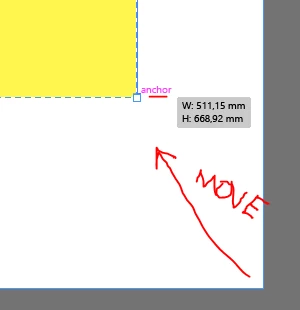
Resizing artboard with Artboard tool to the corner of object, only letting go when 'anchor' is lighting up..
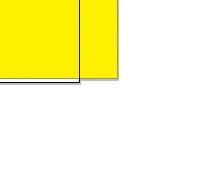
Result when zooming in:
Can somebody replicate this? Am I missing something or is it a bug?

The other way around it dóes work, moving the object to the artboard's corner.

(Illustrator CC 2018 on Windows 10)

    This topic has been closed for replies.

    1 reply

    Bill Silbert
    Community Expert
    Community Expert
    February 22, 2018

    You can align objects to the edge of the artboard using the align panel. Set the "Align To:" to "Align to Artboard" and then any object(s) you select and apply one of the "Align Object" to options will align those objects to the appropriate edge of the artboard. See screen shot:

    Jojakeem
    JojakeemAuthor
    Known Participant
    February 22, 2018

    Yeah as a workaround I can make the size of the artboard equal to the size of grouped art and then align it.

    I did notice now that artboards cannot be sized with as precisely as art (e.g. it will round off 12.345 to 12.3).

    It's a bit unexpected behaviour anyway that the artboard tool does not allow you to snap to a point. Maybe they forgot to implement the snap feature here.