
Inspiring
April 12, 2023
Question

Artefacts with my pattern in Illustrator

  • April 12, 2023
  • 1 reply
  • 931 views

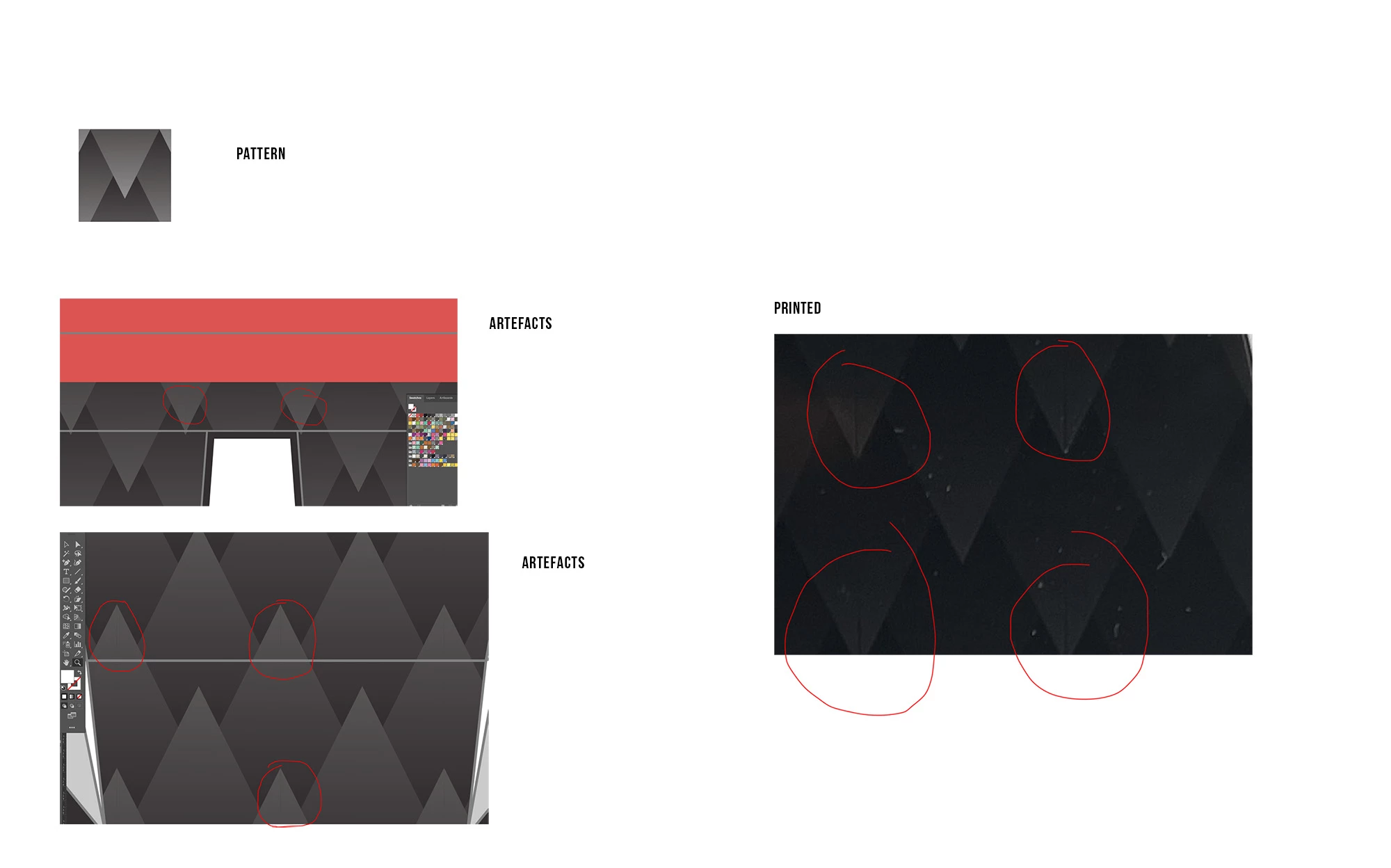
I made a pattern in illustrator and can't get rid of the artefacts.
It causes micro lines in the way it combines the pattern that also show in print.
I expanded the pattern for the final document but cannot get it to work.

Can anybody fix this? Pattern is attached. Had to zip it to upload.
This topic has been closed for replies.

1 reply

Ton Frederiks
Community Expert
Community Expert
April 12, 2023

To share the pattern, you need to share it with CC files sharing, DropBox, Google, WeTransfer and the like.

How did you create your pattern, Pattern maker or drag&drop?

Does the size of your pattern contain fractional pixels?

WaMoAuthor
Inspiring
April 12, 2023

I just drew vectors and drag and dropped them on the swatches panel.
I have no idea about the fractional pixels. not sure what that means and how to check. But here is the link.
https://drive.google.com/file/d/1dHOQ0eYCKIK-cWt_pBAiF1uJkEMc8X0_/view?usp=share_link

Ton Frederiks
Community Expert
Community Expert
April 12, 2023

Thanks, your pattern tile dimensions show fractional numbers when points or pixels are used as units.

This can cause anti-aliasing artefacts when displayed on low resolution devices like a monitor screen or desktop printer. You will notice that these artefacts show and disappear when zooming in and out.

Rasterizing before printing or exporting as an image with Art Optimized ant-aliasing (you can use the Rasterize effect to make it non destructive) effect) can get rid of the artefacts.