Participant
November 6, 2019
Question

Aspect visuelle d'illustrator

  • November 6, 2019
  • 1 reply
  • 850 views

Hello,

It's been two days since I have this problem, I just migrated to a new (powerful) PC, and Adobe Illustrator comes with very dark colors.

Image :
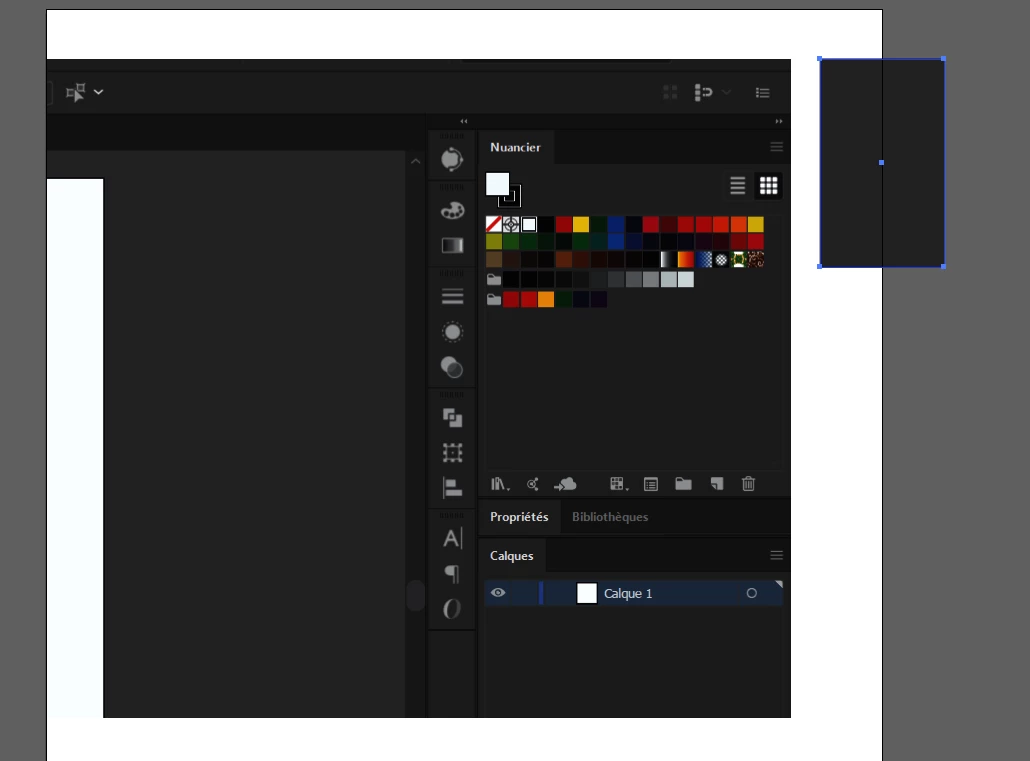
 

This is a screenshot made inside Illustrator and as you can see the colors have drastically changed.

The proof, in the Color's pallet, the Cyan, Magenta etc. came with a very dark aspect.

And I opened this same image with another PC the colors are itactes.


is there any manipulation to do?
an update?
problem of compatibility with certain materials?


System configuration:
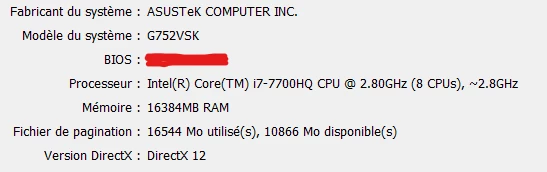
Graphic card :
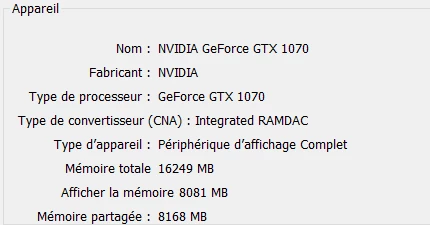
Merci d'avance.

This topic has been closed for replies.

1 reply

Mylenium
Legend
November 6, 2019

Looks completely unrealted to AI. More likely you didn't instate a system level monitor profile and/ or your new grapics card is permanently running in 10bit/ 30bit mode, which of course would require color management to produce predictable results.


Mylenium

hbmotionAuthor
Participant
November 6, 2019

Thanks @Mylenium for the reply.


I actually updates the post and shared the System Config and the Graphics card.

I changed the bit mode by 32bits (Default), and here is the Color profile I'm actually using.


Despite all of that, I'm still on the same Aspect.