Italgraphica
Known Participant
October 10, 2017
Question

Assegnare Campioni Colore

  • October 10, 2017
  • 2 replies
  • 1499 views

Ciao a tutti,

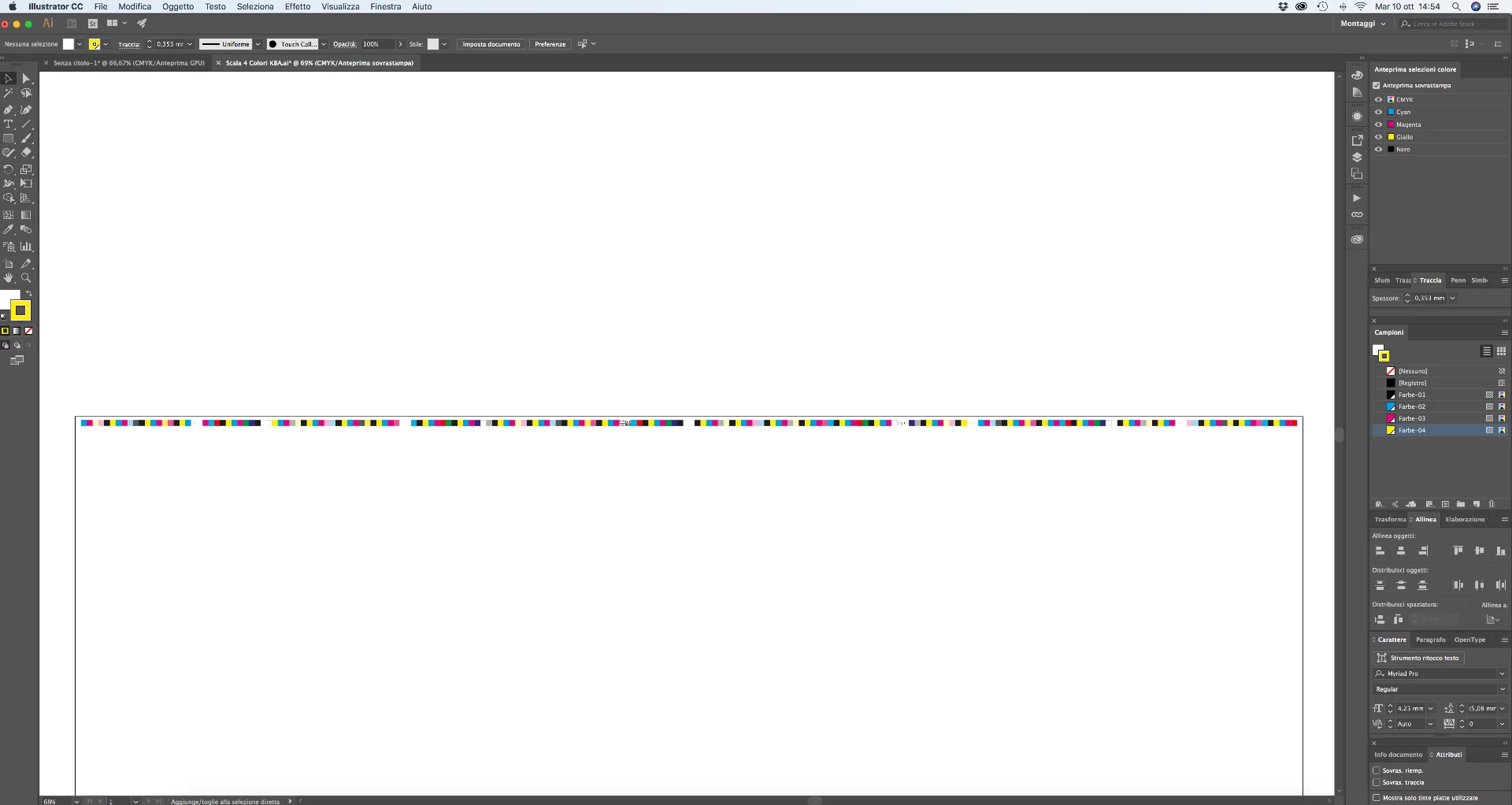
come faccio ad assegnare i colori presenti nell'anteprima sovrastampa ai colori presenti nei campioni (Farbe01, 02, eccc)??

This topic has been closed for replies.

2 replies

sharp_hands16B8
Community Expert
Community Expert
October 11, 2017

I think Monika might be interpreting what you want the right way. If you want those solid colors to be tints of the original screen. The only way I know to do that is to use solid inks and not process mix.

You can use Edit Colors > Recolor Artwork to convert all colors to spot colors. Unfortunately all your objects that are using opacity won't be a screen of the ink they are converted to and instead will retain their opacity percentage.

Which if you are printing through a RIP device, will give you the same appearance, so I don't know if it's an issue when making plates for CMYK.

But if you need the data specifically to be a screen of a base ink like a pantone or cyan plate, then you'll have to do it all manually. But the appearance is the same regardless of which technique you use. So you can see below, each of the squares match. But I'm using a pantone ink with a screen of that ink on the far right square.

On the example below, these are the same Cyan value in a CMYK mix with opacity reduced to 30%. It looks the same as the ink above set to 30% screen.

If there was an object behind the squares with opacity this would obviously affect your separations and plates very differently. But if they are over a white background and not overlapping elements, it would RIP the same way.

Hope that helps.

Italgraphica
Known Participant
October 12, 2017

So, if I want to convert this three spot color in to a single one, what can I do? If I combine those, it create a single 100% Cyan spot

Ton Frederiks
Community Expert
Community Expert
October 12, 2017

What do you expect?

Monika Gause
Community Expert
Community Expert
October 10, 2017

Please explain what you want to create.

I don't understand what the screenshot has to do with your question.

Italgraphica
Known Participant
October 10, 2017

Hi,

I have three types of CMYK transparency in this scale:  100%, Cyan 80%, Cyan 40%.

How I can combine all these colors to a single CMYK group of swatches without losing transparency?

I wanna obtain a scale like this (see picture). The swatches are correlated with the scale, and they had maintained the transparency.

Monika Gause
Community Expert
Community Expert
October 10, 2017

I still don't understand it.

Maybe someone else does.