Participant
April 13, 2024
Question

autocad to illustrator

  • April 13, 2024
  • 3 replies
  • 418 views

Hello,

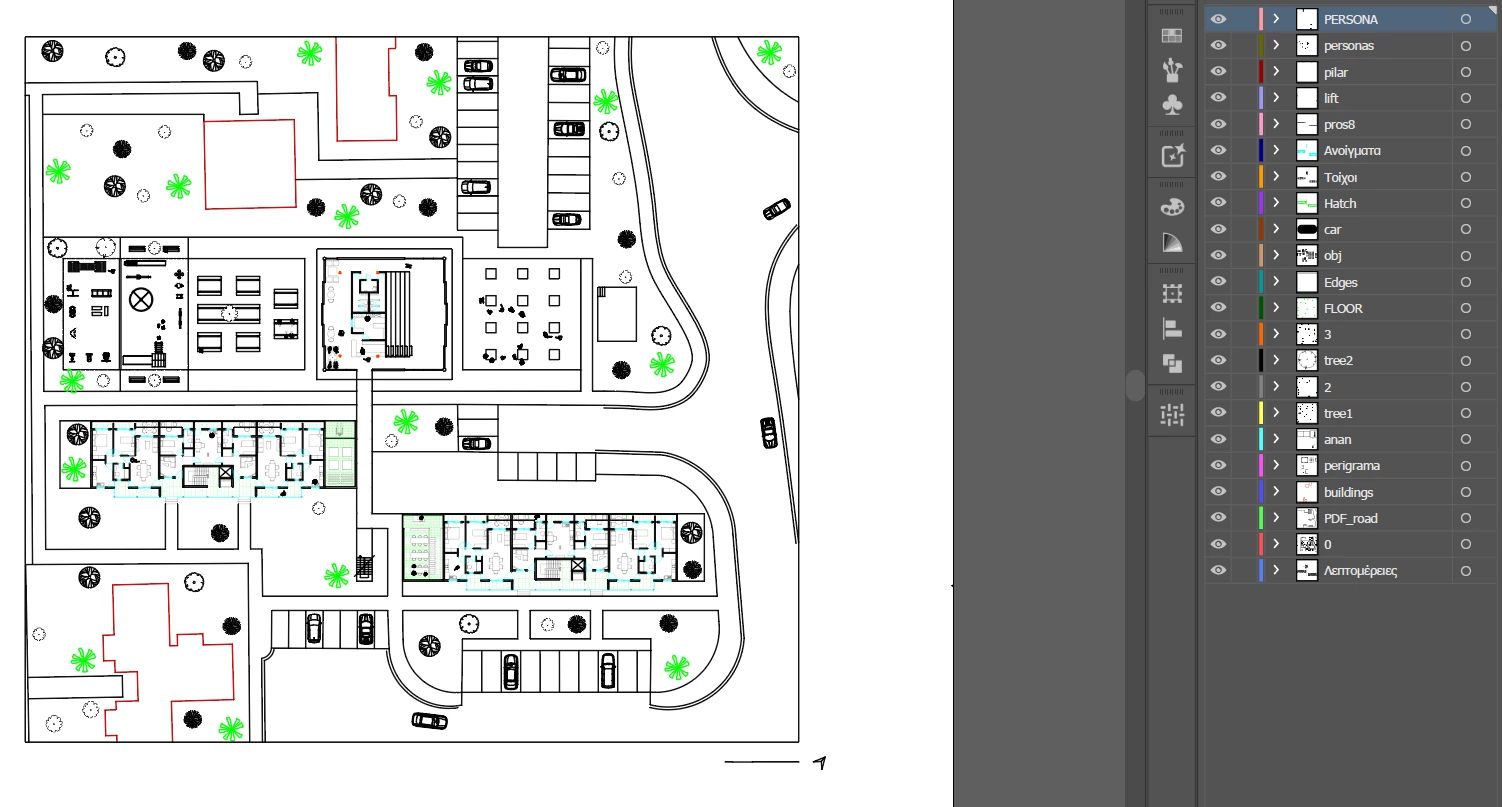
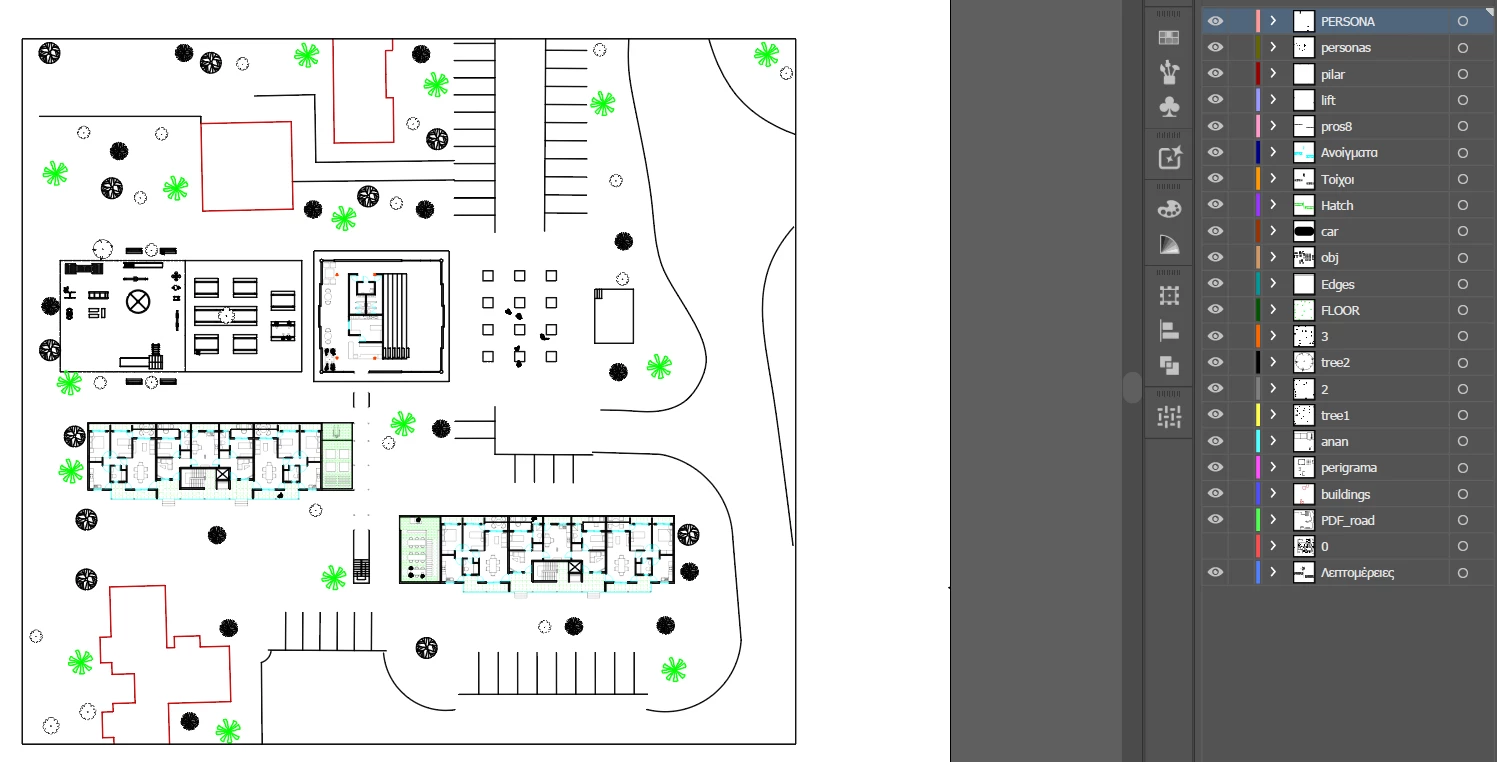
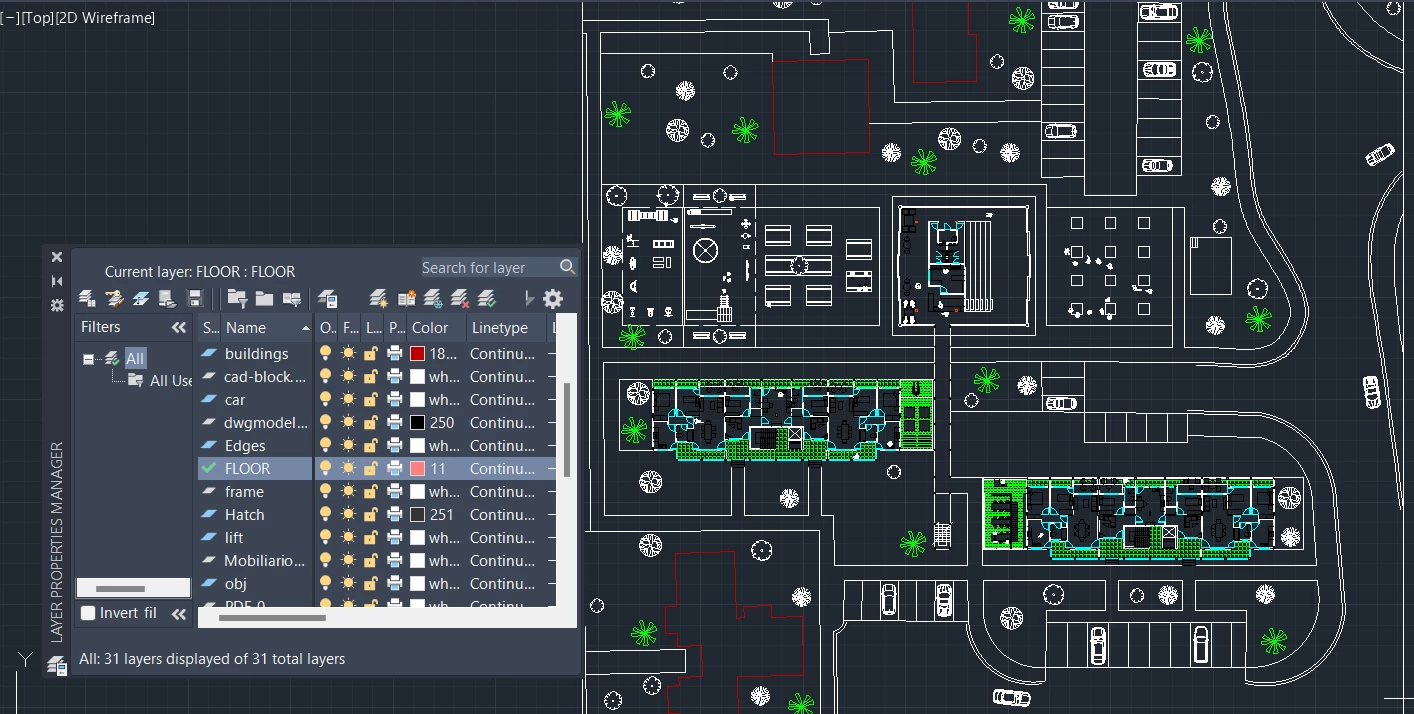
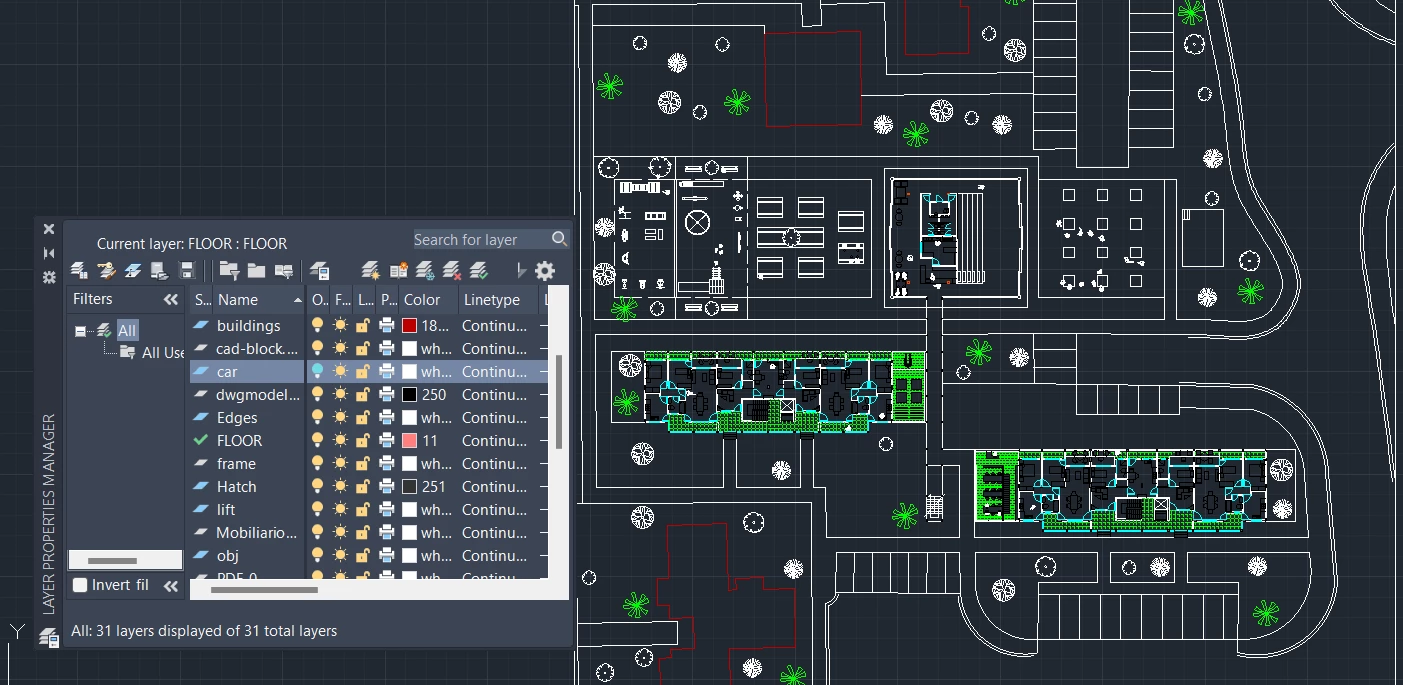
I am using illustrator 28.4.1. On the illustrator file there are some lines redirected to another layer which on autocad file they are on another layer. In autocad, car layer is alone and in illustrator it merges with 0 layer 
This topic has been closed for replies.

3 replies

Participant
May 9, 2024

Hello,

After struggling, I found the mistake by accident. All the cars were imported from another file (web), so for them to work in illustrator I had to explode the blocks in autocad and then redirect them to their layer

Thanks for the responses  

Mike_Gondek10189183
Community Expert
Community Expert
April 26, 2024

Can you try updating your layer names to be alphanumeric characters only. in AutoCAD, then export again The Greek characters worry me, along with anything like a colon or backslash.


If that does not help create a new "car 2" layer in Autocad, and move the elements to there. Do the same with the "0" layer. There might be some corruption or an advanced setting on the layers, and that could clear that.

Anubhav M
Community Manager
Community Manager
April 26, 2024

Hello @Elia36216909cj7a,

We understand that encountering technical issues can be frustrating. Would you mind sharing a public link to a sample file after uploading it to Dropbox/Google Drive/etc. and a screen recording of the problem so we can check it on our end?

Looking forward to hearing from you.


Thanks,

Anubhav