


Participant
June 6, 2022
Answered

Automatically generate text labels with name of shape

  • June 6, 2022
  • 3 replies
  • 1859 views

Hi all,

I'm looking for a way in Illuastrator to be able to add some text, automatically to hundreds of boxes/shapes on the basis of the name of the shape. The text would ideally be centered to it's corresponding shape. 

For example, to turn this...
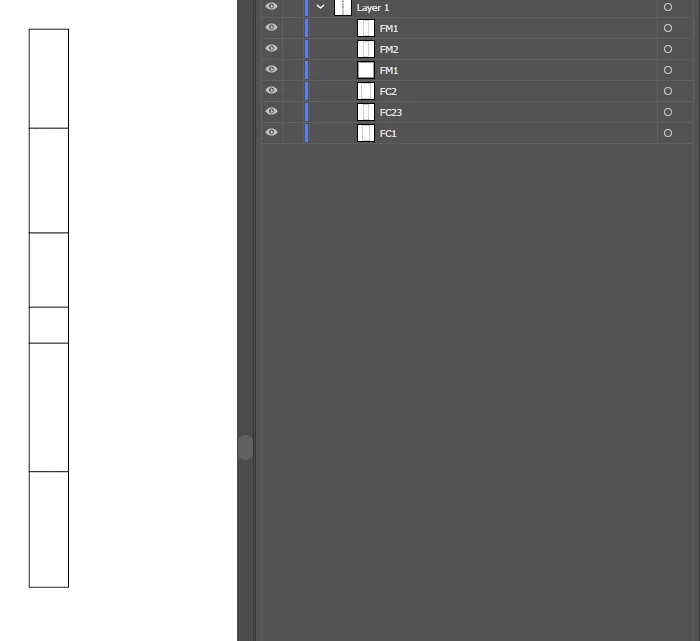

In to this;
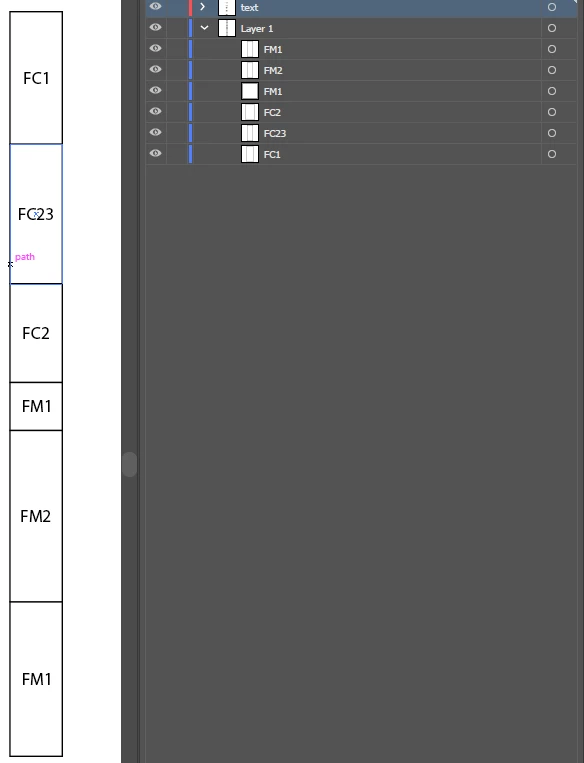

Am I missing something already existing? There are some mucky work arounds involving exporting .svgs of boxes and writing .svgs with text, but I feel there must be a way to do this all internally within illustrator but this seems the realm of some scripting, which is a bit beyond me!

Any thoughts?

 

Correct answer CarlosCanto

try this script, this version will name pathItems in a layer named "Layer 1" only


// label boxes
// https://community.adobe.com/t5/illustrator-discussions/automatically-generate-text-labels-with-name-of-shape/td-p/12987454

function main() {
    var idoc = app.activeDocument;
    var layer1 = idoc.layers["Layer 1"];
    
    var textLayer = idoc.layers.add();
    textLayer.name = "Text";
    
    var pItems = layer1.pathItems;
    var tframe, pItem;
    
    for (var a=0; a<pItems.length; a++) {
        pItem = pItems[a];
        
        tframe = textLayer.textFrames.add();
        tframe.contents = pItem.name || "Not Named";
        tframe.textRange.paragraphAttributes.justification = Justification.CENTER;
        
        tframe.position = [pItem.left + pItem.width/2 - tframe.width/2, pItem.top - pItem.height/2 + tframe.height/2]
    }
}

main();


3 replies

CarlosCanto
Community Expert
CarlosCantoCommunity ExpertCorrect answer
Community Expert
June 6, 2022

try this script, this version will name pathItems in a layer named "Layer 1" only


// label boxes
// https://community.adobe.com/t5/illustrator-discussions/automatically-generate-text-labels-with-name-of-shape/td-p/12987454

function main() {
    var idoc = app.activeDocument;
    var layer1 = idoc.layers["Layer 1"];
    
    var textLayer = idoc.layers.add();
    textLayer.name = "Text";
    
    var pItems = layer1.pathItems;
    var tframe, pItem;
    
    for (var a=0; a<pItems.length; a++) {
        pItem = pItems[a];
        
        tframe = textLayer.textFrames.add();
        tframe.contents = pItem.name || "Not Named";
        tframe.textRange.paragraphAttributes.justification = Justification.CENTER;
        
        tframe.position = [pItem.left + pItem.width/2 - tframe.width/2, pItem.top - pItem.height/2 + tframe.height/2]
    }
}

main();


TCullAuthor
Participant
June 7, 2022

CarlosCanto - that's excellent and does exactly what I was after. Thanks very much. Get in touch, I owe you a coffee/beer. 

CarlosCanto
Community Expert
Community Expert
June 7, 2022

Kurt Gold
Community Expert
Community Expert
June 6, 2022

No, this cannot be done with an action.


A script or a custom plugin would be required.


lambiloon
Community Expert
Community Expert
June 6, 2022

Hi, you can use an action to make it and apply to your files...regards

Ali Sajjad / Graphic Design Trainer / Freelancer / Adobe Certified Professional
TCullAuthor
Participant
June 6, 2022

Not sure this is possibile unfortunately - Actions recorder doesn't have the capability to grab shape names as far as I can tell.