



graphics_4075
Inspiring
September 1, 2026
Answered

Automatically relink missing files not working

  • September 1, 2026
  • 6 replies
  • 22 views

This feature was reintroduced in the latest update 30.8. I updated this morning and was looking forward to this and it is not working (unless I’m missing something)


There is no checkbox in finder when relinking a photo and it does not happen automatically. I’m on MacOs and set up a test file structure to see if it automatically worked and it did not. Am I missing something?
    Correct answer graphics_4075

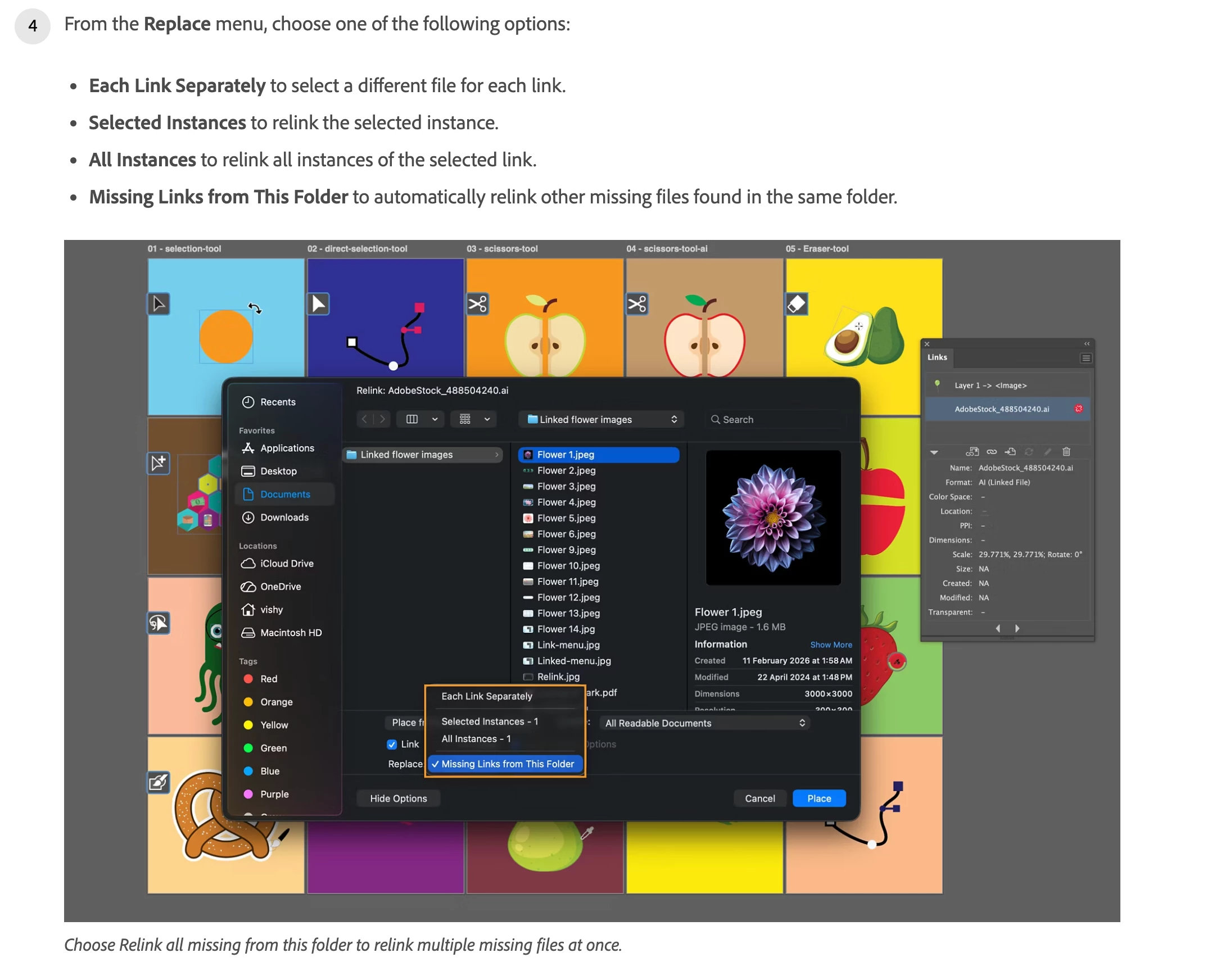
    @Ton Frederiks The dedicated button has been changed to a drop-down menu with different import options I guess. Found this here.


    They should keep their help pages up to date since that is directly what confused me. Why are there 2 with conflicting informations for this feature? There is not enough information in the Feature Notes either to make these things clear IMO. 


    I am just happy there is a bulk-relink option from the file explorer.  Cheers!


    6 replies

    graphics_4075
    graphics_4075AuthorCorrect answer
    Inspiring
    September 1, 2026

    @Ton Frederiks The dedicated button has been changed to a drop-down menu with different import options I guess. Found this here.


    They should keep their help pages up to date since that is directly what confused me. Why are there 2 with conflicting informations for this feature? There is not enough information in the Feature Notes either to make these things clear IMO. 


    I am just happy there is a bulk-relink option from the file explorer.  Cheers!


    Cheers
    Ton Frederiks
    Community Expert
    Community Expert
    September 1, 2026

    Yes, I was about to post a screenshot. You must know to locate the file and select it before the options become available.

    Ton Frederiks
    Community Expert
    Community Expert
    September 1, 2026

    @graphics_4075 Yes, you can relink them when opening the file and recently also from the Links panel.


    graphics_4075
    Inspiring
    September 1, 2026

    I am aware. I am saying you are not able to automatically relink through the links panel which is how this tool previously worked. Perhaps I was wrong in stating it “isn’t working” and instead “isn’t what I thought it is”, but there is nothing from Adobe that helps clarify and they haven’t updated the help page in 2 years.. 


    From 30.8 feature updates:

    • Automatically relink missing files from the same folder when relinking a placed asset. When you relink one missing file, Illustrator finds and relinks other missing files located in the same folder.”
    Cheers
    Ton Frederiks
    Community Expert
    Community Expert
    September 1, 2026

    @graphics_4075 Can you describe the process step by step? I get a dialog when opening a file with missing links with a Replace checkbox and an Apply to All button.

    graphics_4075
    Inspiring
    September 1, 2026

    I guess the error in my ways was assuming they had returned the old feature that was removed for no reason. It was the same as how InDesign is when you are in the links panel and click on relink, it opens up your file explorer. There is then a checkbox to search for other missing links in the folder. It may be from 2024 but this is on the Illustrator help page..


    In my understanding when you open a file you’ve always had the option to relink any files it reads as broken. I did test “Apply to All’ and it does successfully relink any images in my folder, but I have far less visibility and control over my links when replacing them that way. Am I supposed to reopen my file EVERY time I need to mass-import broken links? Why not just return the same old tool that was removed against many people’s wishes? 

    Cheers