Participant
June 10, 2021
Question

Ayuda para resolver error illustrator

  • June 10, 2021
  • 2 replies
  • 415 views

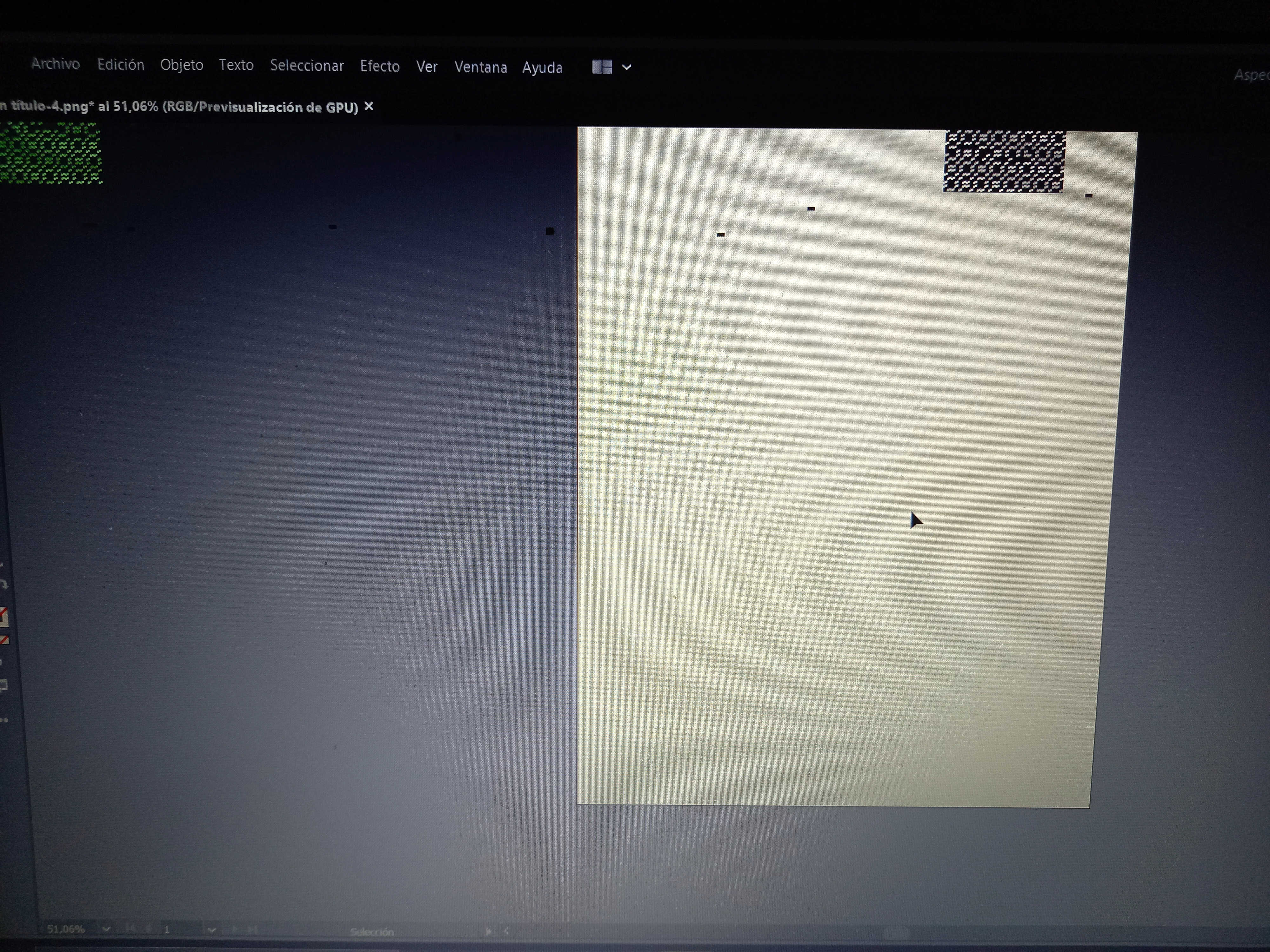
Hola! Cuando estoy usando illustrator  de la nada comienza tildarse y aparecen unos pixeles negros y verdes. 

Alguien sabe por que es ? Y como puedo resolverlo ? 

Ya intente eliminándolos y volviendo a instalar, también reinicie el equipo, pero sigue pasando
This topic has been closed for replies.

2 replies

fernanda paviolo
Participant
October 3, 2022

hola tengo el mismo problema ue describis , queria saber si lo as podido resolver y como???

Anubhav M
Community Manager
Community Manager
October 3, 2022

Hello @fernanda paviolo,


Sorry to hear about this experience. I would request you try updating the GPU drivers on your computer and then relaunching Illustrator to check if it helps.


If it does not, or if you are using a mac, kindly try resetting Illustrator's preferences by following the steps shared in this article (https://helpx.adobe.com/illustrator/kb/troubleshoot-preference-issues.html) and sharing your observations.

Disclaimer: Please note that resetting preferences will remove all custom settings, and Illustrator will launch with the defaults. You may take a backup of these settings from the location mentioned in the article.

Looking forward to hearing from you.


Thanks,
Anubhav

Ashutosh_Mishra
Inspiring
June 10, 2021

Hi there,


Sorry to hear about your experience. Would you mind sharing the version of the OS & Illustrator? Do you see the similar behavior when you disable GPU Performance under Preferences > Performance?


Also, let us know you have OS & GPU updated to the latest version. This information would help us assist you accordingly. Looking forward to your response.


Regards,

Ashutosh